To add a contact to a group, follow the steps to add and edit contacts. Once you have opened the Edit Contact page, click Add Group and select the group from the list.
Don't see a group? Maybe you haven't added one yet.
How to add a group:
1. If you click on Groups (and you don't have any groups created yet), a pop-up will appear.
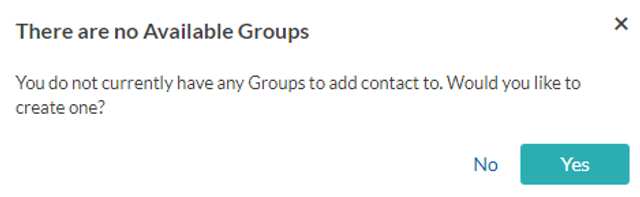
2. Select Yes .
3. Create a group.
4. Type in the title of the group.
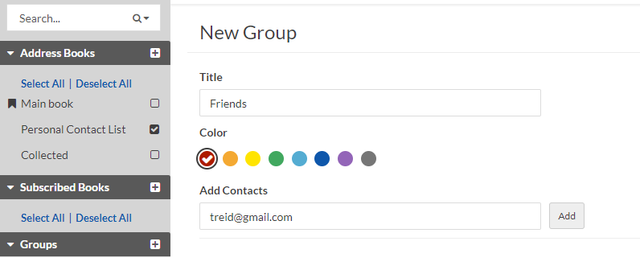
5. Under Add Contact type in the email addresses that you want to add to the group (separated by comma) and select Add .
6. Once you are finished adding contacts, select Save .
7. To create a new group from the Groups section, select the add icon, and follow the same steps as above for creating a new group.