How to add a new contact:
1. Select the Create New Contact  icon.
icon.
2. On the New Contact screen, fill in your contact’s details. To save the contact, only the name is required.
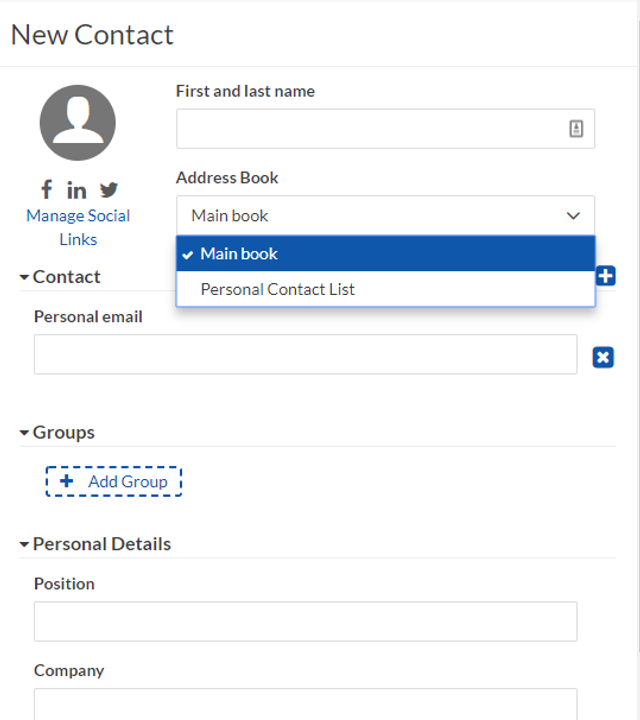
3. Select Save.
How to edit a contact
The editing panel allows you to modify a contact's details. You can edit their contact information as well as which groups or address books they belong to.
1. Go to the Address Book or Search the contact name.
2. Select the contact name from the preview panel. This will open an Edit Contact screen on the right.
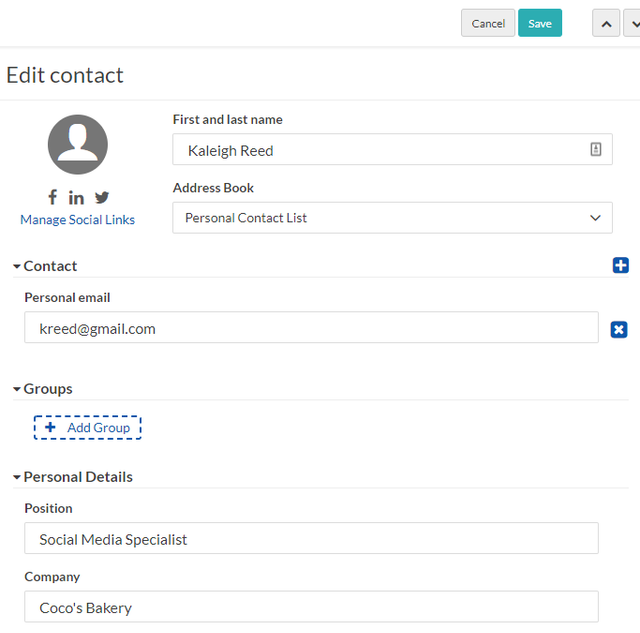
3. Make the necessary changes to your contact's information and select Save.
How to delete a contact:
- In the Contacts list view, select the contact that you want to delete.
- Click the trash can
 icon.
icon. - In the confirmation dialog, click Delete.