The spam filter strength controls how aggressively Webmail flags incoming messages as spam. This guide shows how to set the strength that best balances catching junk against the risk of filtering legitimate mail.
Step 1 — Open Settings
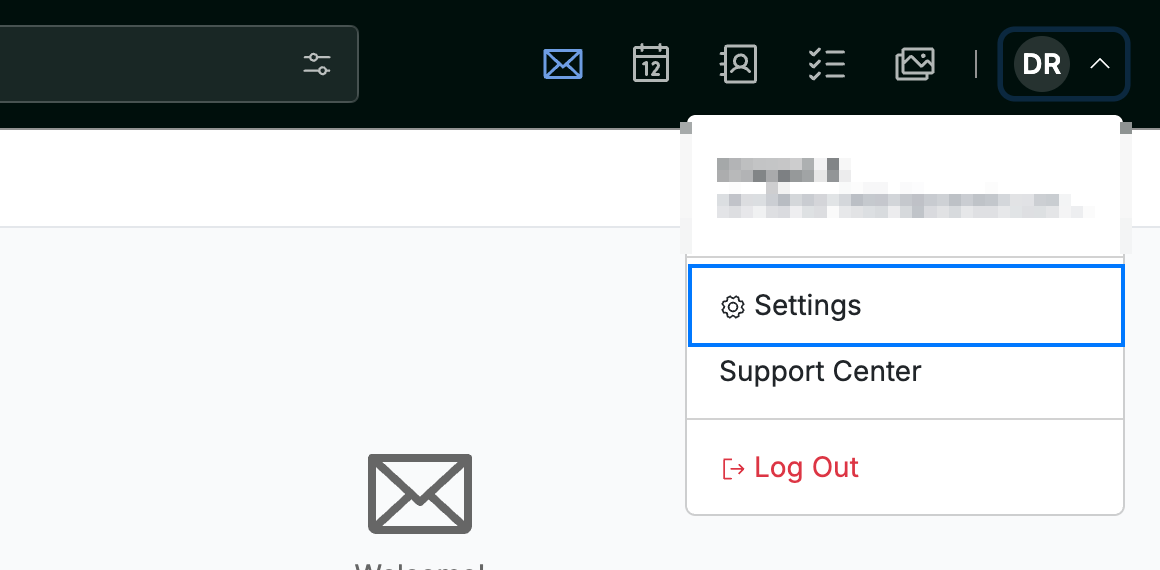
Click your avatar in the top-right corner, then click Settings.
Step 2 — Open the Safe and Spam Senders panel
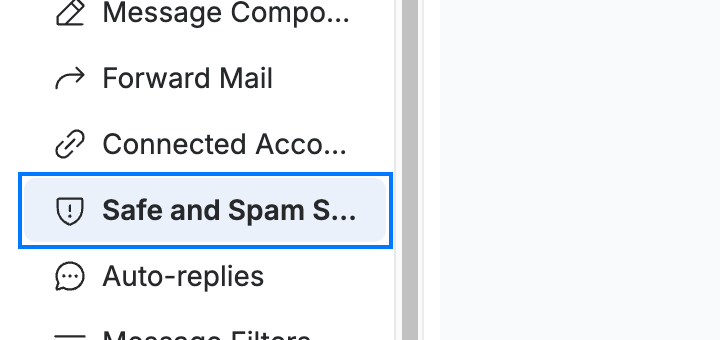
Click Safe and Spam Senders (blue) in the settings sidebar.
Step 3 — Choose a filter strength
Confirm Enable spam filter is on, then select a Filter strength (blue): Light, Standard, or Aggressive. A stronger setting catches more spam but is more likely to flag legitimate mail.
Tip: Start with Standard. Move to Aggressive only if too much spam reaches your inbox, and check your Spam folder periodically for misfiled messages.

Step 4 — Save your changes
Click Save Updates (green) to apply the new filter strength.

Explore our other guides to get the most out of Webmail.