Tags group related tasks together so you can focus on one set at a time. This guide shows how to tag a task and then filter your list by that tag.
Step 1 — Add a tag to a task
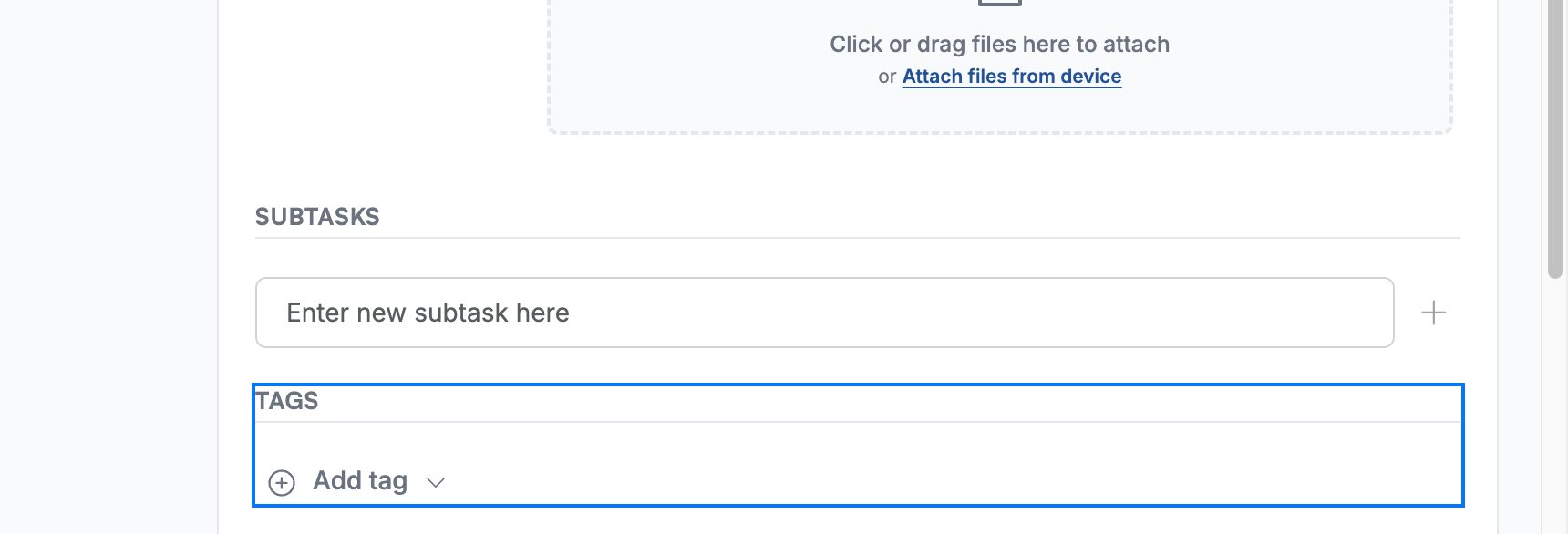
Click Add tag in the Tags section (blue) of a task, then pick a tag such as Priority.
Tip: See How to organise tasks with tags for more on creating and managing tags.
Step 2 — Find the tag under Filter by Tags
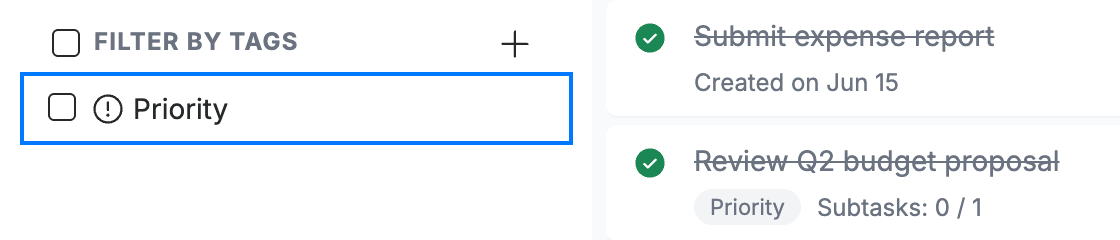
Go to TaskBox — your tags appear under Filter by Tags (blue) in the sidebar.
Step 3 — Filter by the tag
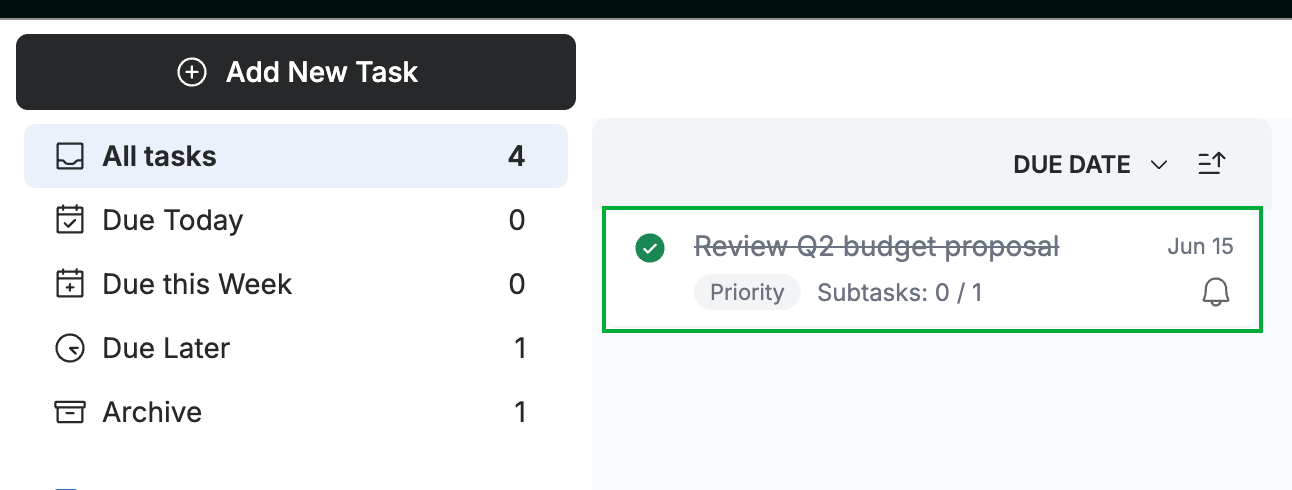
Click a tag to show only the tasks that carry it (green). Click it again to clear the filter.
Explore our other guides to get the most out of Webmail.