Connect an outside email account — such as Gmail, Outlook, or Yahoo — so you can read and send its mail from within Webmail. This guide shows how to start the connection from the Connected Accounts panel.
Step 1 — Open Settings
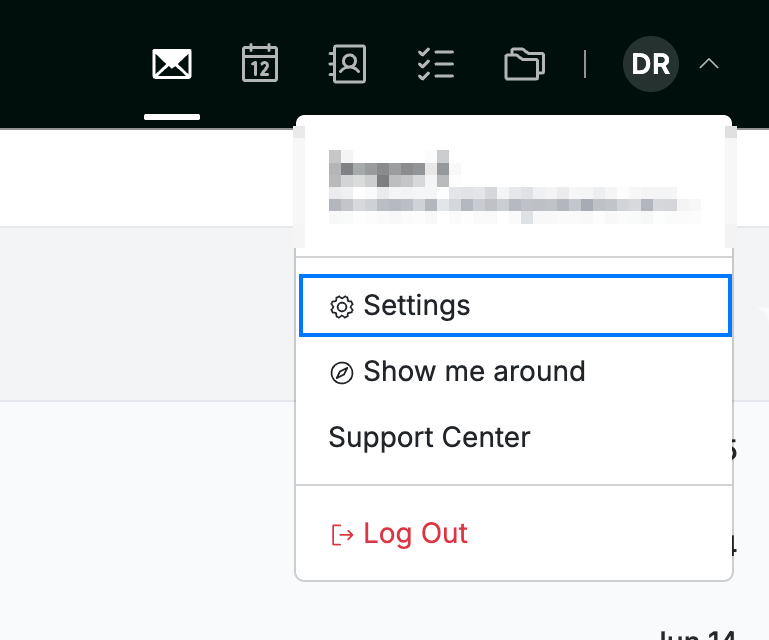
Click your avatar in the top-right corner and select Settings.
Step 2 — Open Connected Accounts
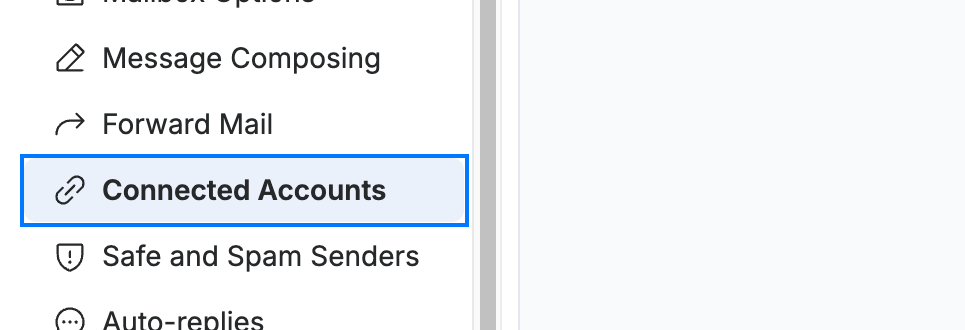
Select Connected Accounts from the Mail section of the settings sidebar.
Step 3 — Connect an account
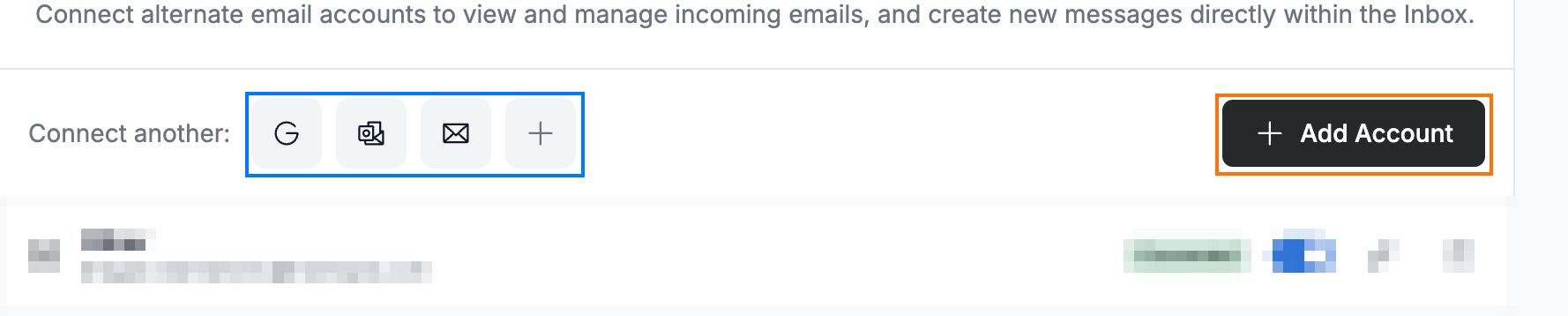
Click the icon for your provider — Gmail, Outlook, or Yahoo — under Connect another: (blue), or the + to connect any other mail service. You can also click Add Account (orange) to set one up from scratch.
Note: After you choose a provider, sign-in happens securely on that provider's own site (for example, Google's "Sign in" page). Follow the provider's prompts to authorize Webmail — that part of the flow lives outside Webmail.
Explore our other guides to get the most out of Webmail.