Turn on quoting so the original message is indented below your text when you reply or forward. This guide shows where to enable the setting.
Step 1 — Open Settings
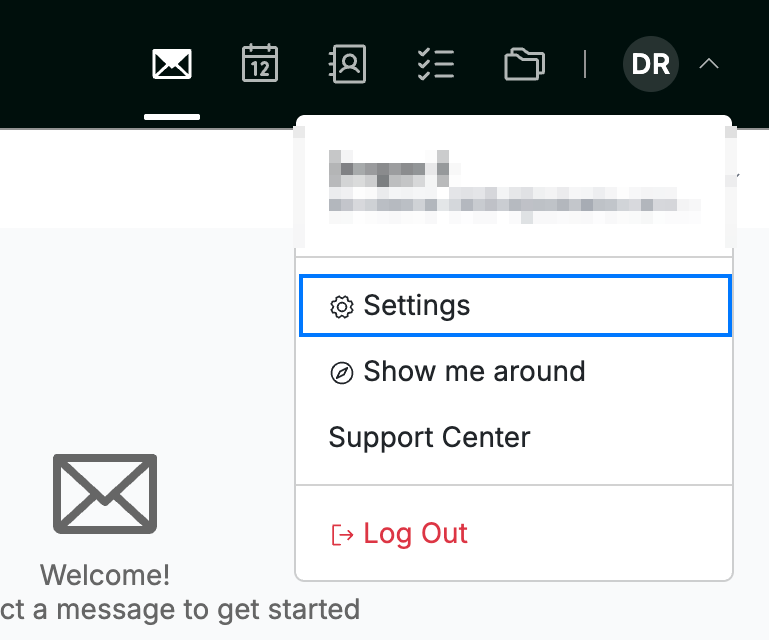
Click your avatar in the top-right corner and select Settings.
Step 2 — Select Message Composing
Select Message Composing from the settings sidebar.

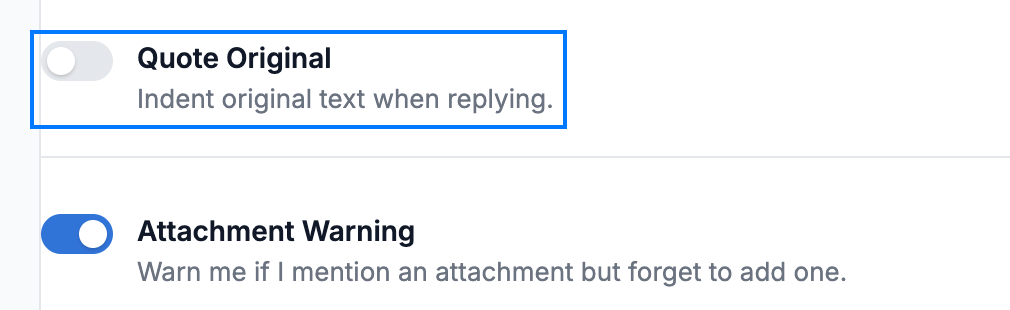
Step 3 — Turn on Quote Original
Click the Quote Original toggle to switch it on. When you reply to or forward a message, the original text is indented below your reply so the recipient can follow the conversation it relates to.
Step 4 — Click Save Updates
Click Save Updates to apply your change.

Explore our other guides to get the most out of Webmail.