The filter outcome decides what happens to a message once the spam filter flags it — whether it is deleted, delivered with a label, or held separately. This guide shows how to choose the outcome that fits how you want to handle spam.
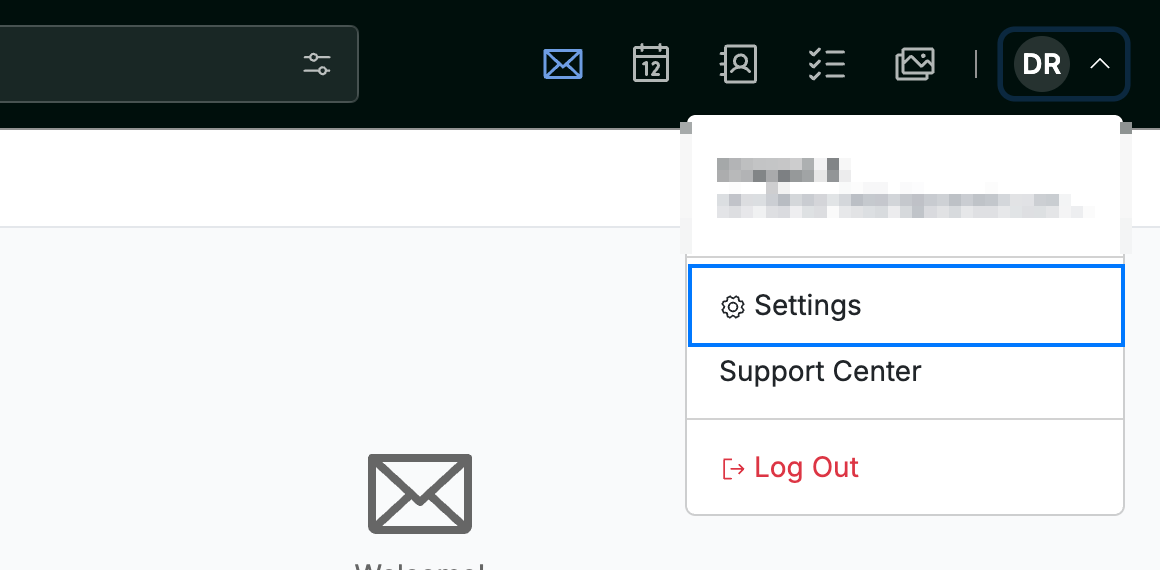
Step 1 — Open Settings
Click your avatar in the top-right corner, then click Settings.
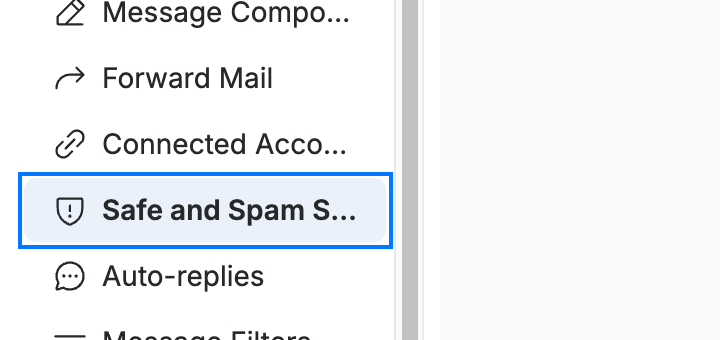
Step 2 — Open the Safe and Spam Senders panel
Click Safe and Spam Senders (blue) in the settings sidebar.
Step 3 — Choose a filter outcome
Select a Filter outcome (orange) for messages caught by the spam filter:
- Delete — remove flagged messages immediately.
- Tag & Deliver — deliver them to your inbox with a spam label.
- Quarantine — hold them separately for review.
Note: Delete removes suspected spam without review, so a wrongly flagged message is lost. Choose Tag & Deliver or Quarantine if you want a chance to recover false positives.

Step 4 — Save your changes
Click Save Updates (green) to apply the new filter outcome.

Explore our other guides to get the most out of Webmail.