Choose whether new messages open inside the main webmail view or in their own browser window. This guide shows how to set your preferred compose window from settings.
Step 1 — Open Settings
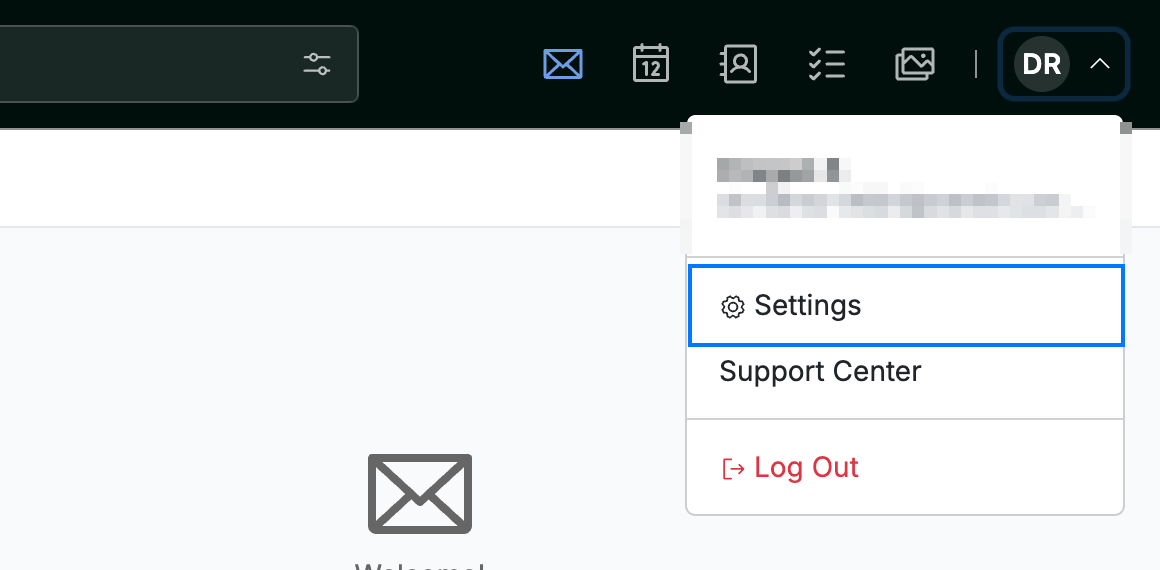
Click your avatar in the top-right corner and select Settings.
Step 2 — Select Message Composing
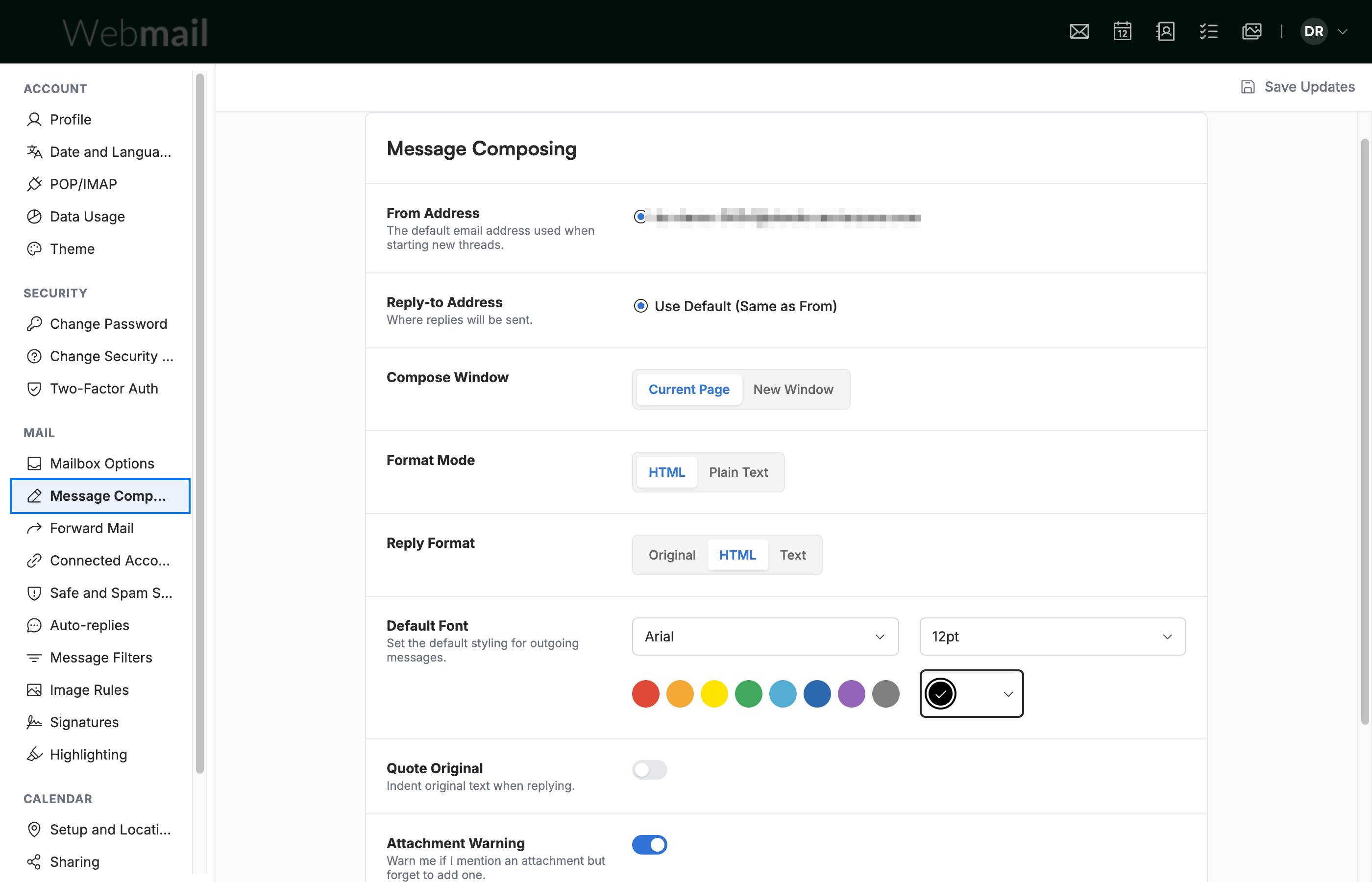
Select Message Composing from the settings sidebar.
Step 3 — Select your Compose Window option
Select New Window under Compose Window to open new messages in a separate browser window. Current Page keeps the compose form inside the main webmail view.

Step 4 — Click Save Updates
Click Save Updates to apply your choice.

Explore our other guides to get the most out of Webmail.