View the raw source of an email, including its routing and authentication headers. This is useful for troubleshooting delivery problems or verifying where a message really came from.
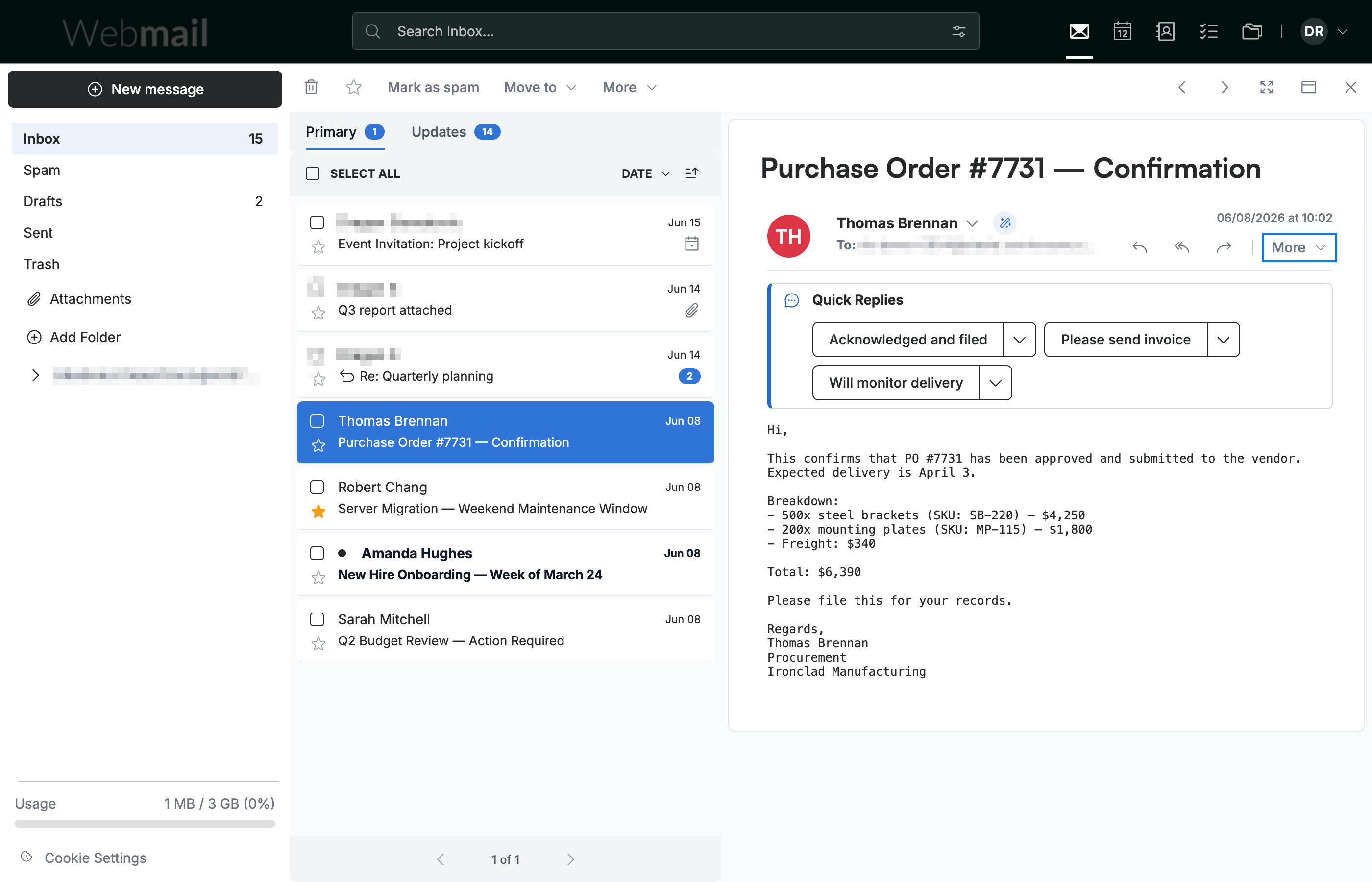
Step 1 — Open a message
Click a message in the list to open it in the reading pane. The More button (blue) appears at the right of the message header.
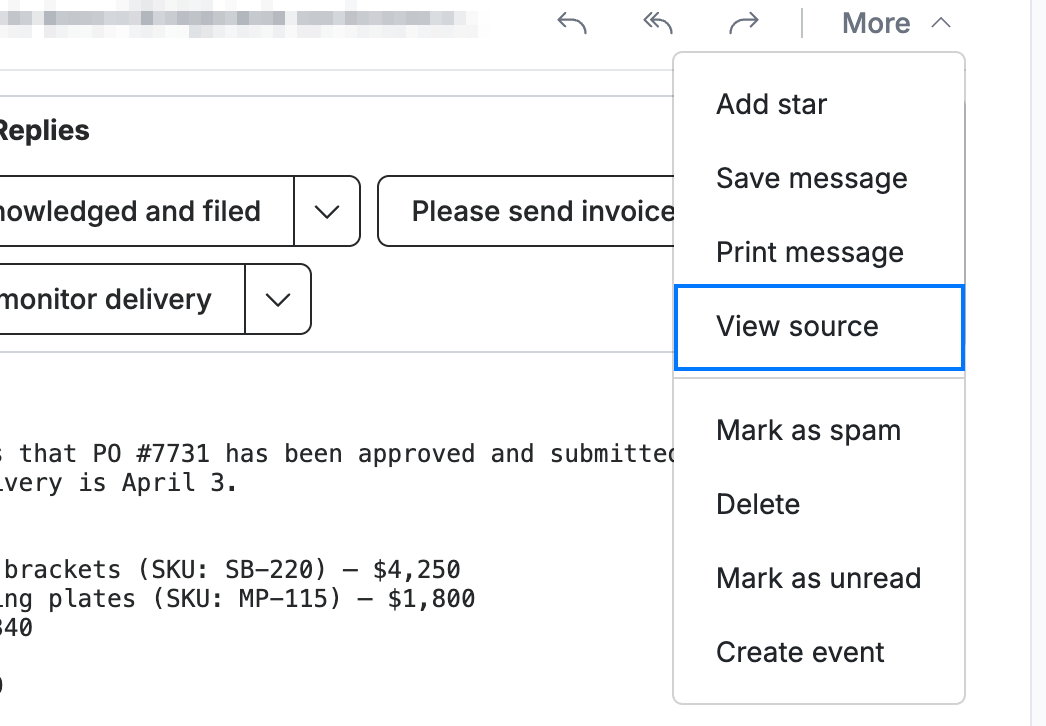
Step 2 — Select View source
Click More, then select View source (blue) from the menu.
Step 3 — Read the message source
Review the raw headers in the Message Source window that opens — including spam scoring, ARC and DKIM signatures, SPF results, and the message's routing path.
Note: These headers are read-only. Use them to confirm a sender's authentication results (SPF, DKIM) or to share full details with support when reporting a delivery issue.

Explore our other guides to get the most out of Webmail.