Send a copy of your email to extra recipients with CC, or a hidden copy with BCC. This guide shows how to reveal and fill the Cc and Bcc fields while composing a message.
Step 1 — Open the Cc and Bcc fields
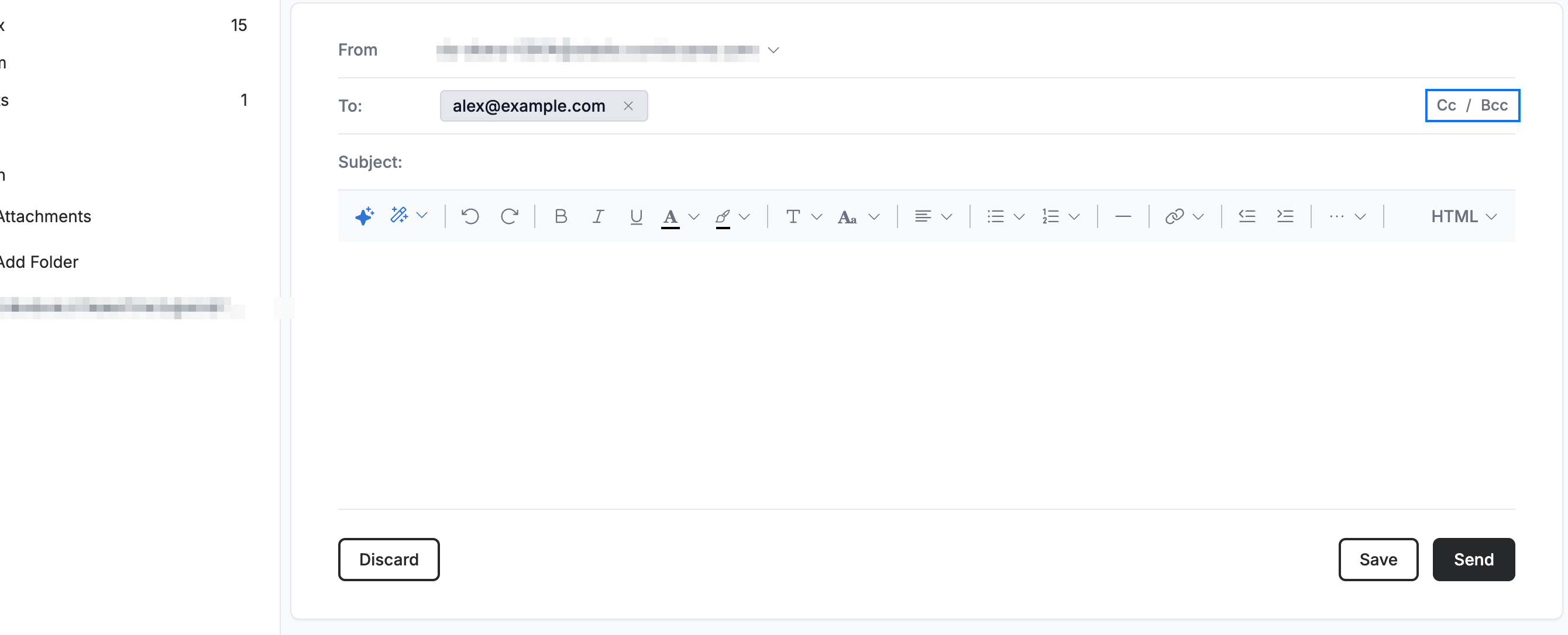
Click Cc and Bcc at the right end of the To field while composing. The Cc and Bcc rows appear.
Step 2 — Add Cc recipients
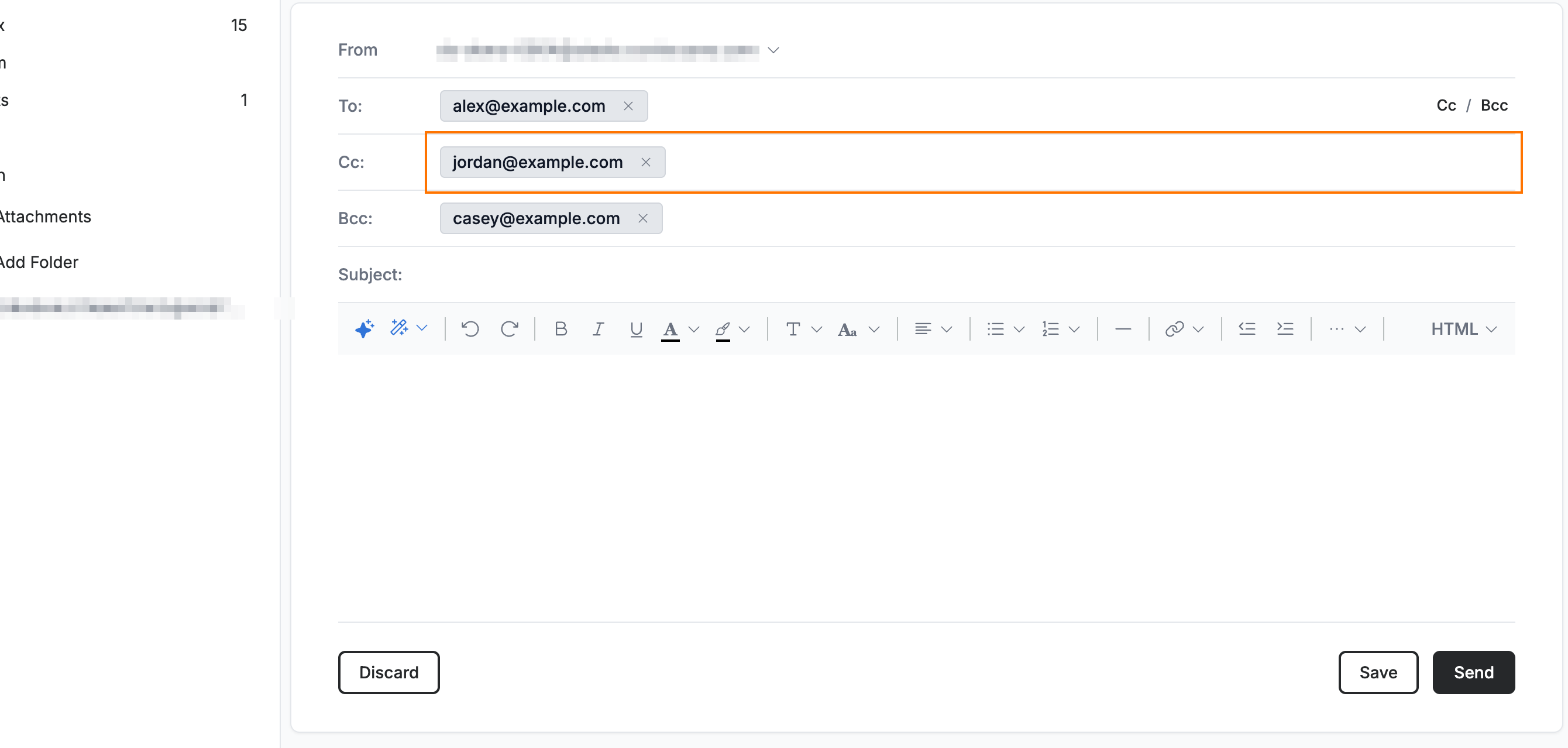
Enter one or more addresses in the Cc field. Each address appears as a chip.
Note: CC ("carbon copy") recipients are visible to everyone who receives the message.
Step 3 — Add Bcc recipients
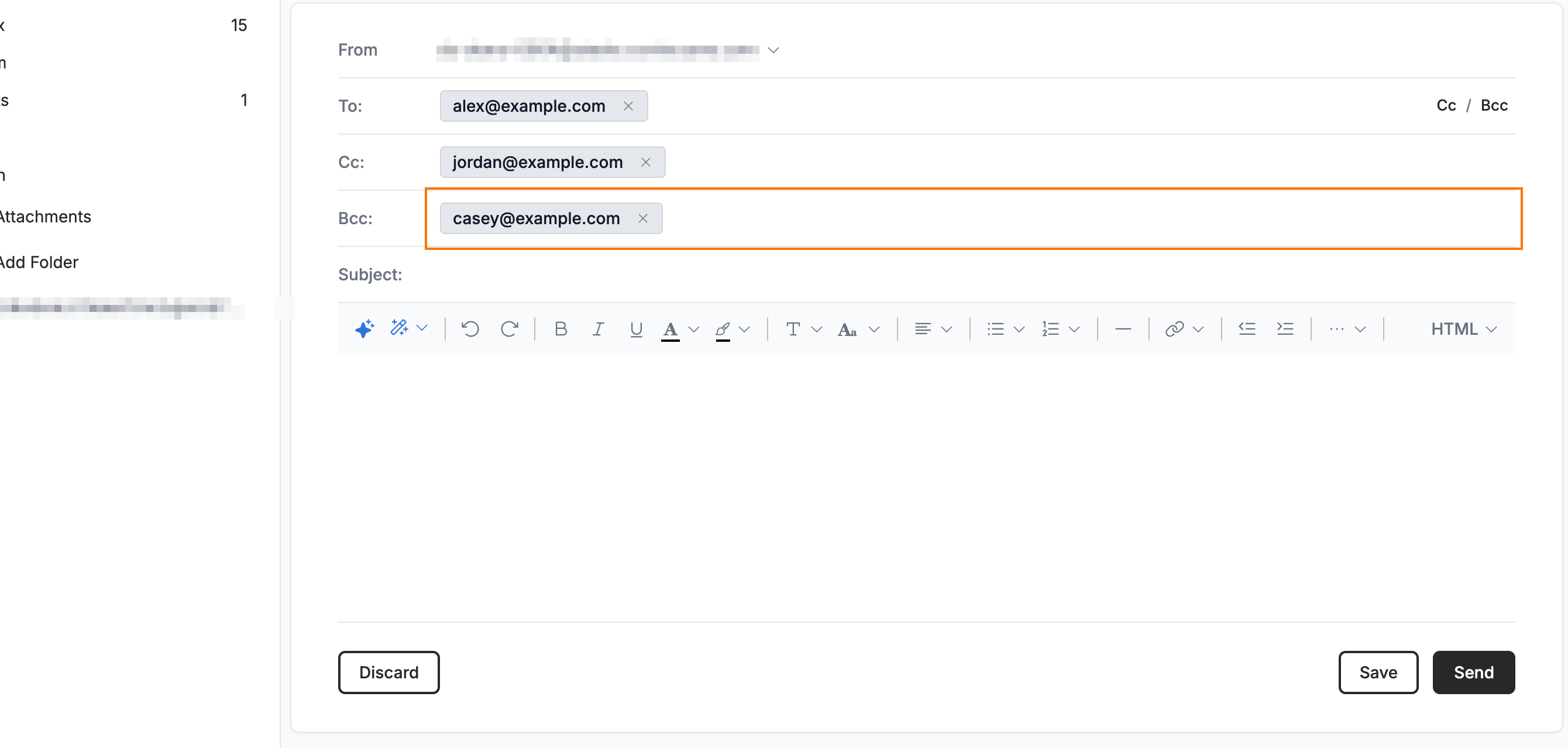
Enter one or more addresses in the Bcc field.
Note: BCC ("blind carbon copy") recipients are hidden — other recipients cannot see who you added here.
Explore our other guides to get the most out of Webmail.