When a folder has a large number of unread messages, you can clear or set the unread state for the whole folder at once instead of opening each email. This guide shows how to mark every message in a folder as read or unread.
Step 1 — Open the folder context menu
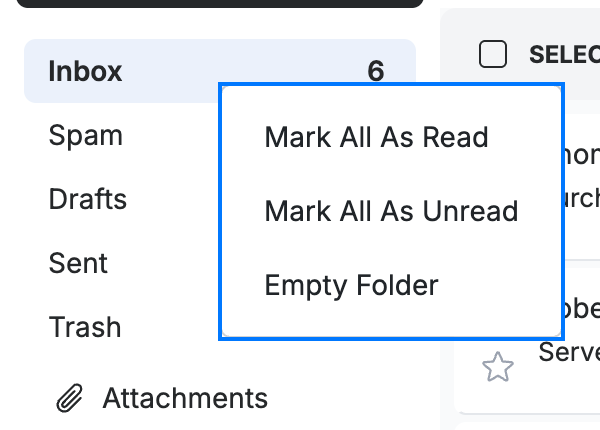
Right-click the folder in the folder list — for example, Inbox. A menu (blue) appears with Mark All As Read, Mark All As Unread, and Empty Folder.
Step 2 — Mark all as read
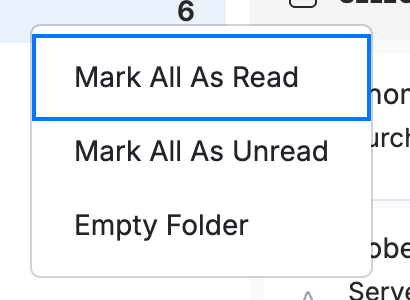
Click Mark All As Read (blue) to clear the unread count for every message in the folder.
Step 3 — Mark all as unread
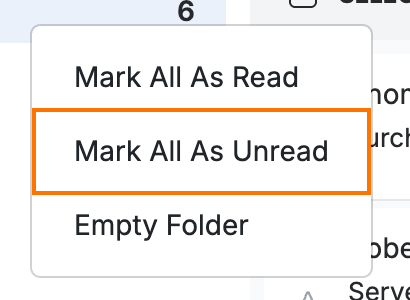
Click Mark All As Unread (orange) instead to set every message in the folder back to unread.
Tip: Marking a whole folder unread is a quick way to flag a batch of messages you want to revisit later.
Explore our other guides to get the most out of Webmail.