Starring an email marks it for follow-up so you can come back to it later. This guide shows how to star a message and then filter your search to find every starred email.
Step 1 — Star a message
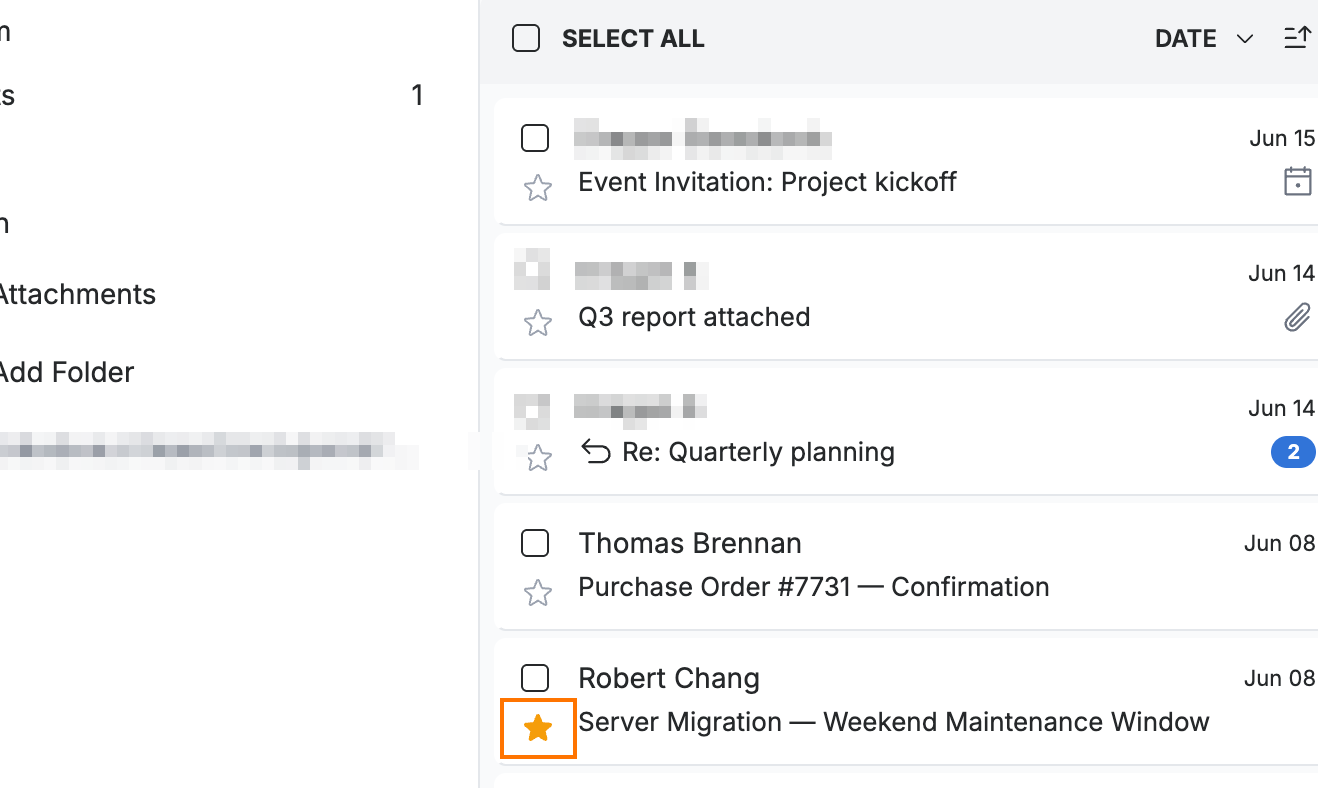
Click the star icon on a message in the list. The star turns gold to mark the message for follow-up.
Tip: Click the gold star again to remove it once you have followed up.
Step 2 — Open the search filters
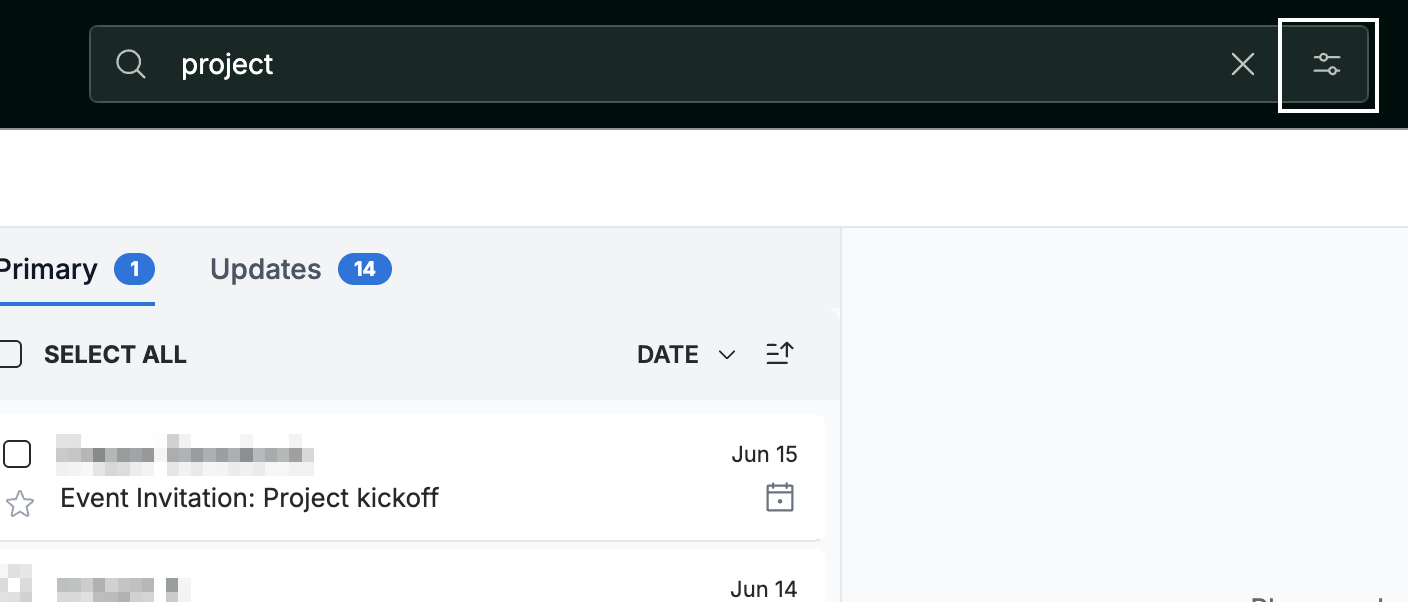
Enter a term in the search bar, then click the filter icon at the right of the bar to open the Filters panel.
Step 3 — Filter by Star
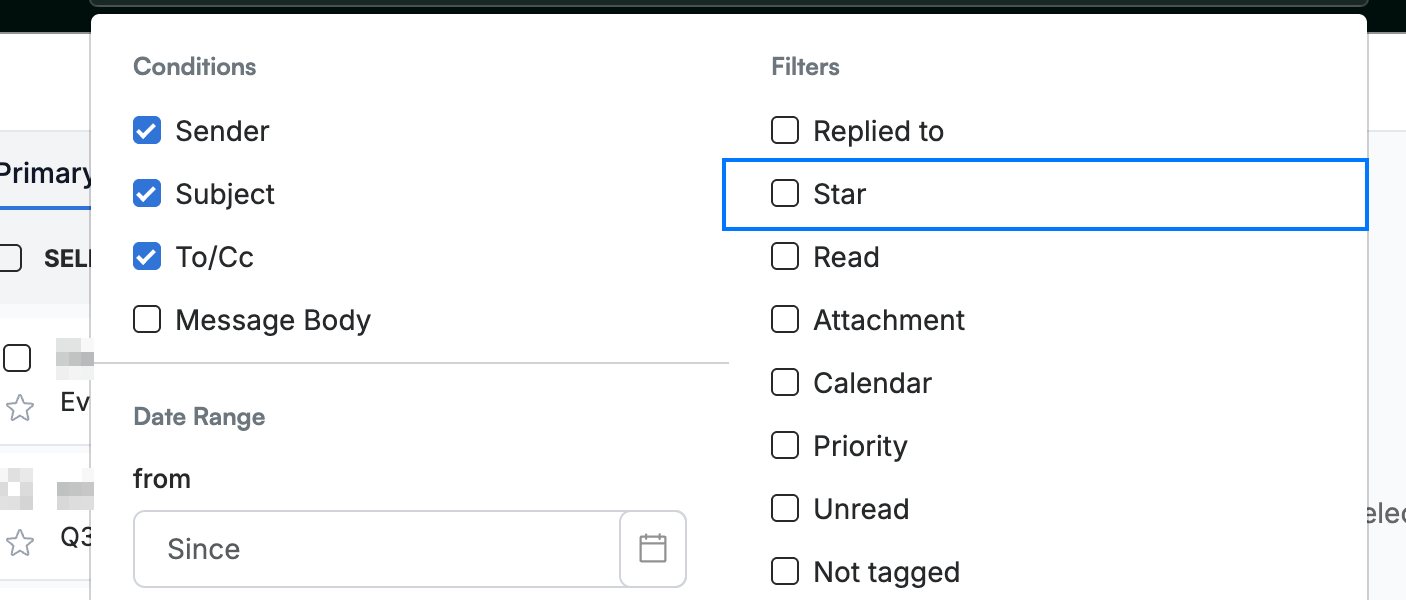
Select Star in the Filters panel to narrow the results to your starred messages. You can also filter by Read, Unread, or Attachment.
Explore our other guides to get the most out of Webmail.