Make an event repeat on a schedule — daily, weekly, monthly, or yearly — so you only create it once. This guide shows how to set recurrence while adding an event.
Step 1 — Turn on Repeat
Click the Repeat checkbox in the event form to make the event recurring.

Step 2 — Choose how often it repeats
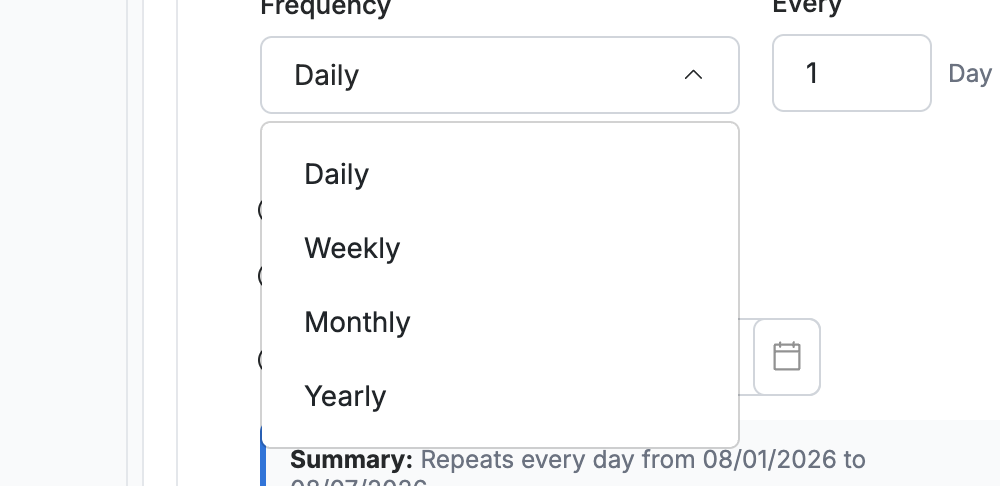
Select the recurrence pattern from the dropdown:
- Daily — every day
- Weekly — on the same day each week
- Monthly — on the same date each month
- Yearly — on the same date each year
Step 3 — Set the interval and end
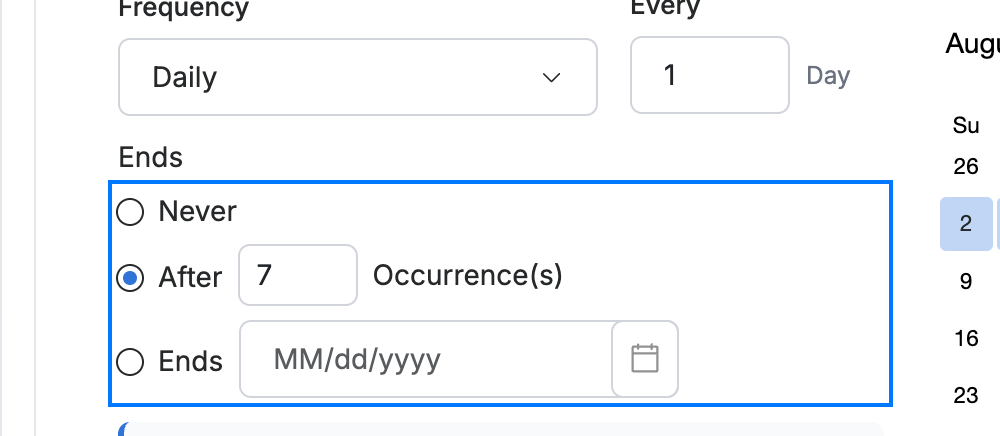
Enter how often the pattern repeats in the Every field, then choose when it stops under Ends:
- Never — repeats indefinitely
- After — stops after a set number of occurrences
- Ends — stops on a specific date
Explore our other guides to get the most out of Webmail.