Keep separate calendars — for example work and personal — and show or hide each one as needed. This guide shows how to create a new calendar and manage the ones you have.
Step 1 — Open the add-calendar menu
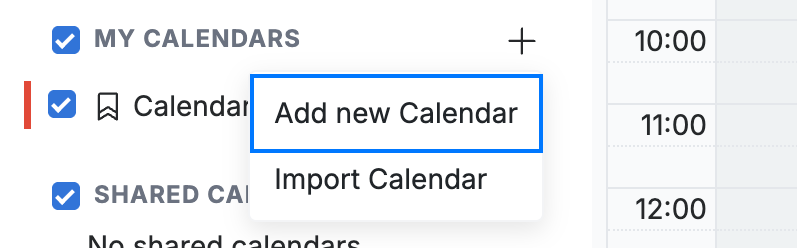
Click the + icon next to My Calendars in the sidebar, then select Add new Calendar.
Step 2 — Name your calendar
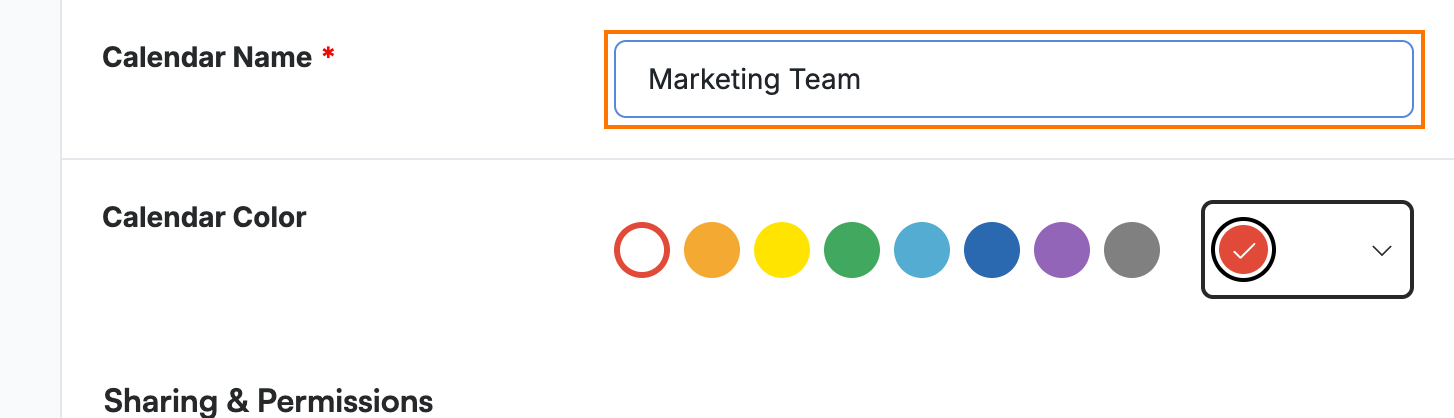
Enter a name in the Calendar Name field and choose a Calendar Color so its events stand out.
Step 3 — Save the calendar
Click Save Calendar to add it to your list of calendars.

Step 4 — Show or hide your calendars
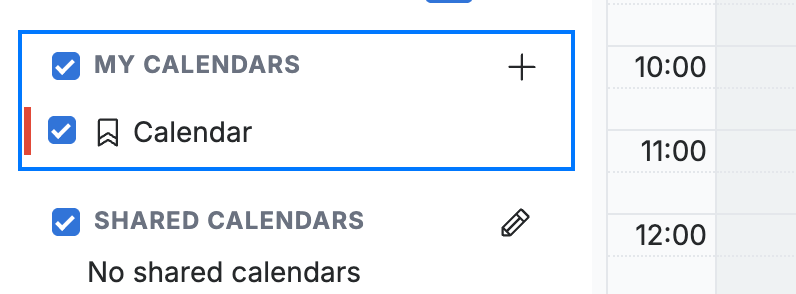
Use the checkboxes in the My Calendars list to show or hide each calendar in the main view.
Tip: Hiding a calendar only removes its events from view — it does not delete the calendar or anything on it.
Explore our other guides to get the most out of Webmail.