If you've connected an external email account (such as Gmail, Outlook, or Yahoo) to Webmail, you can revoke that access from the Connected Accounts panel. This guide shows where connected accounts are listed and how to stop Webmail from accessing one.
Step 1 — Open Connected Accounts
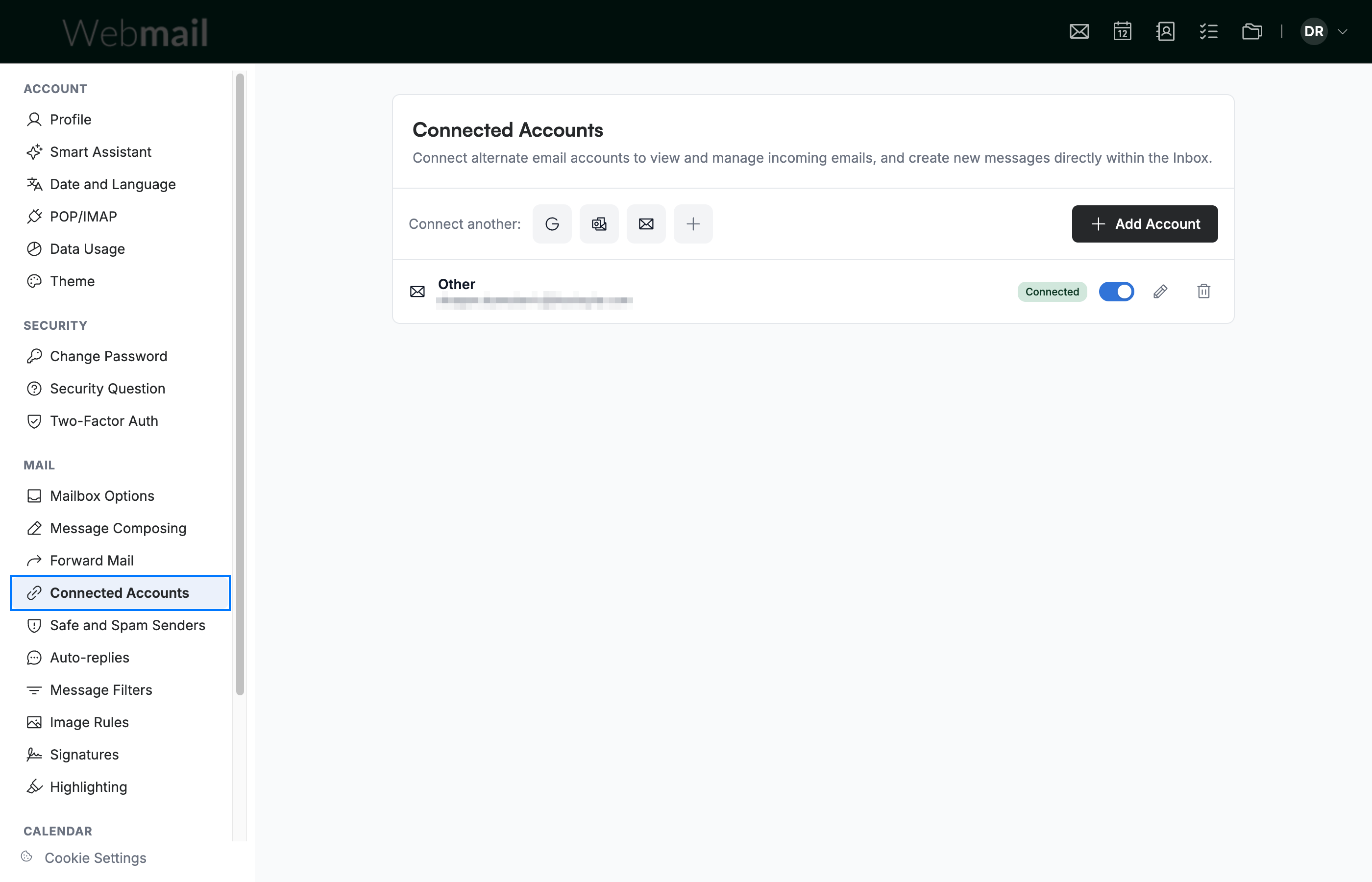
Go to Settings and select Connected Accounts (blue) from the Mail section of the sidebar. The panel lists your connected accounts, with quick options to connect more at the top.
Step 2 — Find the account in the list
Locate the account you want to disconnect in the list (blue). Each connected account shows its address and a Connected status.

Step 3 — Revoke its access
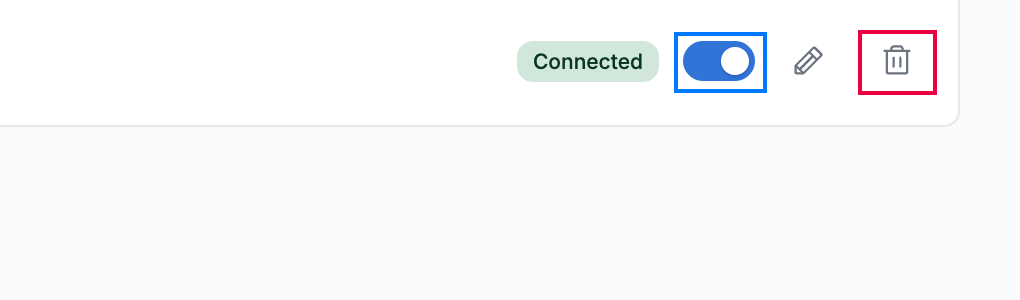
Click the account's Enable toggle (blue) to turn it off — Webmail stops accessing it, so its mail no longer syncs to your inbox. To remove the account entirely, click the trash icon (red); the pencil icon opens its settings to manage it.
Tip: Disabling with the Enable toggle is reversible — switch it back on at any time to resume access without reconnecting the account.
Explore our other guides to get the most out of Webmail.