Turn an email straight into a calendar event without retyping the details. This guide shows how to create an event from an open message, pre-filled with the email's subject, body, and people.
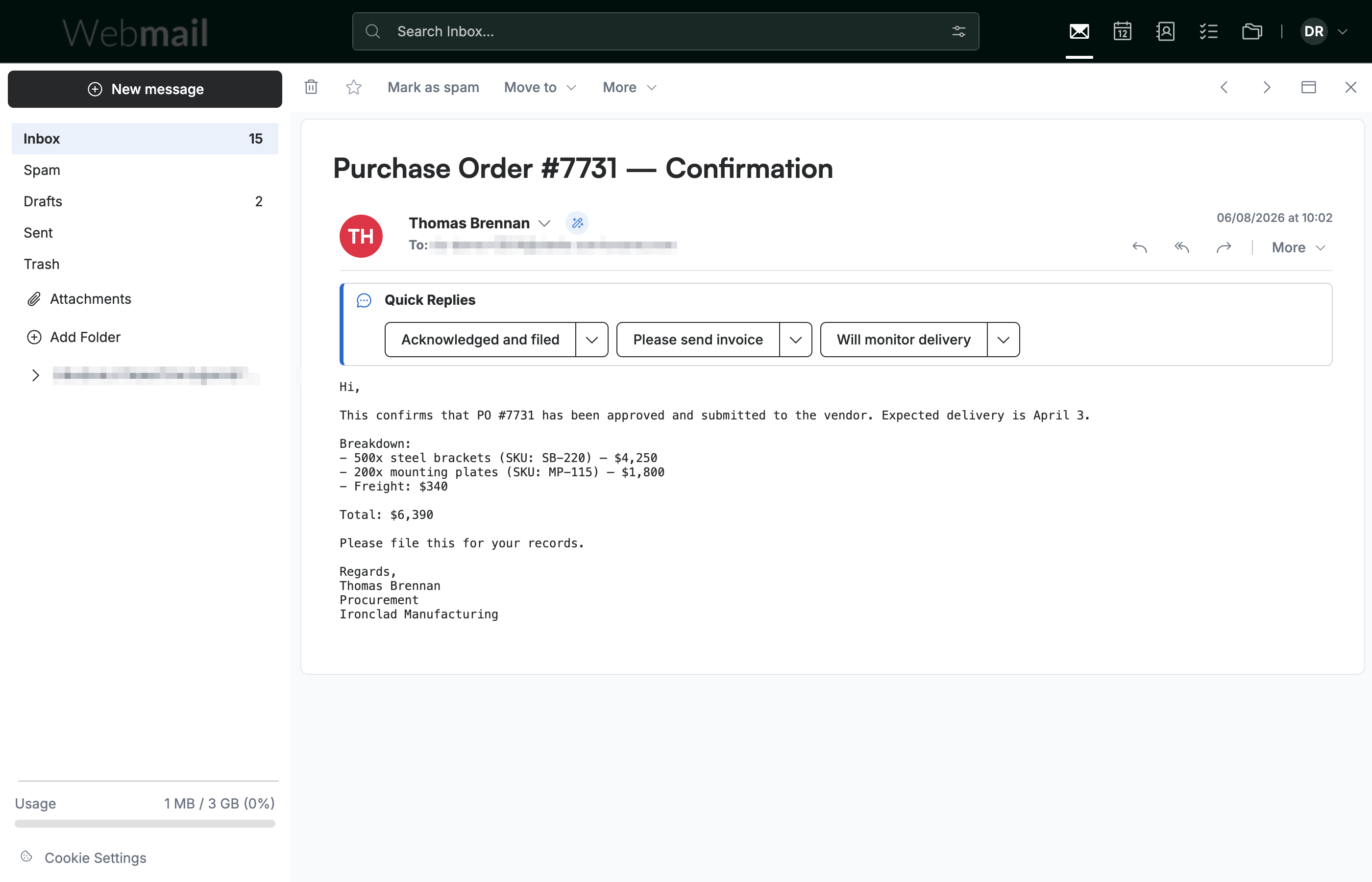
Step 1 — Open the email
Open the email you want to turn into an event.
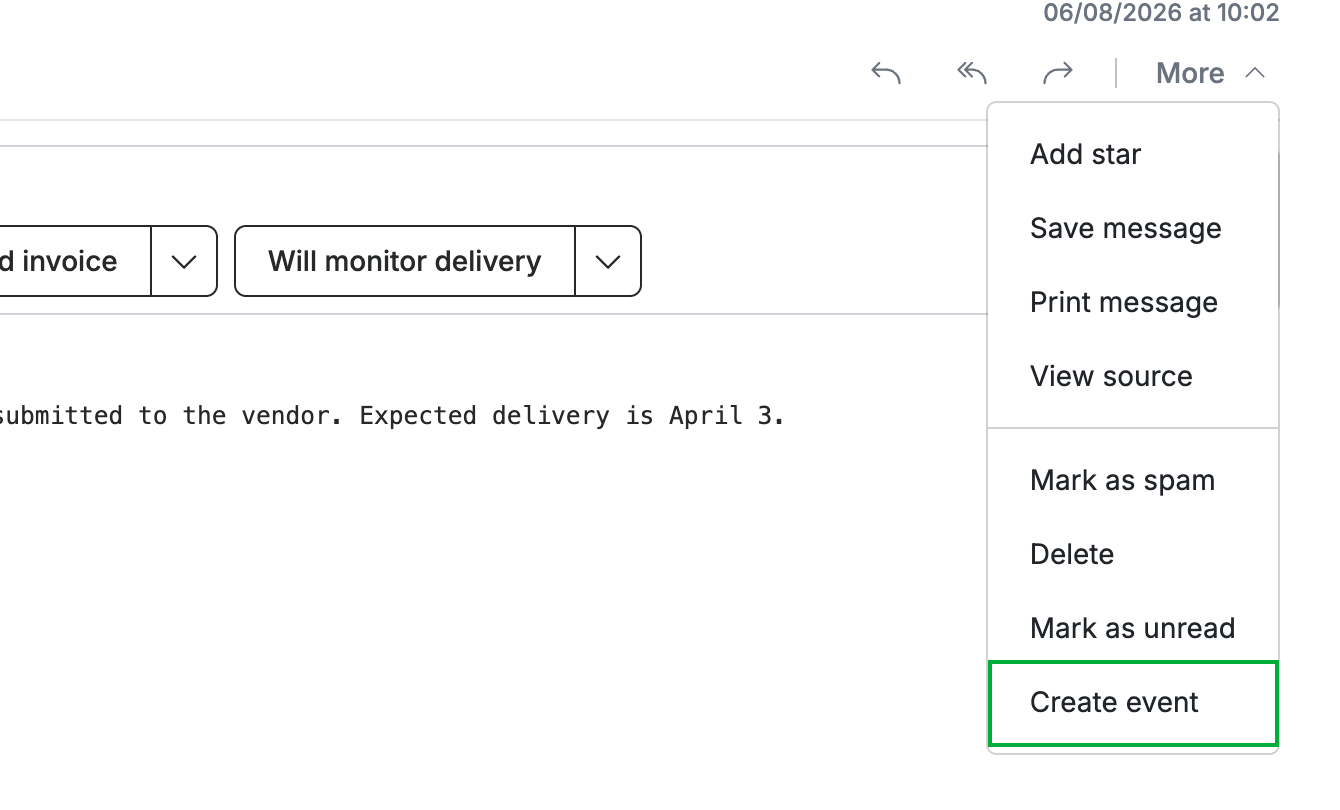
Step 2 — Create an event from the More menu
Click More in the message toolbar, then select Create event (green).
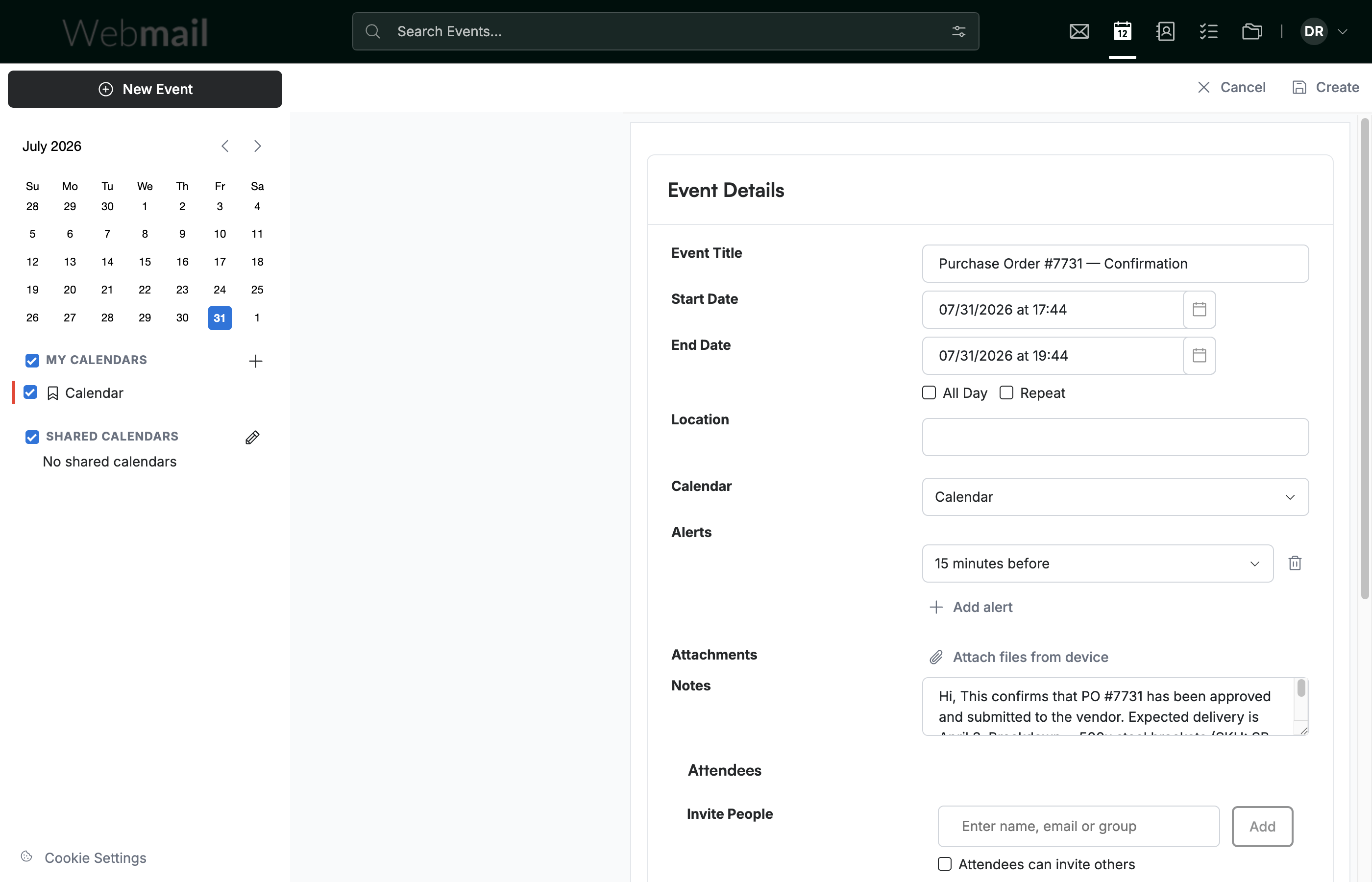
Step 3 — Review the pre-filled event
Review the New Event form: the email's subject becomes the Event Title and its body is copied into Notes. The sender and you are added as attendees. Adjust the date, time, and any details, then click Create to add it to your calendar.
Explore our other guides to get the most out of Webmail.