Mark a task as complete once you've finished it, so your task list always reflects what's still outstanding.
Step 1 — Open TaskBox and find the task
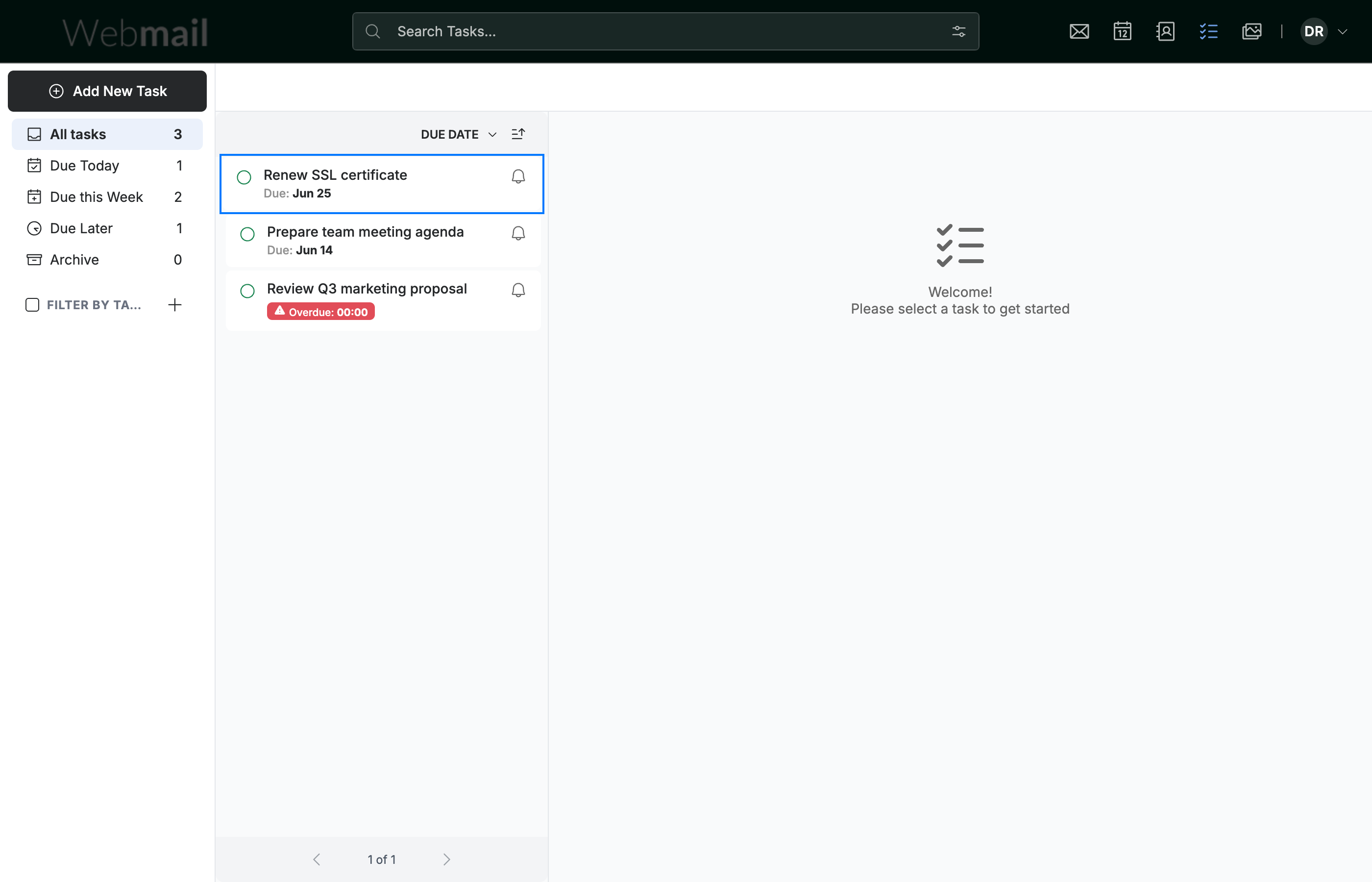
Go to TaskBox and locate the task (blue) you want to mark as done in your task list.
Step 2 — Click the completion circle
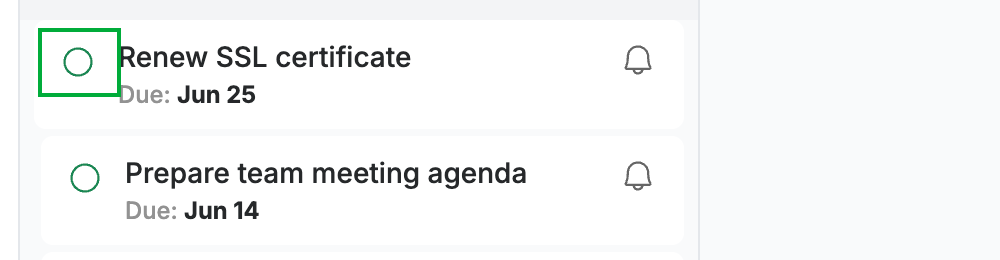
Click the circle (green) on the left of the task card.
Step 3 — Confirm the task is complete
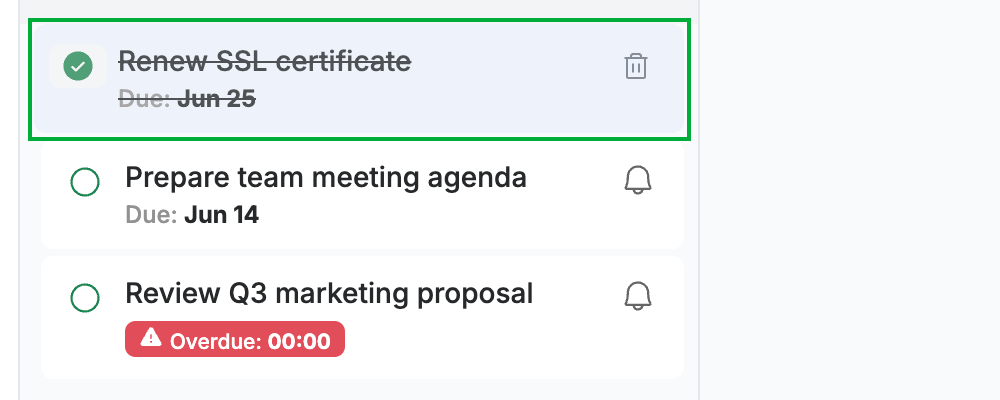
Review the task card: the circle fills with a checkmark (green) and the task name shows a strikethrough, marking it as done.
Tip: Click the filled circle again to reopen the task if you need to.
Explore our other guides to get the most out of Webmail.