Flag an outgoing message as high priority so it stands out in the recipient's inbox. This guide shows how to set priority from the compose window.
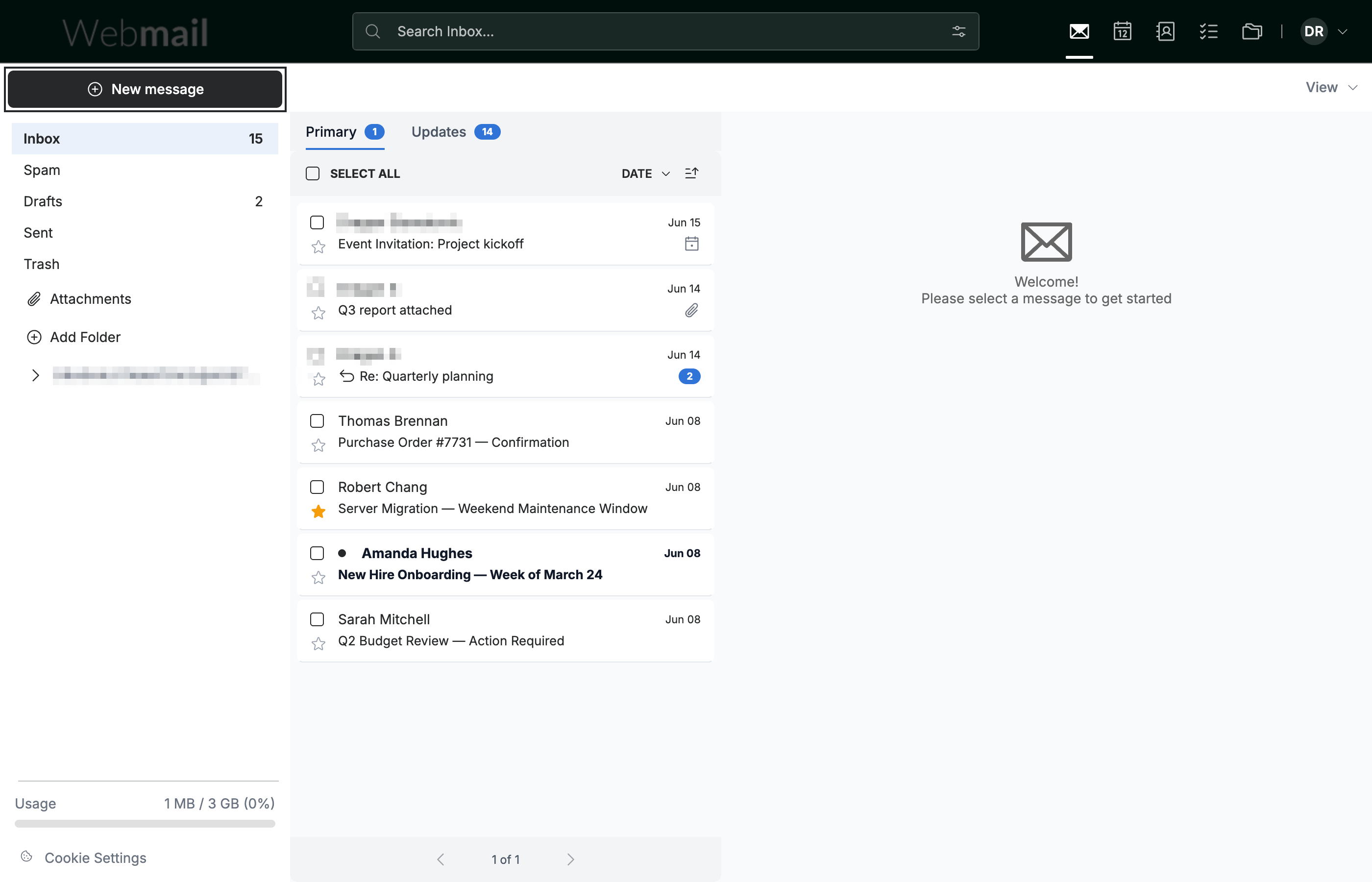
Step 1 — Click New message
Click New message in the sidebar to open the compose window and start a message.
Step 2 — Click More
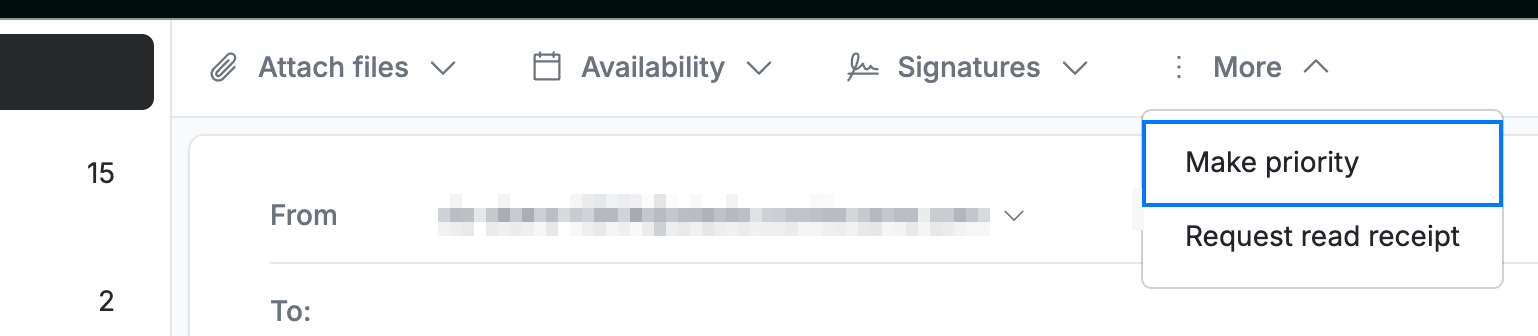
Click More in the action toolbar at the top of the compose window.

Step 3 — Select Make priority
Select Make priority from the menu. The message is flagged as high priority.
Note: Priority is a flag carried with the message. Whether it is shown — and how — depends on the recipient's email program.
Explore our other guides to get the most out of Webmail.