The Refine tool rewrites text you've already written to fix grammar or change its tone or length. This guide shows how to refine the text in your message.
Step 1 — Select your text and open Refine
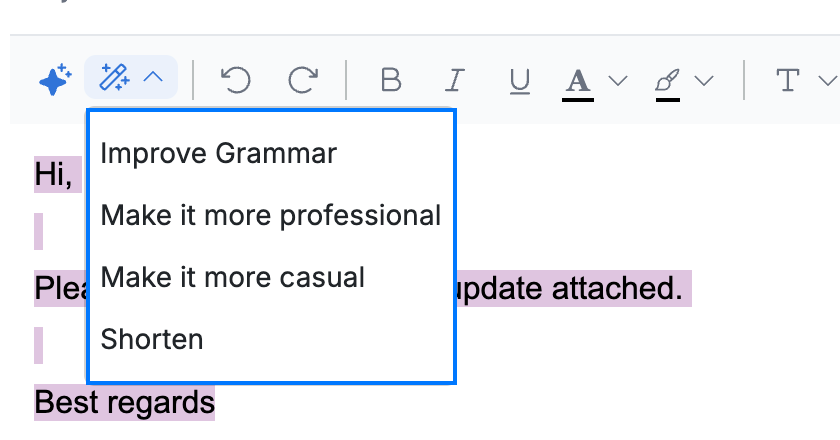
Select the text you want to improve in the message body, then click the Refine button (blue) in the formatting toolbar, next to Help me write.

Step 2 — Choose a refinement
Select how to rewrite the selected text (blue):
- Improve Grammar — fix spelling and grammar
- Make it more professional — a more formal tone
- Make it more casual — a friendlier tone
- Shorten — say the same thing in fewer words
Step 3 — Review the refined text
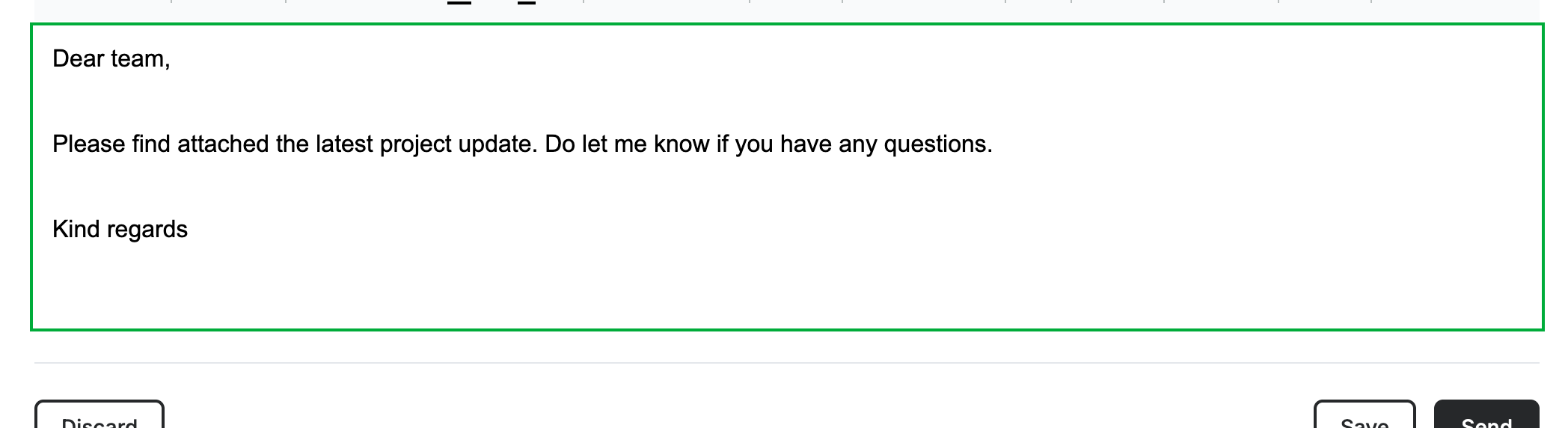
Review the message body: the AI replaces your selection with the rewritten version (green). Read it over and adjust anything before sending.
Explore our other guides to get the most out of Webmail.