Your security question helps verify your identity if you ever need to recover your account. This guide shows how to set or change it.
Step 1 — Open Settings
Click your avatar, select Settings, then choose Security Question from the sidebar.
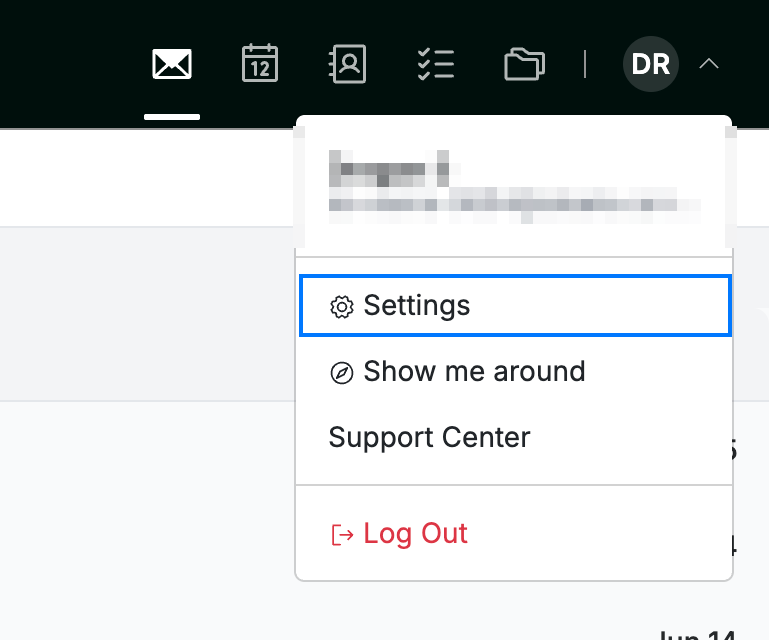
Step 2 — Choose a question and enter your answer
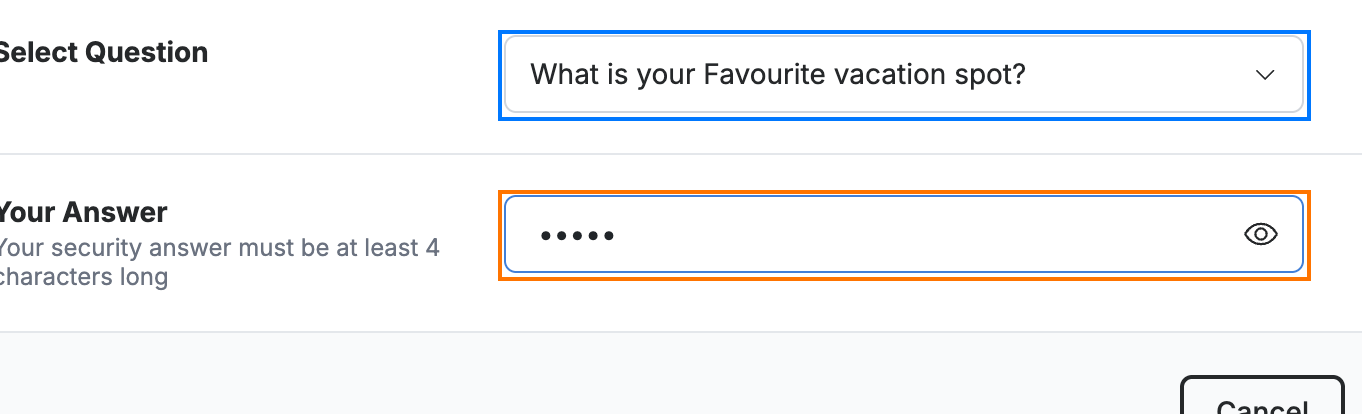
Select a question from the Select Question dropdown (blue), then enter your response in the Your Answer field (orange).
Note: Your answer is required and is hidden as you type. Click the eye icon (Show answer) in the field to reveal it. Answers are not case-sensitive.
Tip: Pick an answer that's memorable to you but hard for others to guess, and avoid anything publicly known.
Step 3 — Save your changes
Click Save Updates (green) to store your new security question.

Explore our other guides to get the most out of Webmail.