Change a message's read state at any time — mark a read message as unread to revisit it later, or mark an unread message as read to clear the bold highlight. This guide shows both directions.
Step 1 — Mark a message as unread
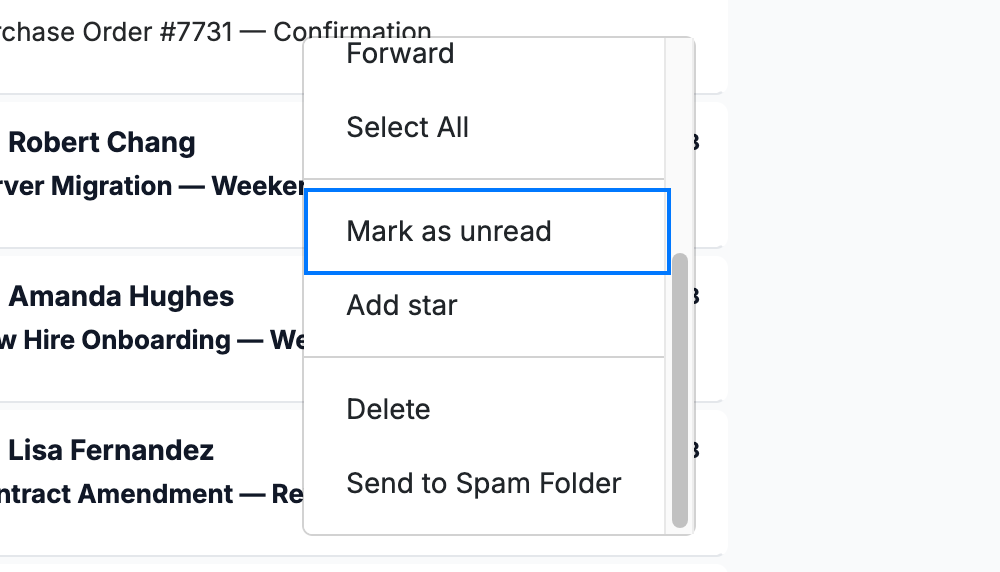
Right-click a read message and select Mark as unread (blue). The message returns to its bold, unread style.
Step 2 — Mark a message as read
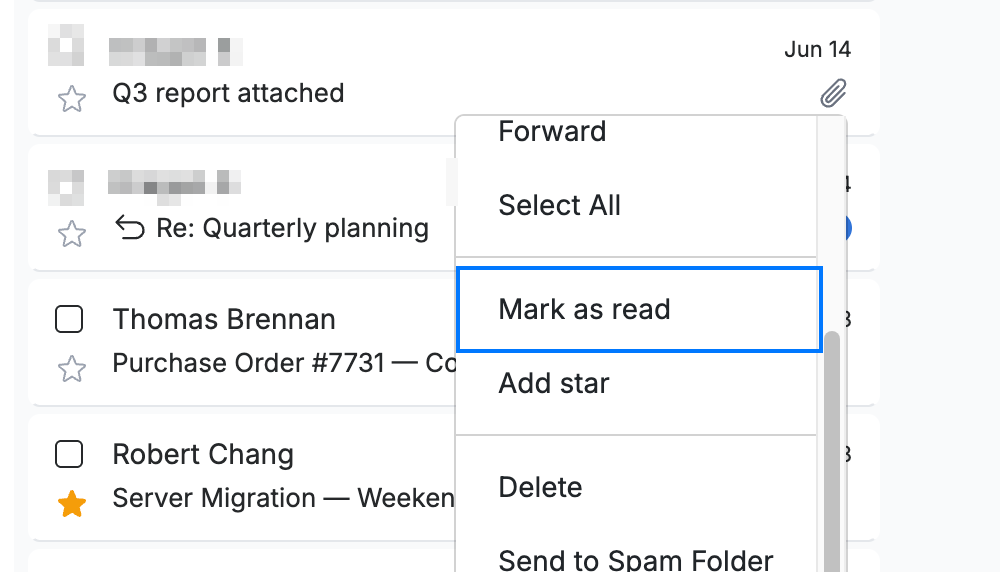
Right-click an unread message and select Mark as read (blue). The same menu option changes to Mark as read when the message is already unread.
Step 3 — Change the read state from an open message
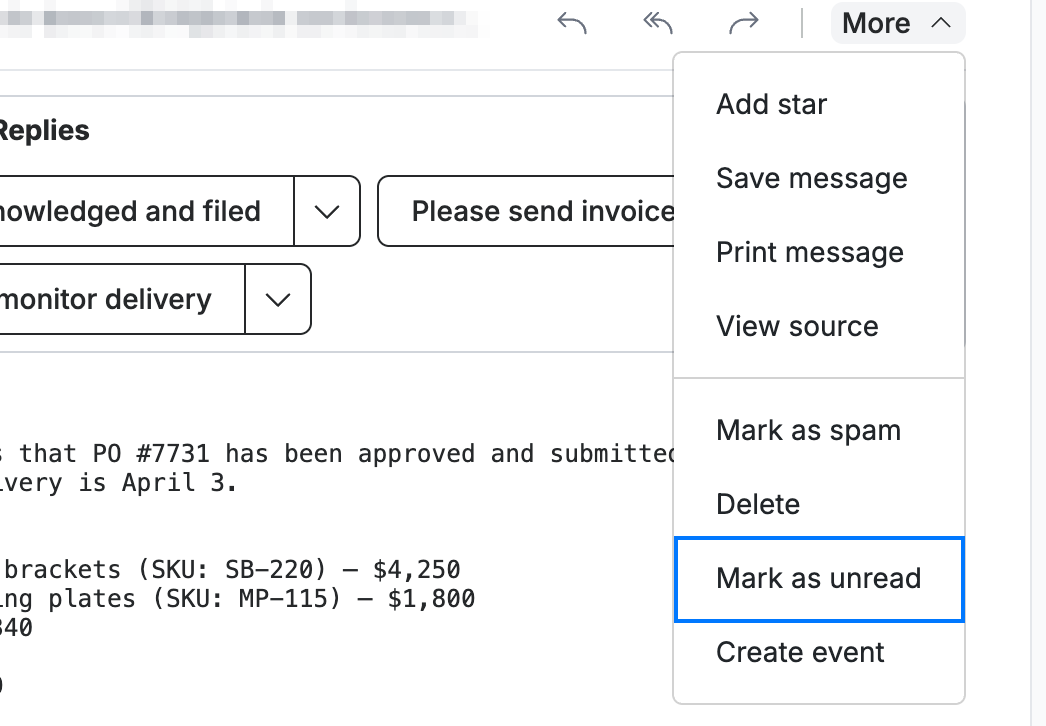
Open a message, click More in the message header, and select Mark as unread (blue). This is handy when you are already reading a message and want to flag it to come back to.
Explore our other guides to get the most out of Webmail.