Choose whether new messages start in rich HTML or in plain text. This guide shows how to set your default compose format from settings.
Step 1 — Open Settings
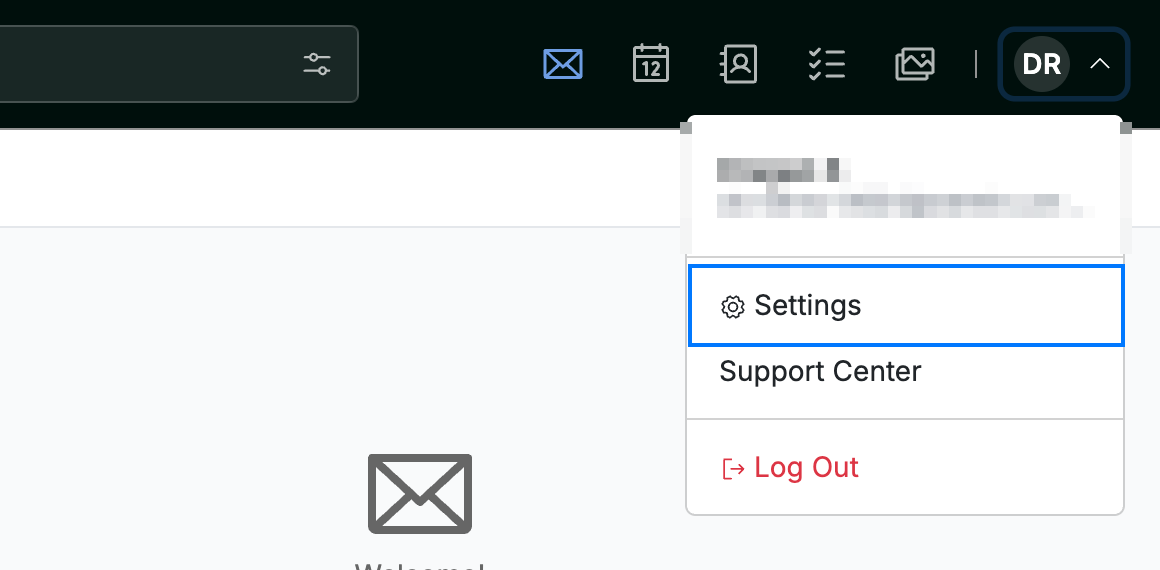
Click your avatar in the top-right corner and select Settings.
Step 2 — Select Message Composing
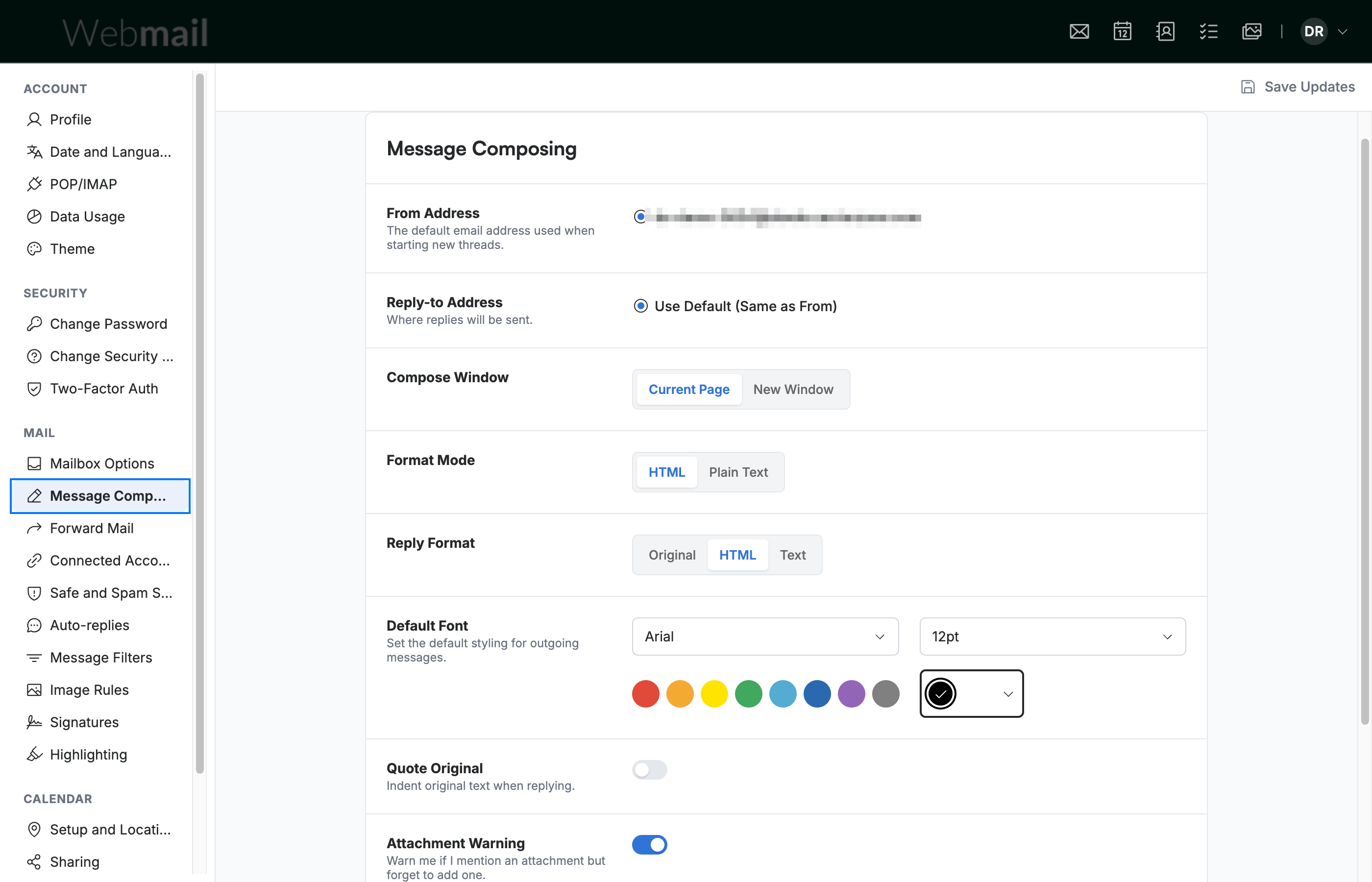
Select Message Composing from the settings sidebar.
Step 3 — Select your Format Mode
Select HTML or Plain Text under Format Mode. HTML lets you apply formatting such as bold, colour, and images, while Plain Text sends unformatted text only.

Step 4 — Click Save Updates
Click Save Updates to apply your choice.

Explore our other guides to get the most out of Webmail.