Save a sender straight to your address book without retyping their details. This guide shows how to add a contact directly from an open email.
Step 1 — Open the email
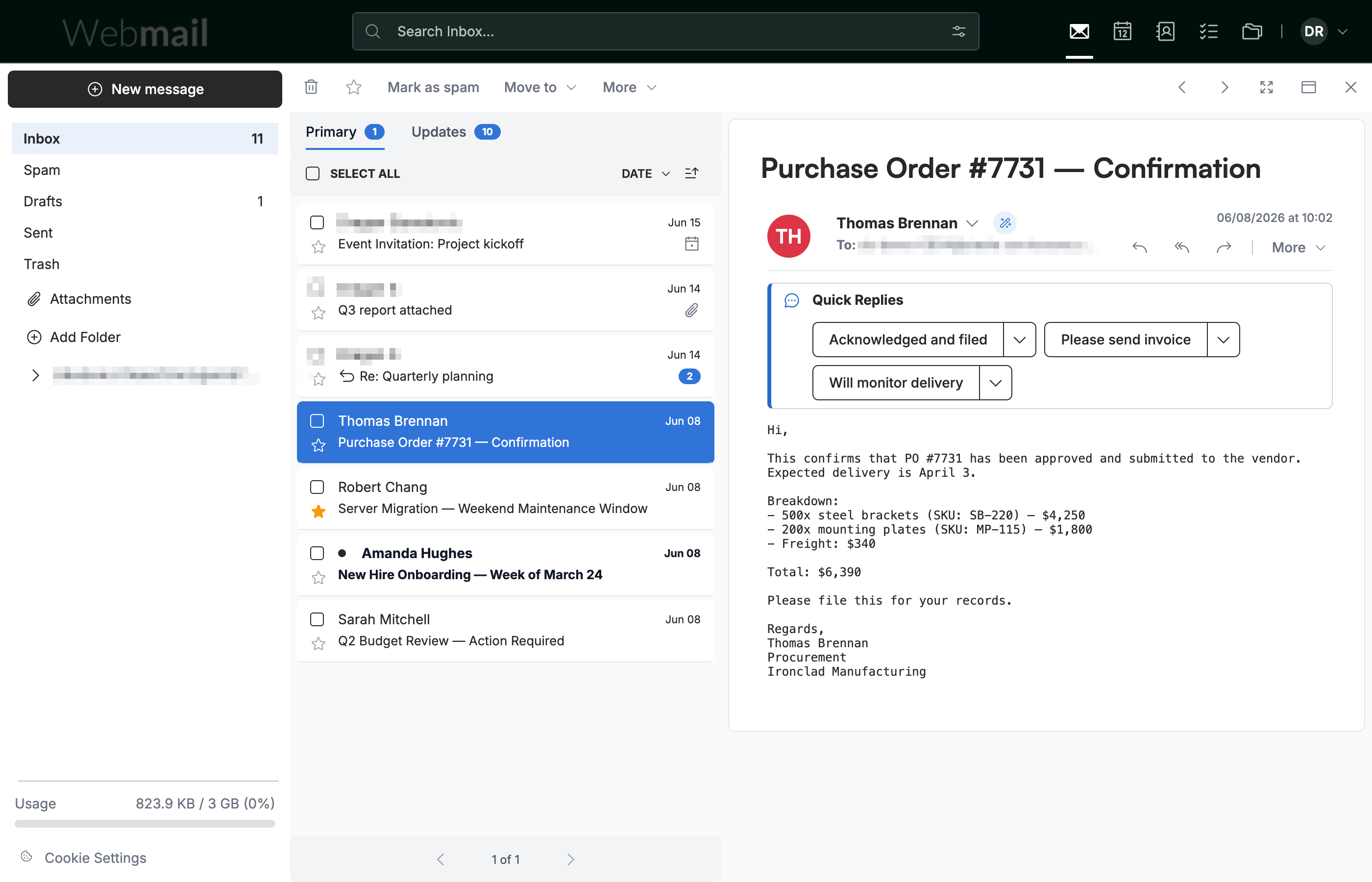
Open an email from the person you want to add to your contacts.
Step 2 — Click the Smart Contacts icon
Click the Smart Contacts icon next to the sender's name in the message header.

Step 3 — Create the contact
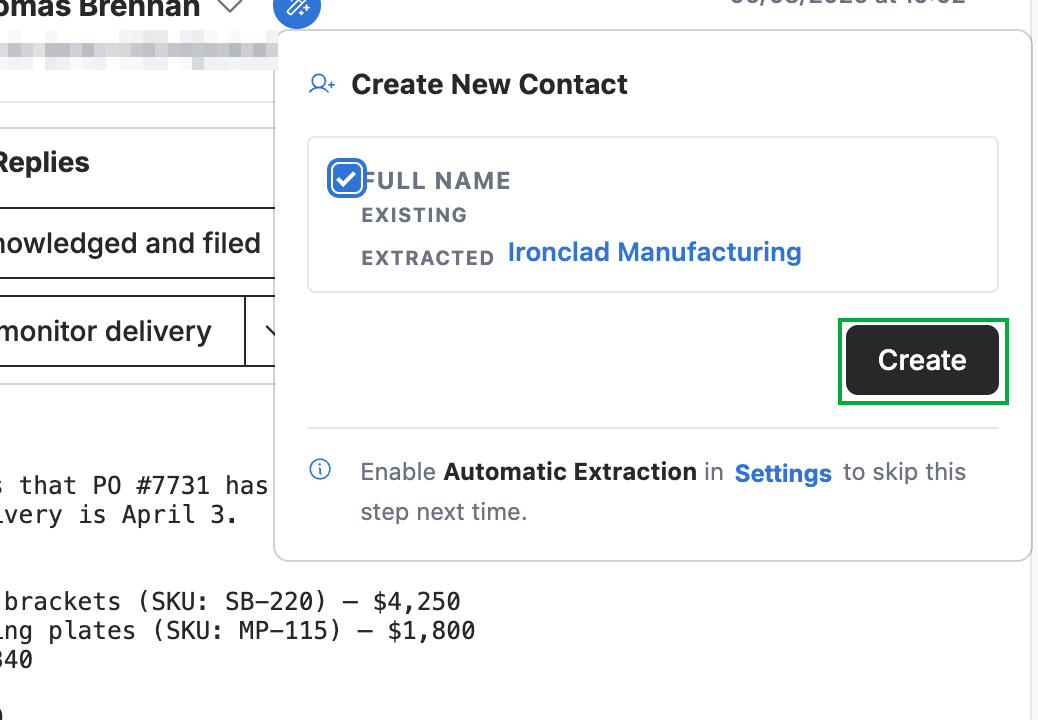
Confirm the name in the Create New Contact panel, then click Create (green) to add the sender to your contacts.
Explore our other guides to get the most out of Webmail.