Learn how to add a to-do in TaskBox and tick it off when it's done, so you can keep track of all your to-dos in one place.
Step 1 — Open a new task
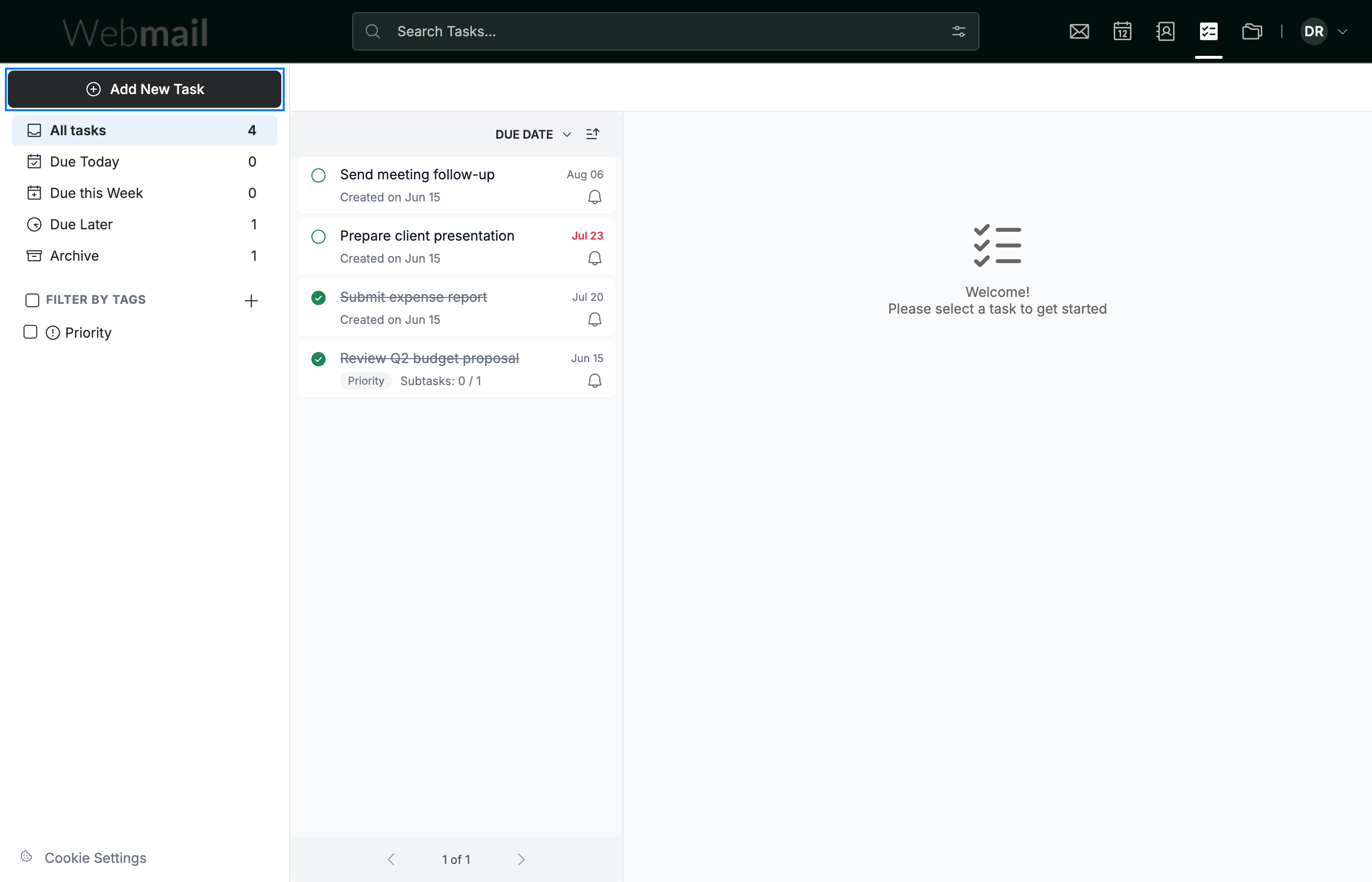
Click Add New Task (blue) in the top-left of the TaskBox sidebar.
Step 2 — Enter the task details
Fill in the two main fields:
- Enter a name in the Summary field ①.
- Click the Due Date field ② and pick when the task is due.

Step 3 — Save the task
Click Add New Task (green) at the bottom of the form. The task appears in your task list.

Step 4 — Mark the task complete
Click the circle (green) on the left of a task card to mark it complete. The task is checked off and shows as done.
Tip: Click the same circle again to reopen a task if you marked it complete by mistake.

Explore our other guides to get the most out of Webmail.