TaskBox tagging lets you tag an email in your inbox and turn it into a task. This guide shows how to switch the option on in your Mailbox Options.
Step 1 — Open Settings
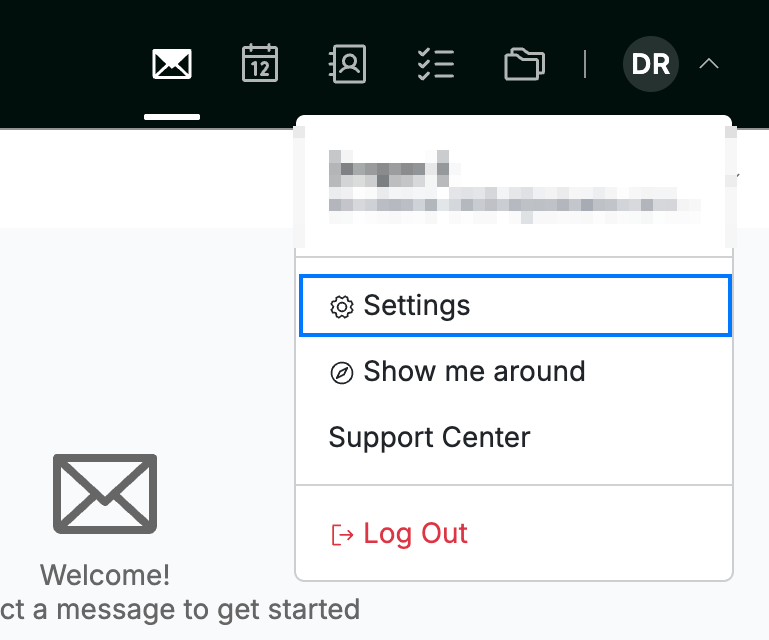
Click your avatar in the top-right corner and select Settings.
Step 2 — Open Mailbox Options
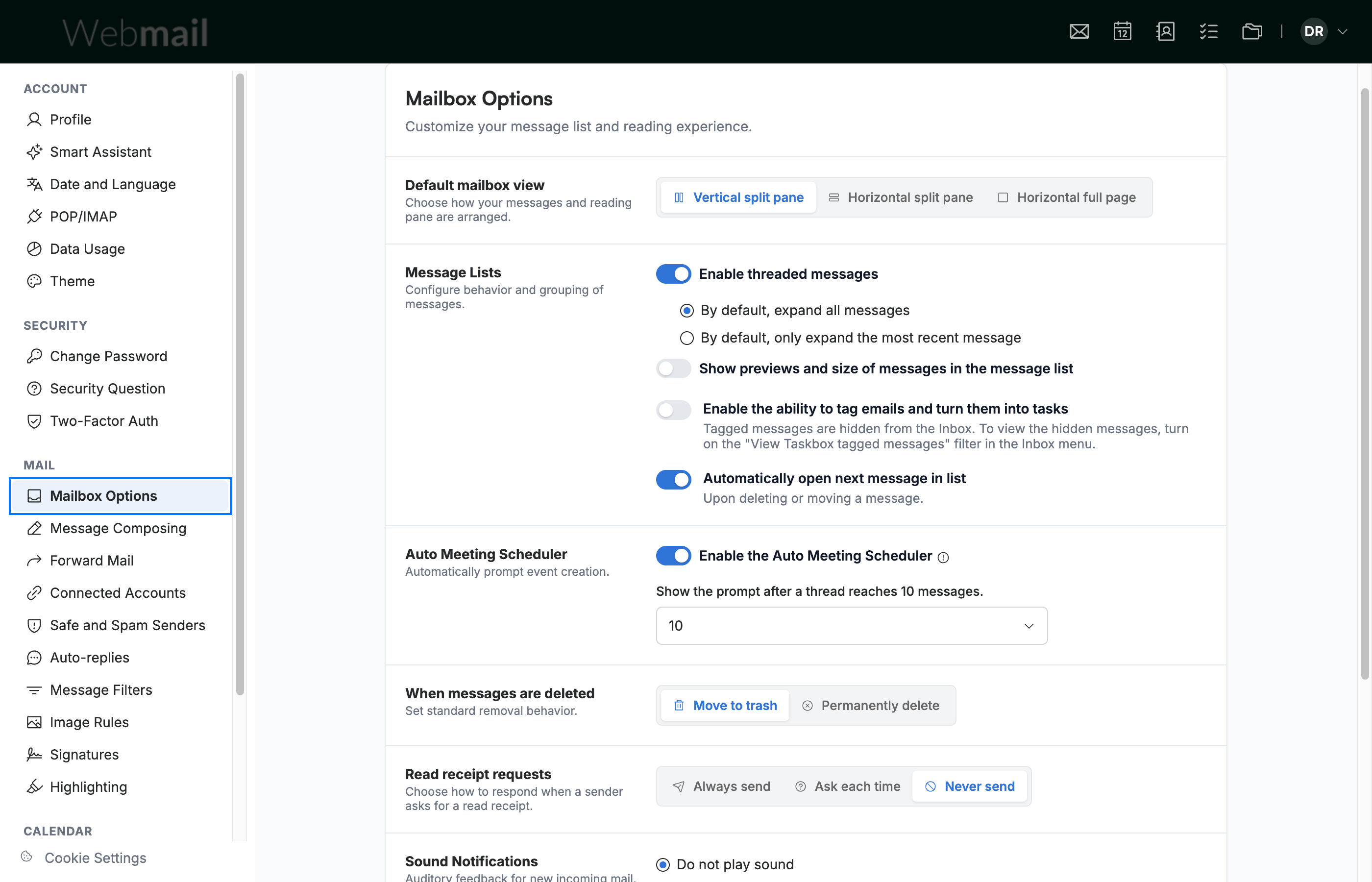
Select Mailbox Options (blue) from the Mail section of the settings sidebar.
Step 3 — Enable tagging and save
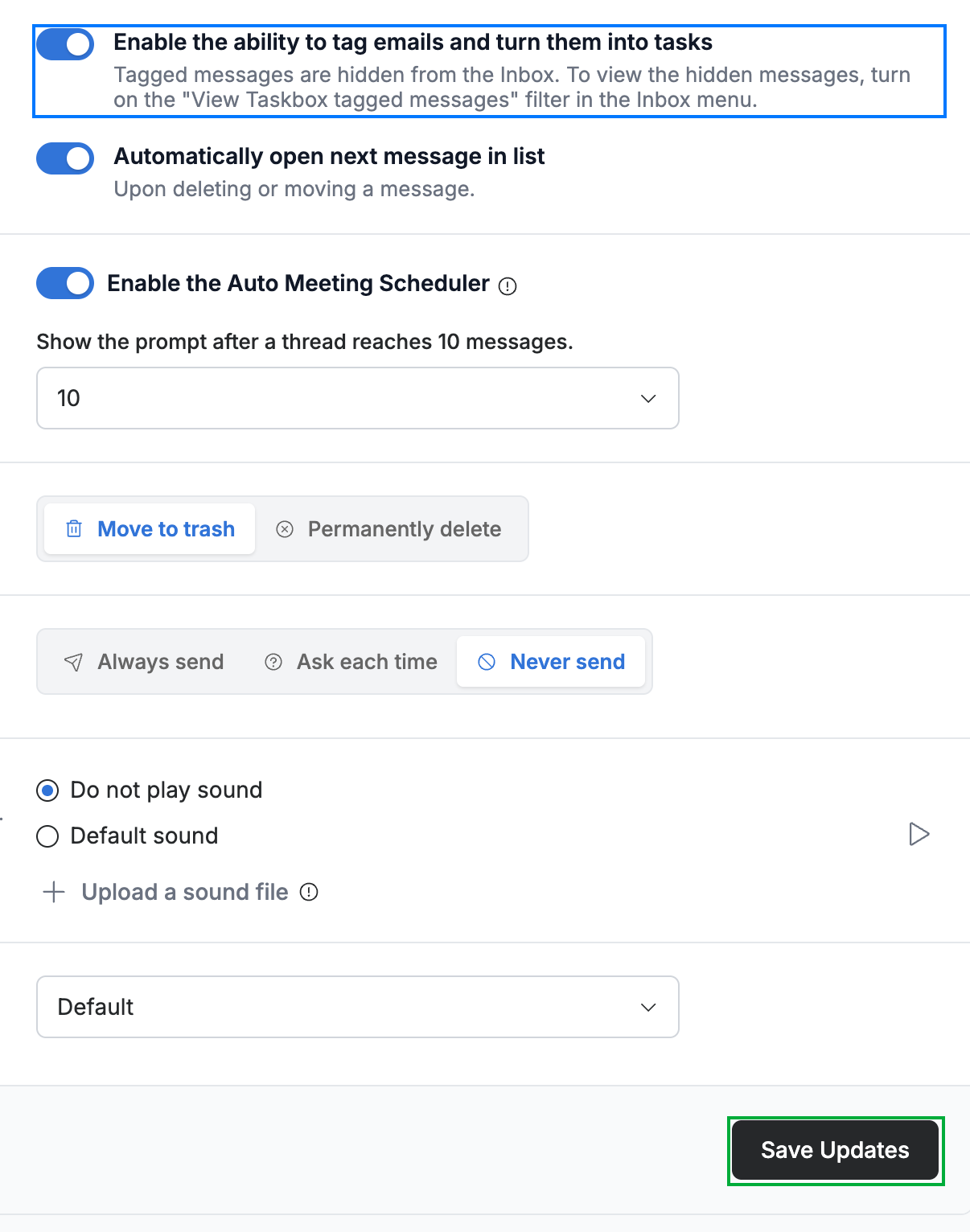
Click the Enable the ability to tag emails and turn them into tasks toggle (blue), then click Save Updates to apply the change.
Tip: Once enabled, you can tag a message from your inbox and send it to TaskBox, where it becomes a task you can track.
Explore our other guides to get the most out of Webmail.