If a message won't send, the cause is usually a wrong recipient address, a stuck draft, or an outgoing server setting. This guide walks through the things to check.
Step 1 — Review the recipient address
Review the address in the To field (orange). A small typo or a missing part of the address (such as the part after the @) will stop a message from sending.

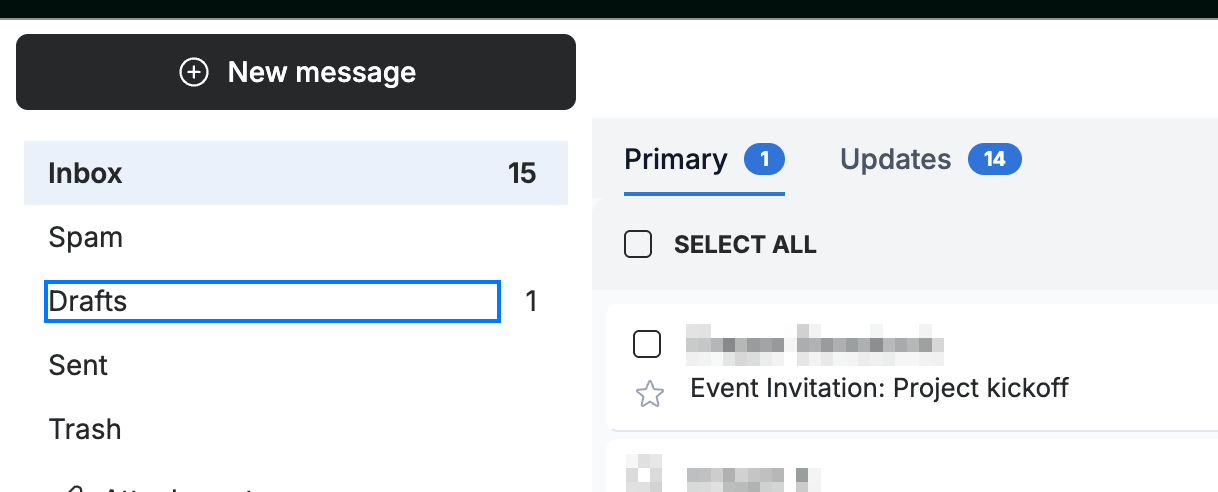
Step 2 — Check your Drafts folder
Open the Drafts folder (blue) in the sidebar. A message that failed to send is often saved here — open it and send it again.
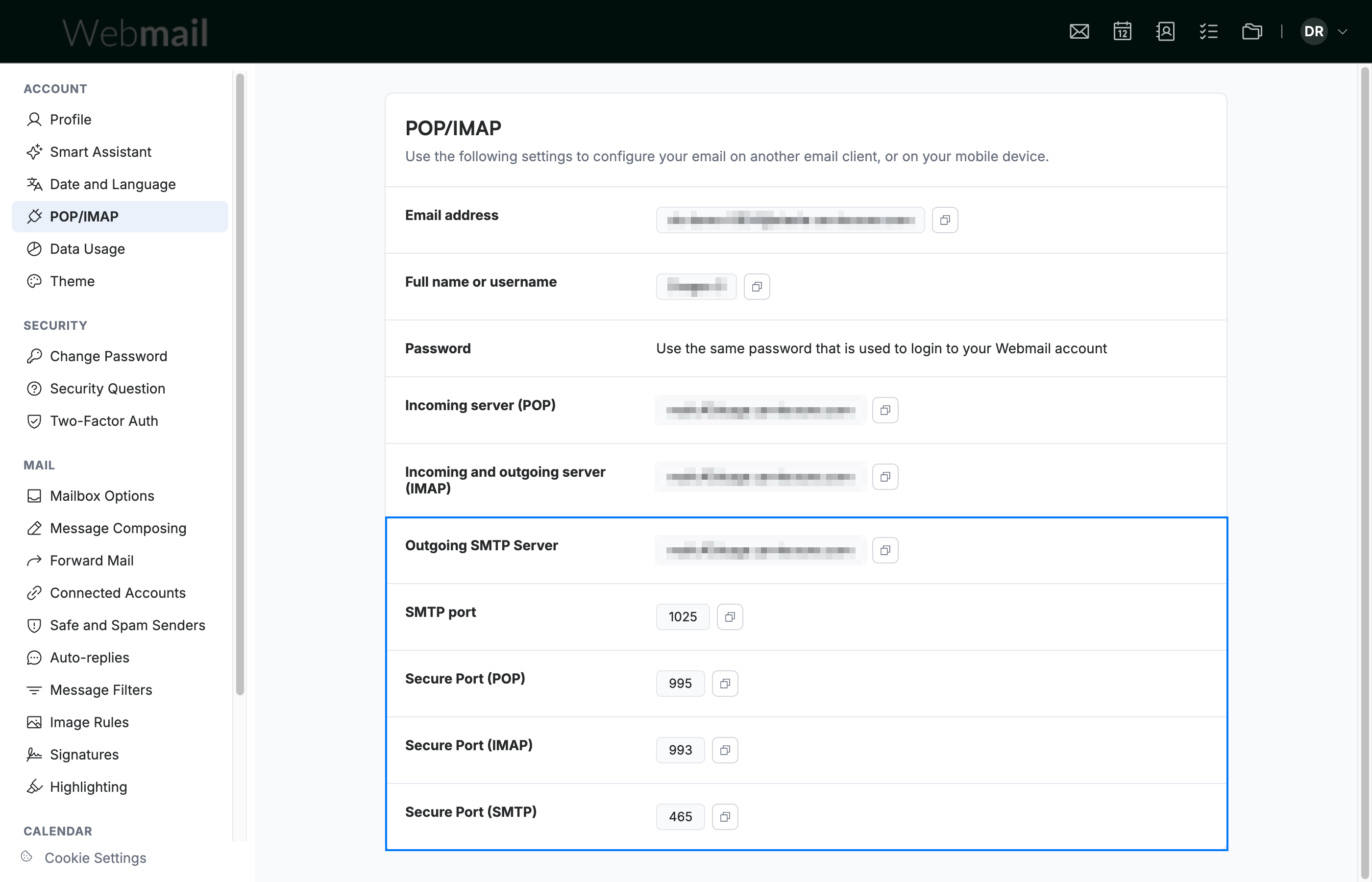
Step 3 — Verify your outgoing server settings
Go to Settings > POP/IMAP and confirm the Outgoing SMTP Server details (blue) match what your provider gave you — this applies when you send mail through an external app.
Note: These settings only matter for external mail apps. Sending from Webmail itself doesn't use them.
Explore our other guides to get the most out of Webmail.