Deleted emails are kept in the Trash folder until it is emptied, so a message removed by mistake can be moved back. This guide shows how to recover a deleted email by moving it from Trash to another folder.
Step 1 — Open the Trash folder
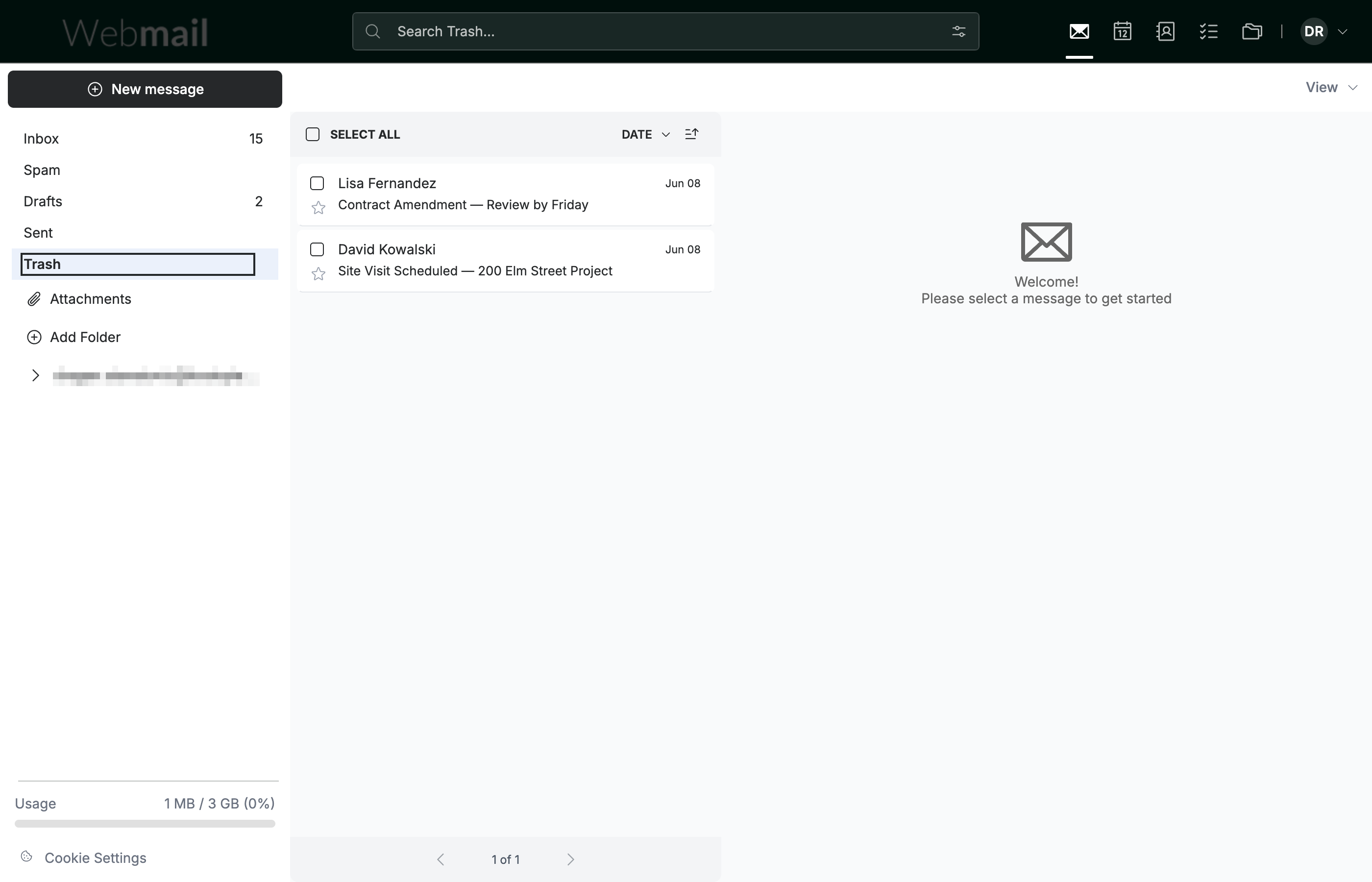
Click Trash in the folder list on the left to see the emails you have deleted.
Note: Recovery is only possible while the message is still in Trash. Once the Trash folder is emptied, deleted emails cannot be restored.
Step 2 — Select the deleted email
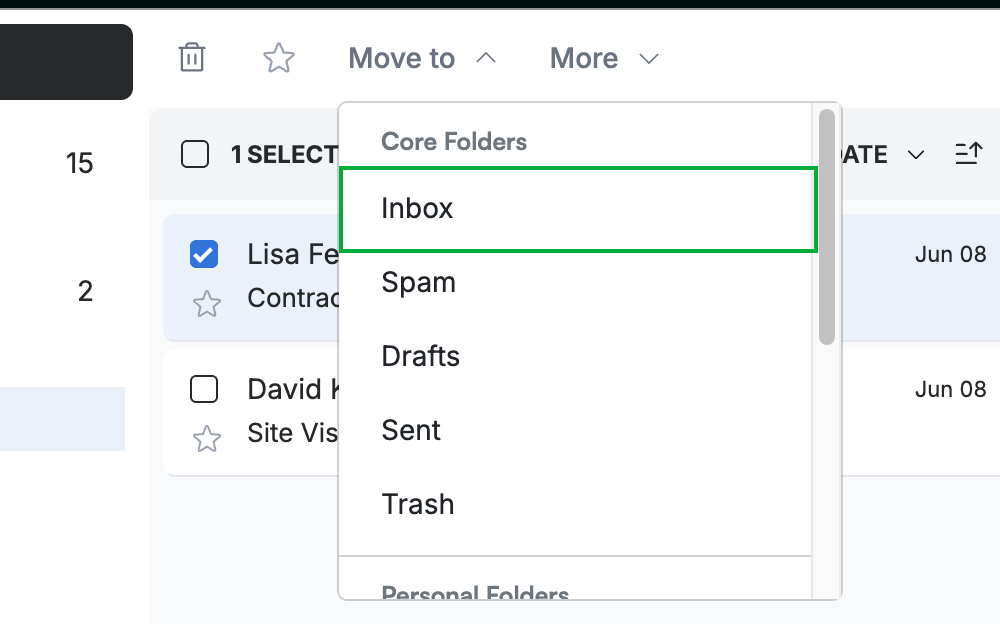
Click the checkbox (blue) next to the email you want to recover. A row of message actions appears in the toolbar, including Move to.

Step 3 — Move it back to the Inbox
Click Move to in the toolbar, then select Inbox (green) from the folder list. The email is moved out of Trash and back into your Inbox.
Tip: You can move a recovered email into any folder — choose a different destination under Core Folders or Personal Folders instead of Inbox.
Explore our other guides to get the most out of Webmail.