Hide Saturday and Sunday from your calendar so the Week and Month views show only your working days. This guide shows how to turn weekends off in your Setup and Location preferences.
Step 1 — Open Settings
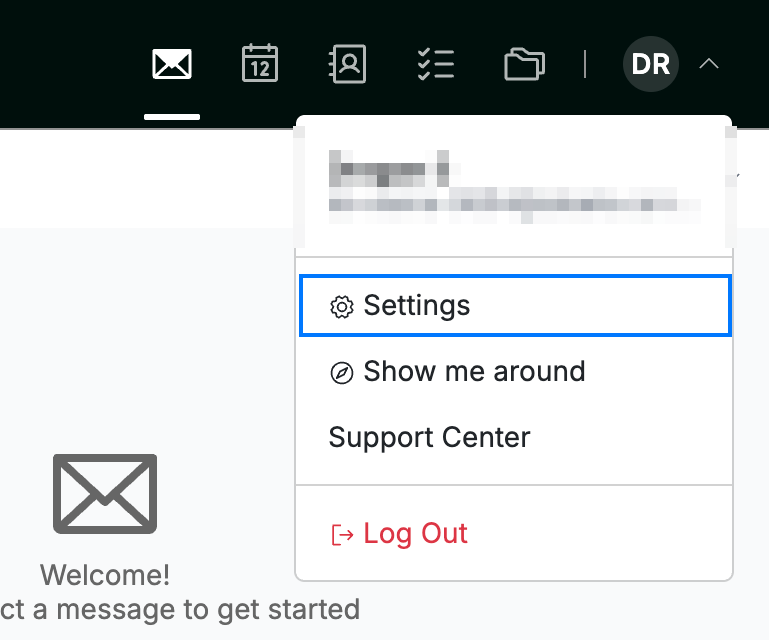
Click your avatar in the top-right corner and select Settings.
Step 2 — Open Setup and Location
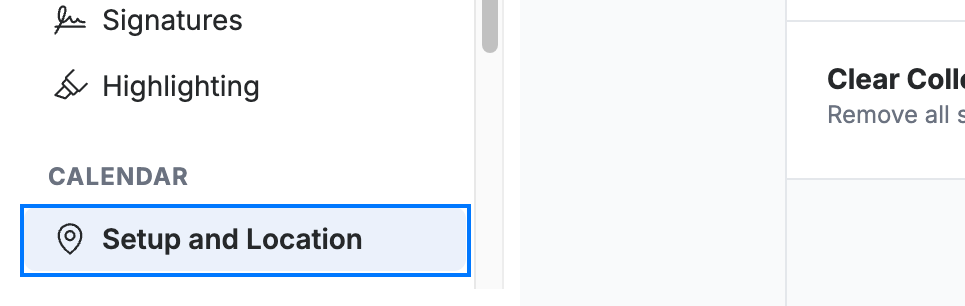
Select Setup and Location from the Calendar section of the settings sidebar.
Step 3 — Hide weekends
Click the Hide weekends in calendar toggle (blue) to turn it on. Saturday and Sunday are removed from the Week and Month views.

Step 4 — Save your changes
Click Save Updates (green) to apply the setting.

Explore our other guides to get the most out of Webmail.