Learn how to switch your message between HTML and plain text in Webmail — use HTML for rich formatting, or plain text for a clean, lightweight message that displays the same in every email client.
Step 1 — Find the format control
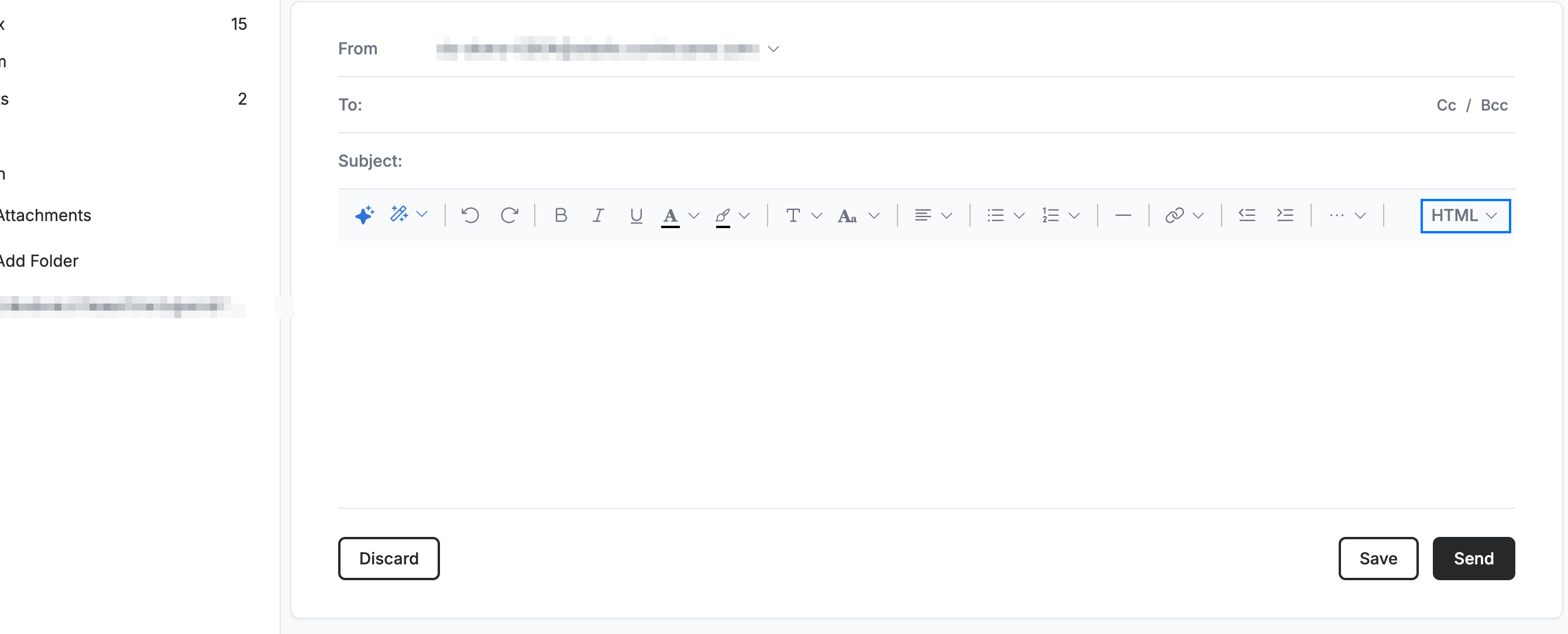
Locate the HTML control at the right end of the formatting toolbar in the compose window. It shows the current composition mode.
Step 2 — Open the format menu
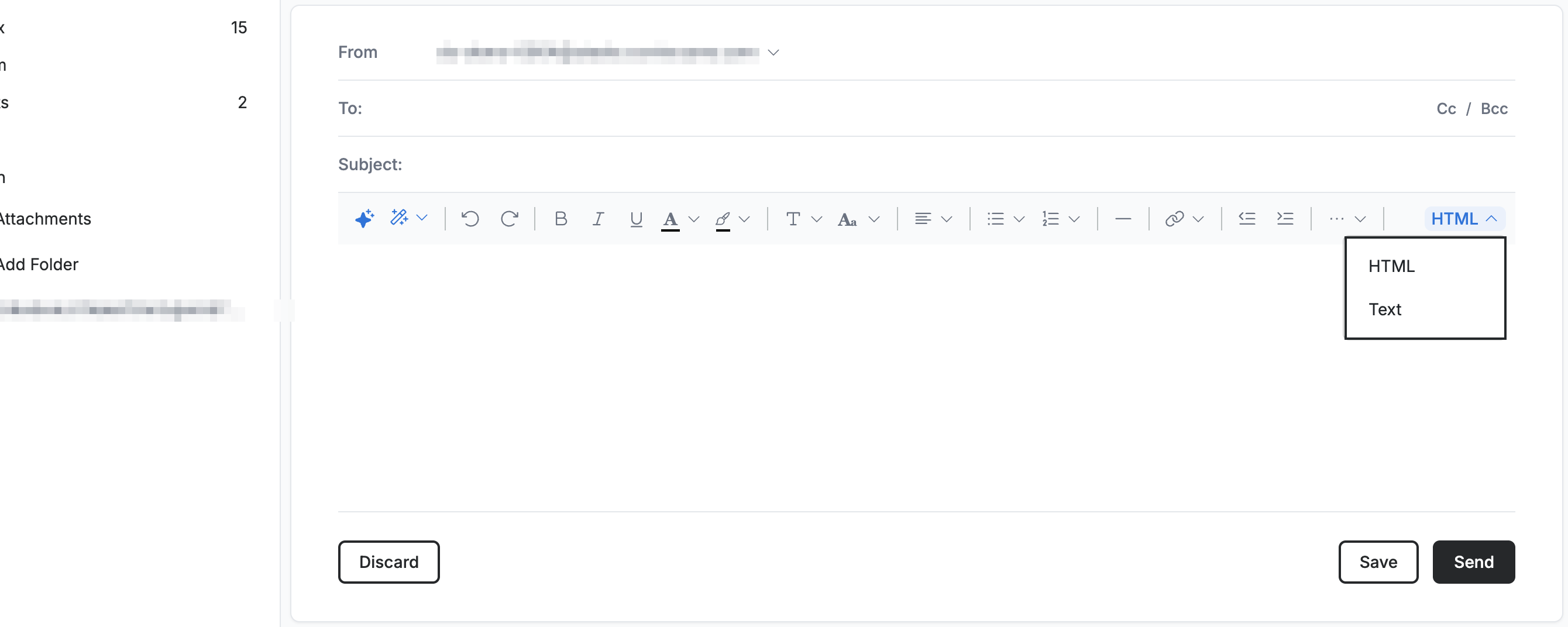
Click the control to open the menu, then choose HTML to compose with the formatting toolbar and rich styling, or Text to compose in plain text without formatting.
Step 3 — Confirm the switch to plain text
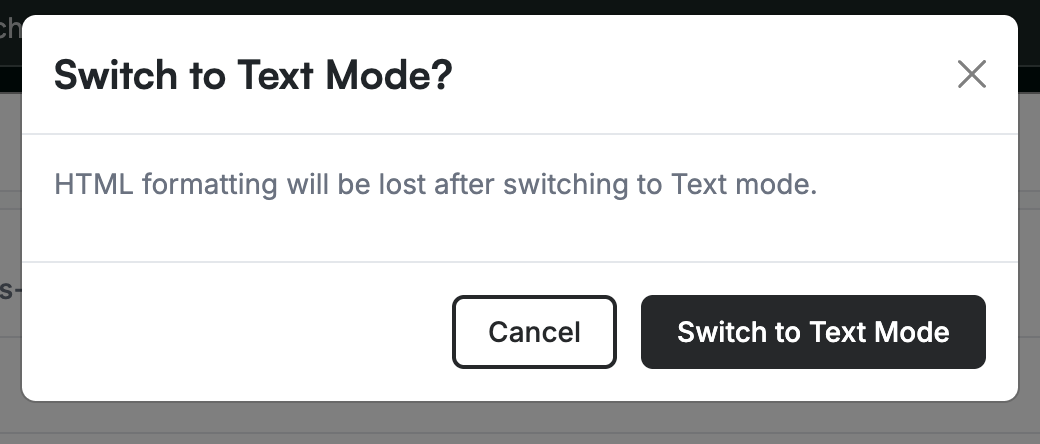
Click Switch to Text Mode in the confirmation that appears to continue, or Cancel to stay in HTML.
Note: Switching to plain text removes all HTML formatting from your message, and this cannot be undone.
Explore our other guides to get the most out of Webmail.