Report unwanted messages as spam so they are moved out of your inbox, and review what has been caught in the Spam folder. Reporting spam also helps train the filter to catch similar messages in future.
Step 1 — Mark a message as spam
Select a message, then click Mark as spam (red) in the toolbar. The message moves to the Spam folder.

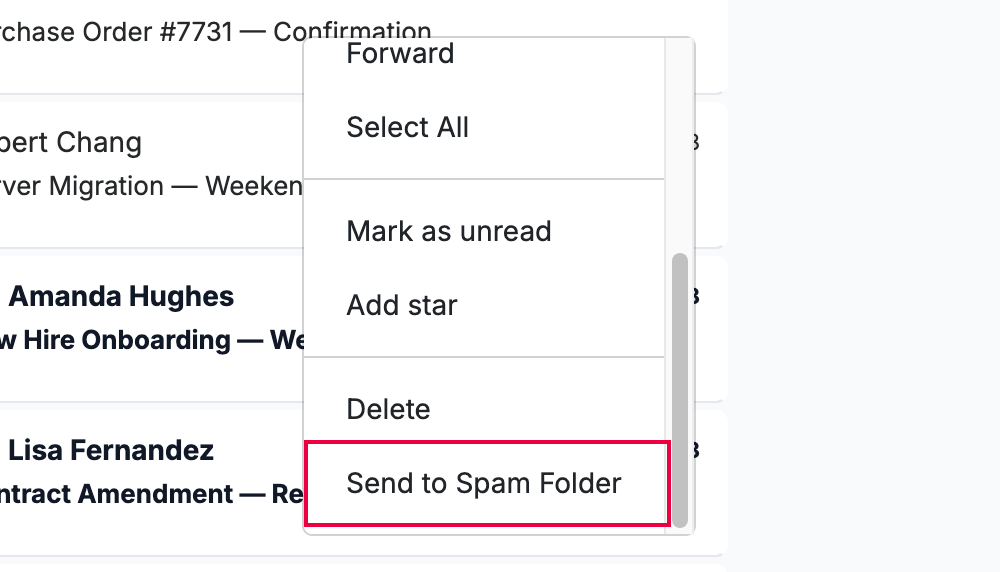
Step 2 — Send a message to Spam from the menu
Right-click a message and select Send to Spam Folder (red). This does the same thing without selecting the message first.
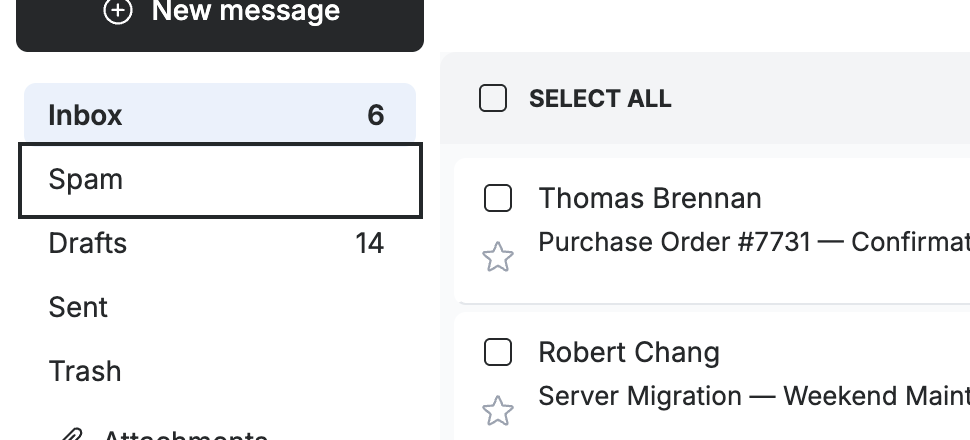
Step 3 — Review the Spam folder
Click Spam in the sidebar to review the messages the filter has caught. Check here occasionally for legitimate mail that was flagged by mistake.
Tip: If a real message lands in Spam, open it and use Move to to return it to your Inbox.
Explore our other guides to get the most out of Webmail.