If messages you want keep landing in your Spam folder, you can tell Webmail to trust the sender and adjust how aggressively it filters. This guide shows both fixes.
Step 1 — Open the spam settings
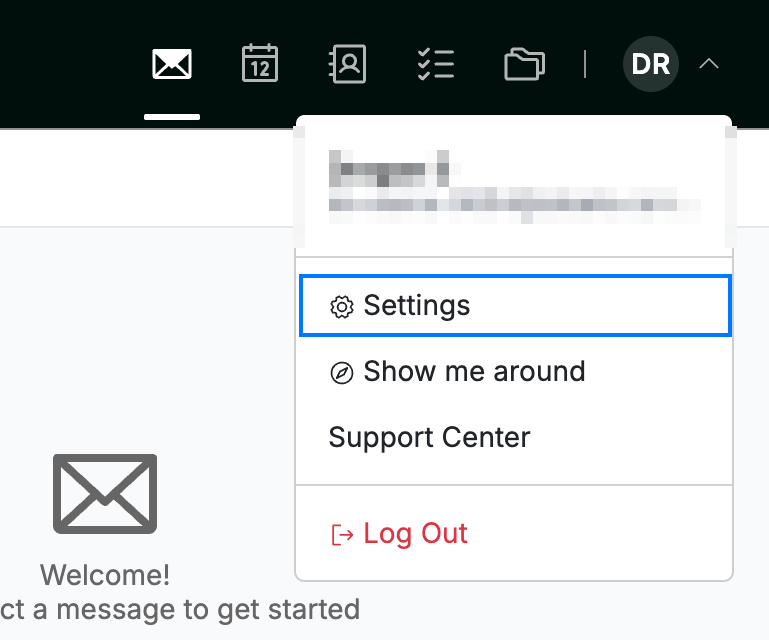
Click your avatar, select Settings, then choose Safe and Spam Senders from the sidebar.
Step 2 — Add the sender to your Safe Senders
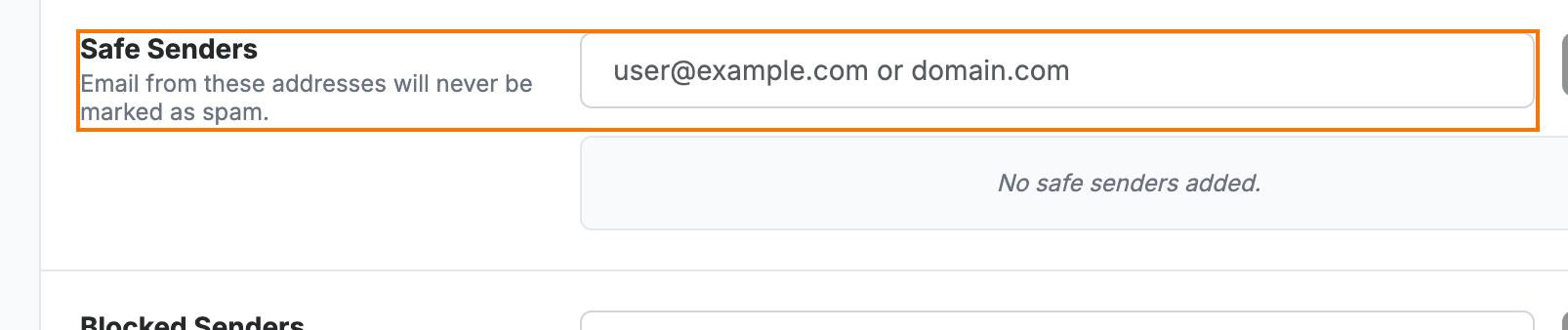
Enter the address or domain you trust in the Safe Senders section (orange), then add it. Email from these addresses is never marked as spam.
Step 3 — Adjust your filter strength
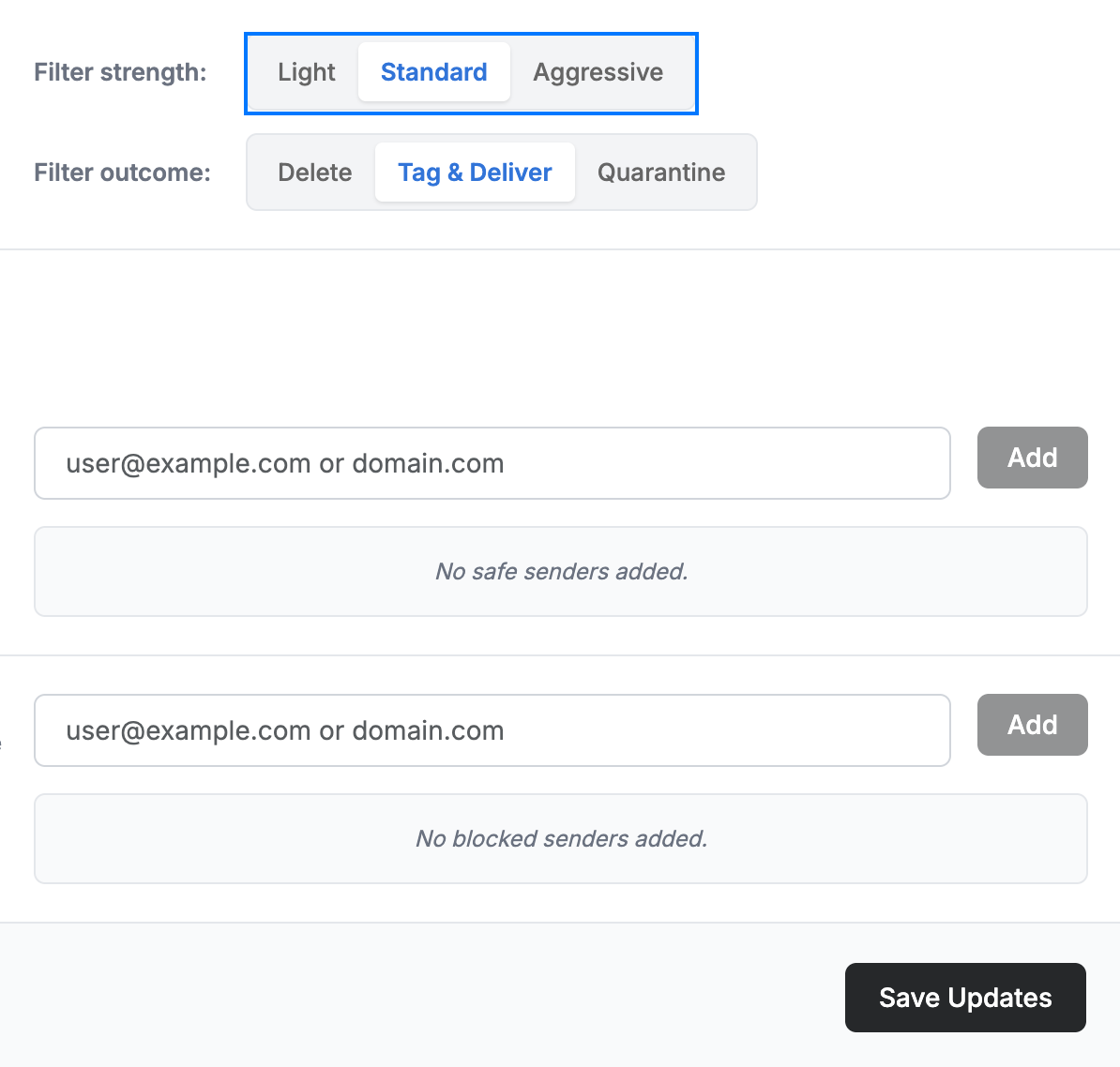
Set Filter strength (blue) to suit your needs — choose Light if too much legitimate mail is being filtered, or Aggressive if too much spam reaches your inbox. Click Save Updates to apply your changes.
Explore our other guides to get the most out of Webmail.