Sign out of Webmail when you finish — especially on a shared or public computer — to keep your mailbox private. This guide shows where to log out.
Step 1 — Open the user menu
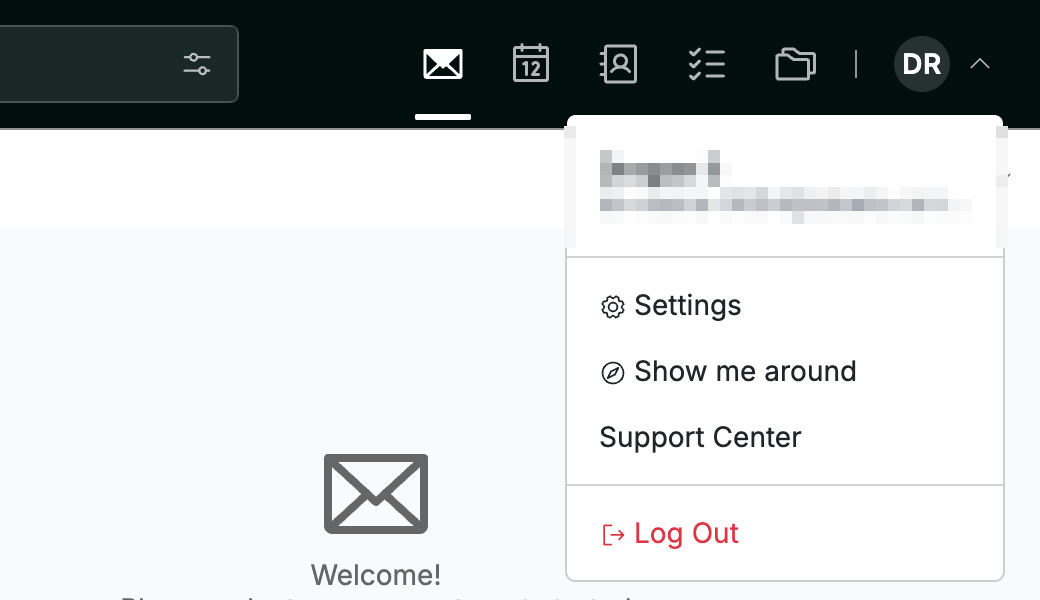
Click your avatar in the top-right corner to open the user menu.
Step 2 — Select Log Out
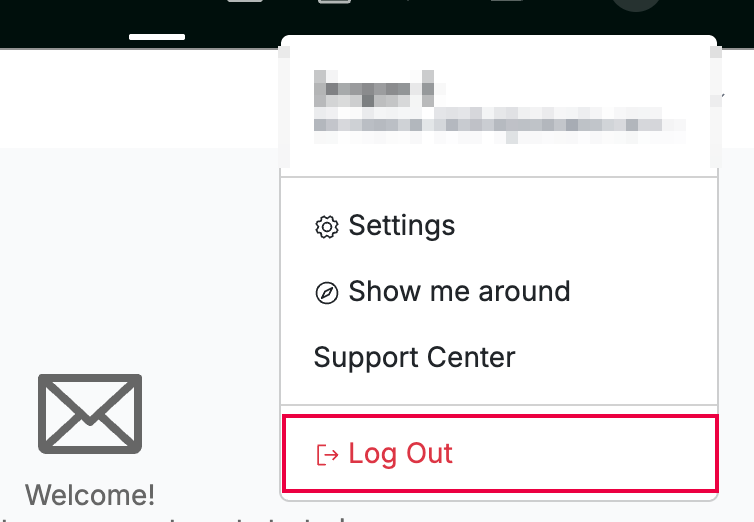
Select Log Out (red) at the bottom of the menu.
Step 3 — Log back in when needed
Enter your email address and password on the login page whenever you want to return. Webmail ends your session immediately when you log out, so you'll need to sign in again.
Tip: Always log out on shared or public computers so no one else can read your mail.
Explore our other guides to get the most out of Webmail.