Move messages from one folder into another to keep your mailbox organized. You can move a single email or several at once.
Step 1 — Select a message
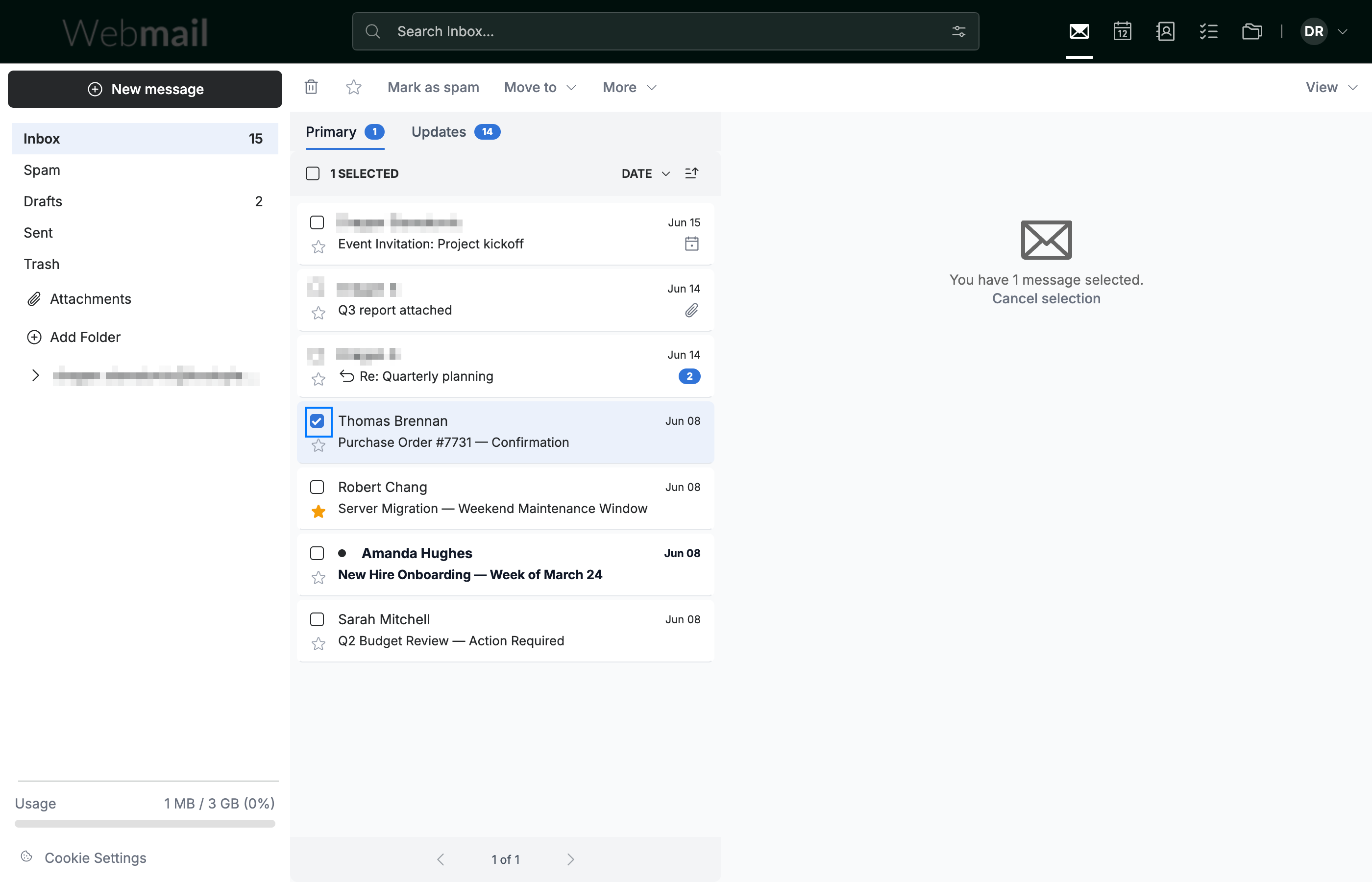
Click the checkbox (blue) next to the message you want to move. An action toolbar appears at the top of the message list.
Tip: Select more than one checkbox to move several messages in a single action.
Step 2 — Click Move to
Click Move to (blue) in the toolbar.

Step 3 — Select a destination folder
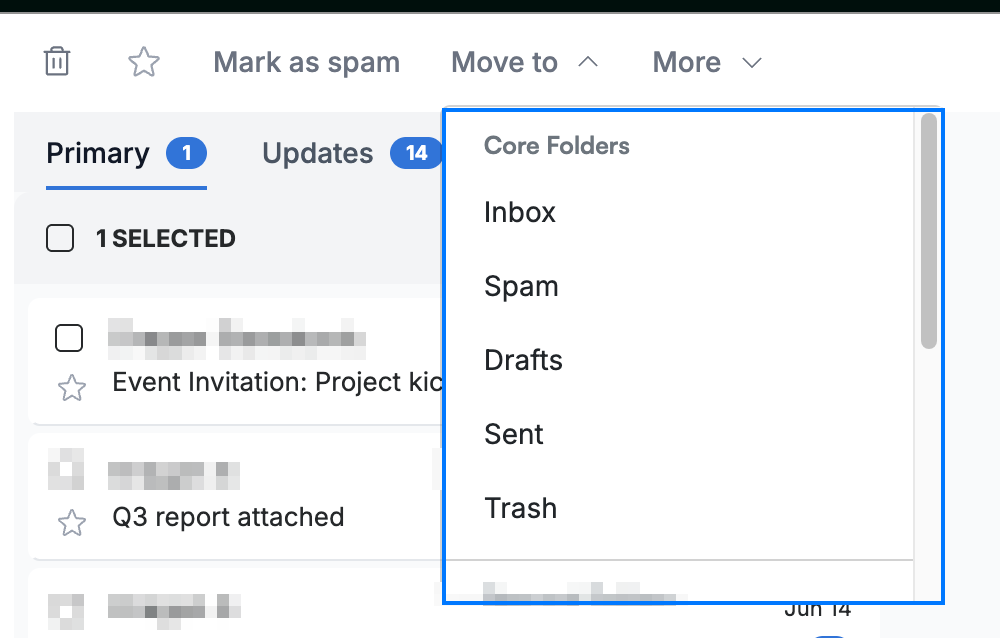
Click the destination folder in the dropdown (blue) — Inbox, Spam, Drafts, Sent, Trash, or any custom folder you created. The message moves to that folder.
Explore our other guides to get the most out of Webmail.