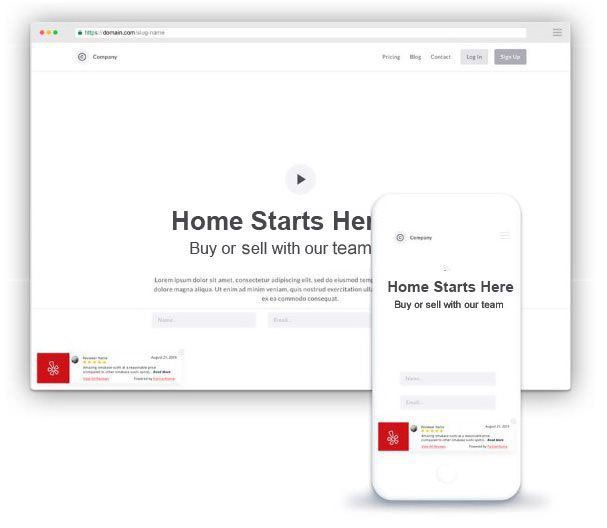
On this page
- Page Layout View
- Pop-Up Layout
You can use embed codes to display customer reviews on your website with us or any third-party website.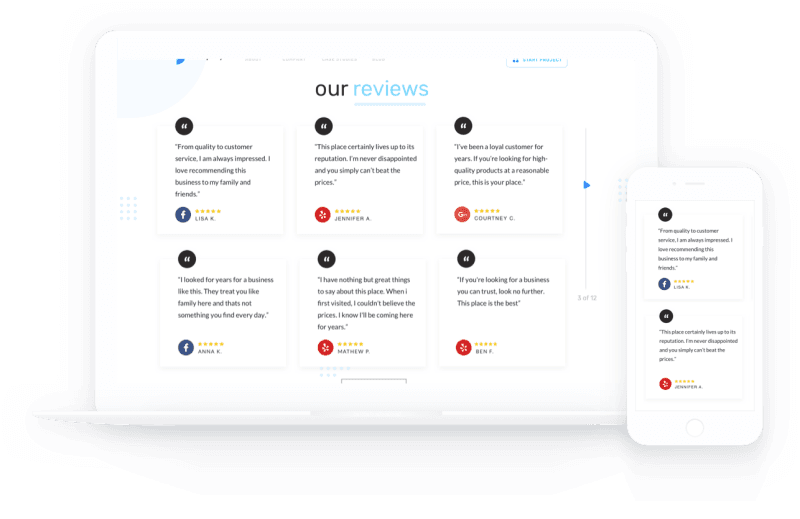
Page Layout View
Select the Get 5 Star Reviews tile. Select Settings, and then select Integrations.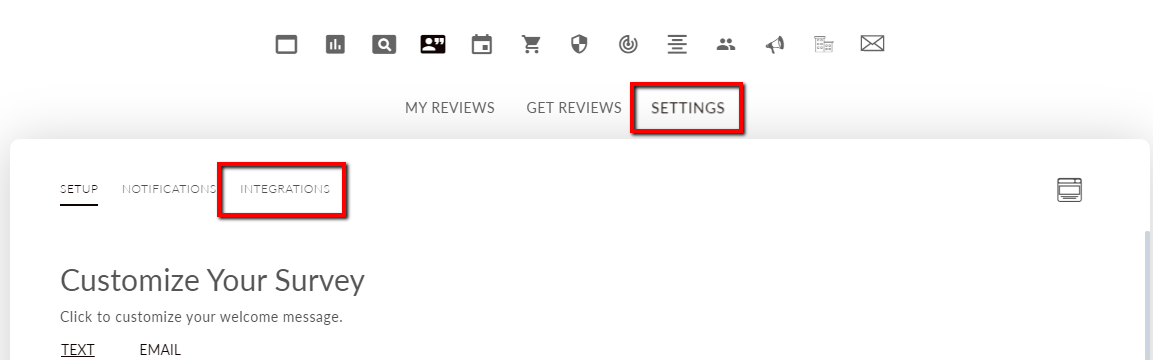 Select Get Embed.
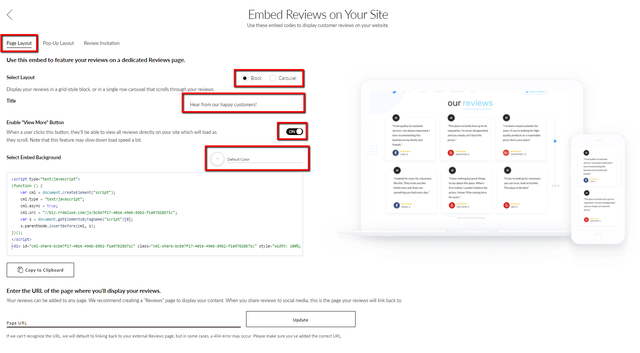
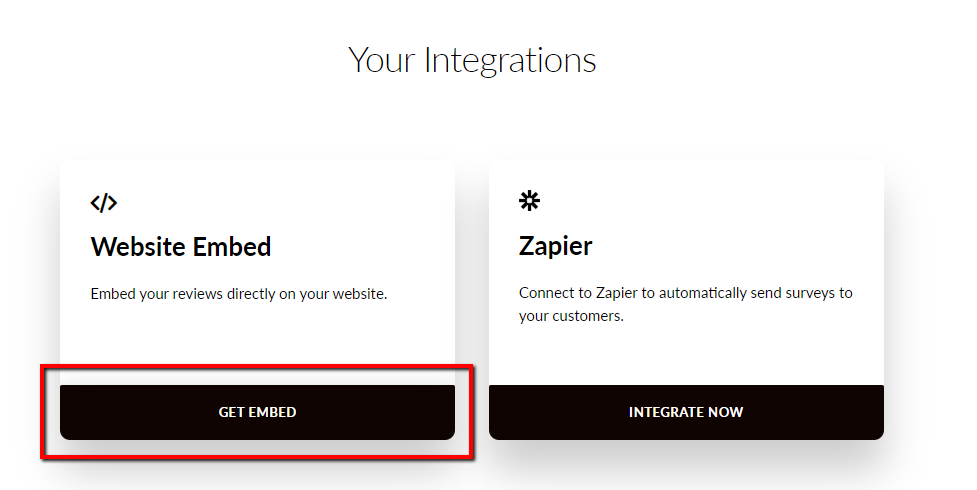 The Page Layout tab allows you to:
- Select a layout
- Edit the title
- Enable the View More button
- Update the embed background color
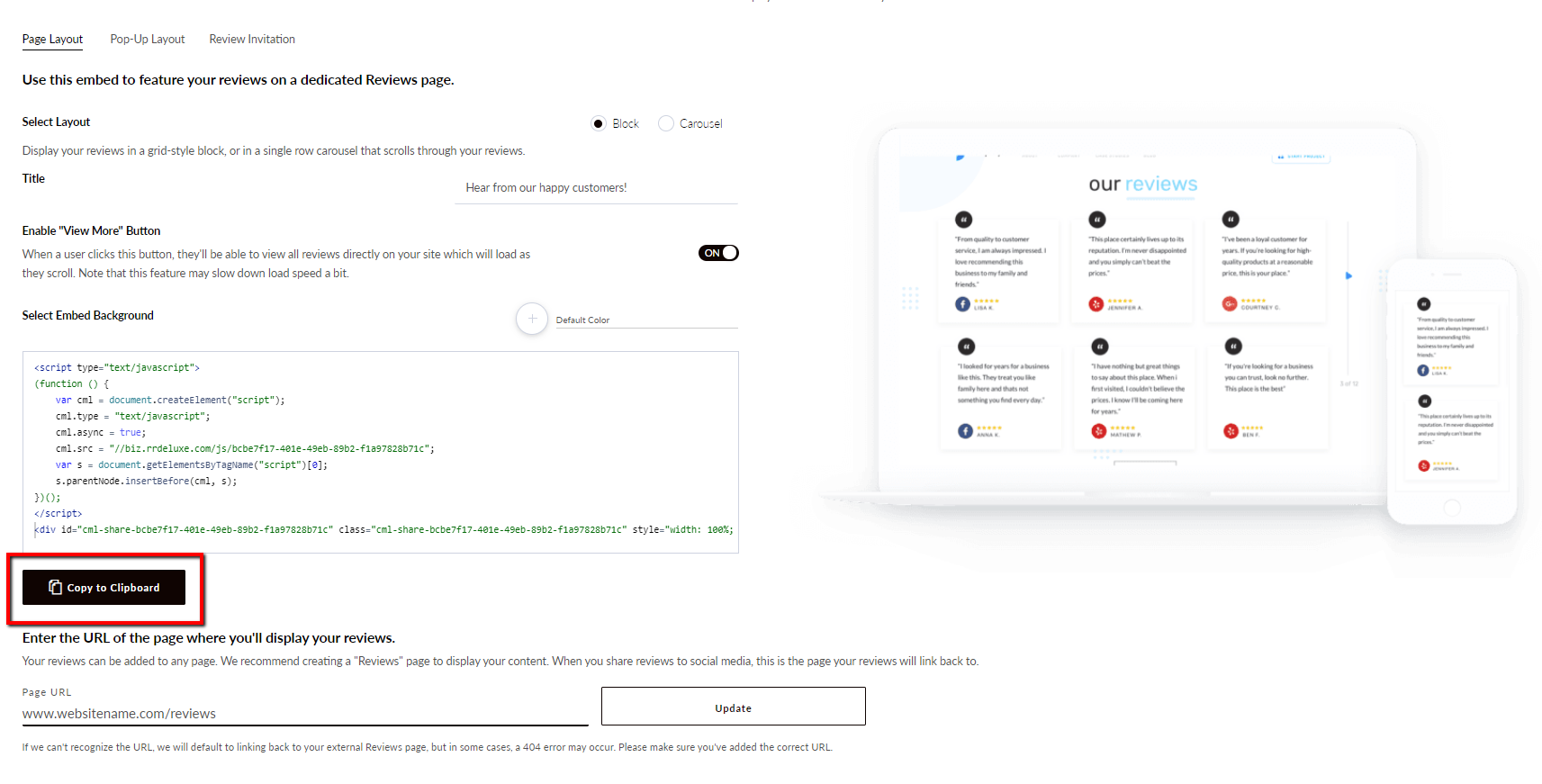
Enter the page URL where the embed will be placed and select Update.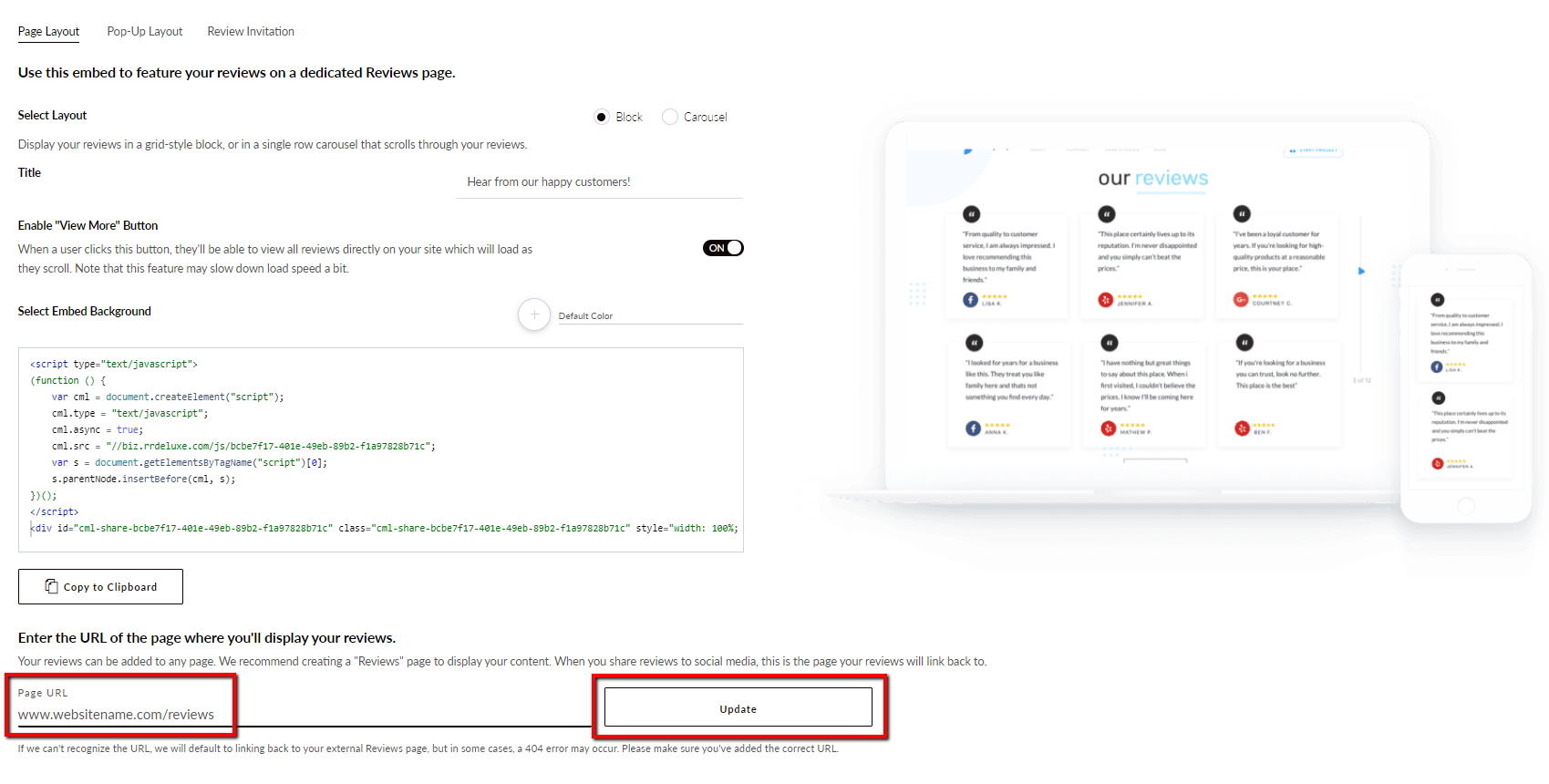 Select Copy to Clipboard.
 Below are examples of your embed layout options. Block Layout: Carousel Layout: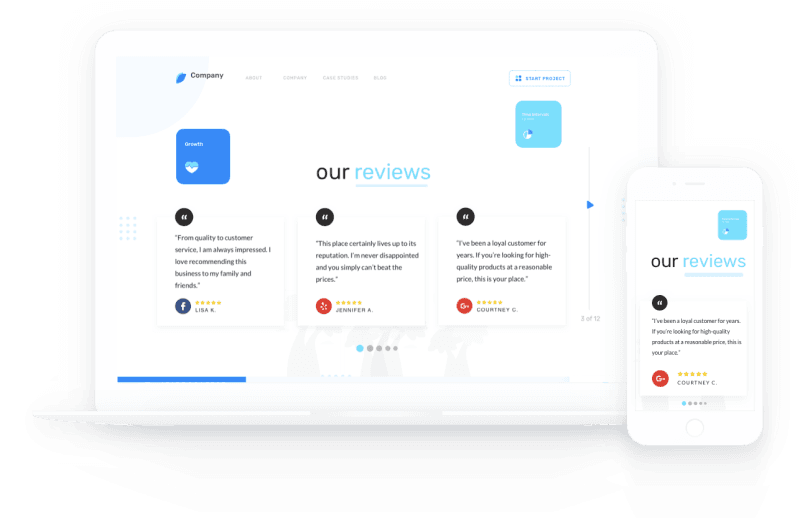
Pop-Up Layout
Select the Pop-Up Layout tab. 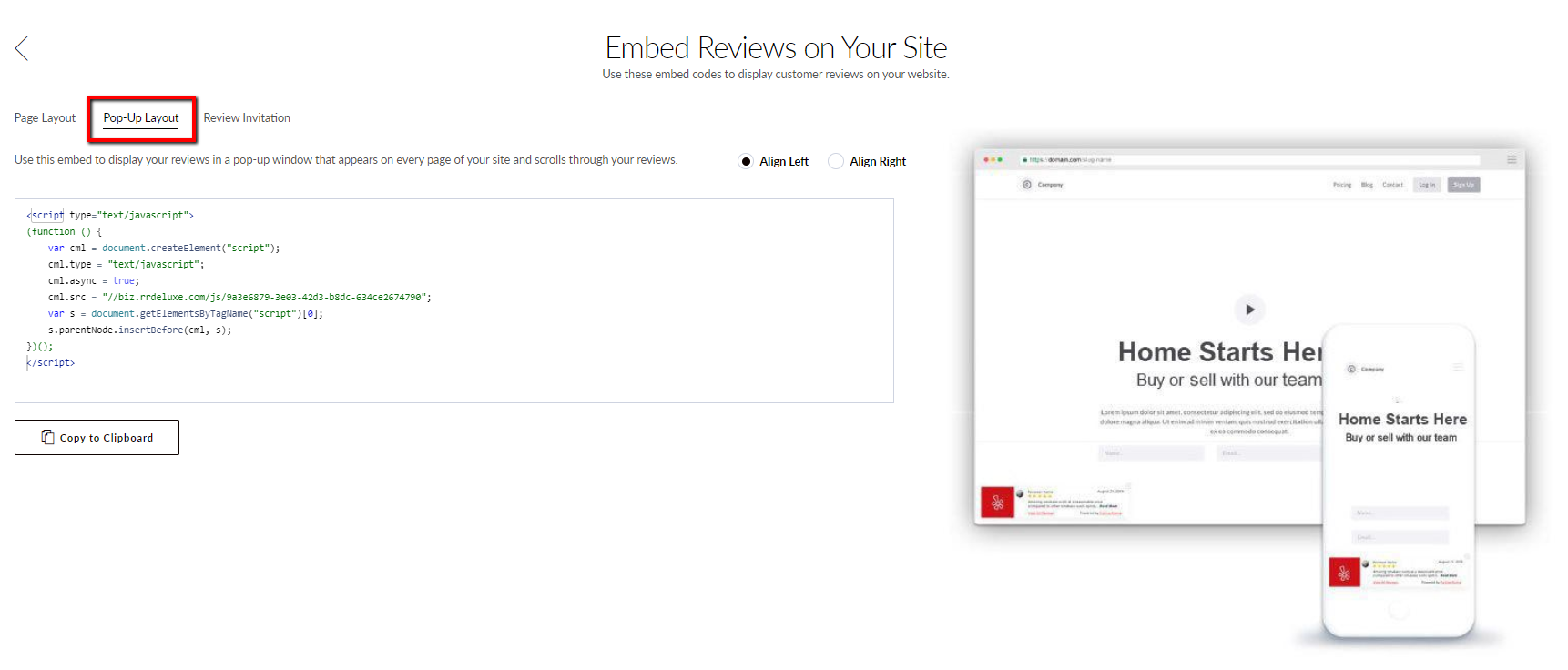 Use this embed to display your reviews in a pop-up window that appears on every page of your site and scrolls through your reviews. Select the option to align left or right and select Copy to Clipboard.
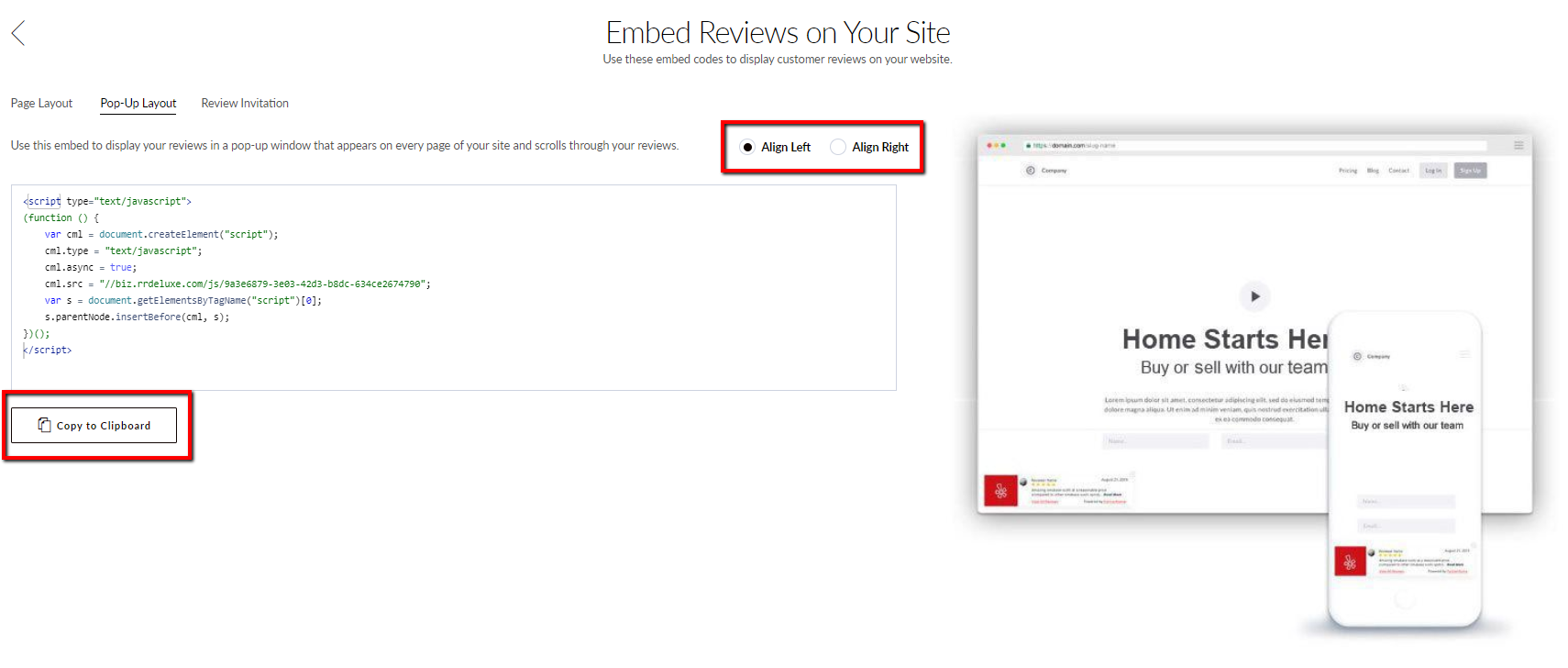 Reviews will now appear in a pop-up on your website.