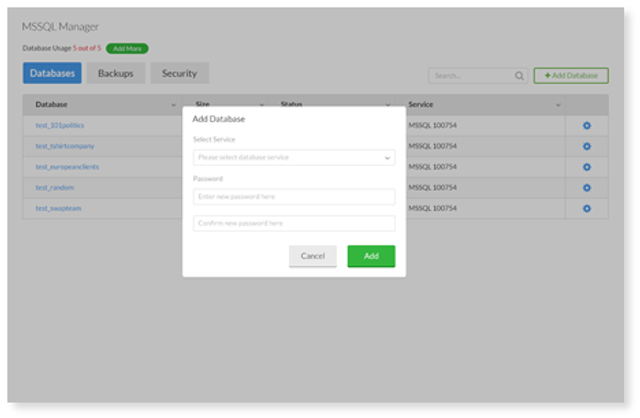
1. Under Databases, select Add Database.
2. Select the Database Size and choose a password. The database name and username will be auto-generated.
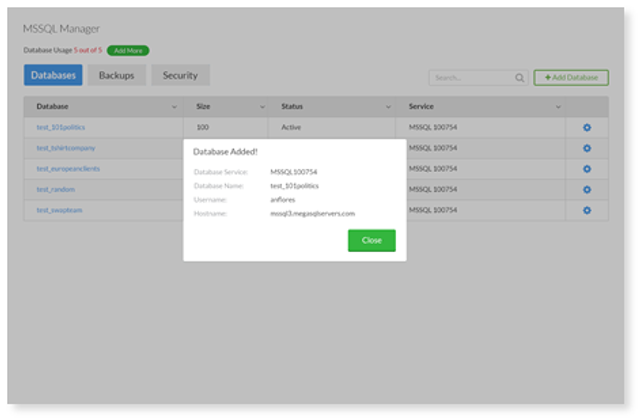
3. After completion, confirmation containing database details will be provided.
How can we help?
1. Under Databases, select Add Database.
2. Select the Database Size and choose a password. The database name and username will be auto-generated.
3. After completion, confirmation containing database details will be provided.