A subdomain is a domain that exists as part of a primary domain. If added a folder will be automatically created in your file manager application, containing the sub domains public folder, through which you can publish content to the newly added sub domain.
please note a sub domain exists as an A record and does not possess its own zone file. if you wish to have a sub domain with its own dedicated zone file please reach out to the billing and domain services team to set up a hosted sub domain.
1. Enter the Subdomain URL in the text field.
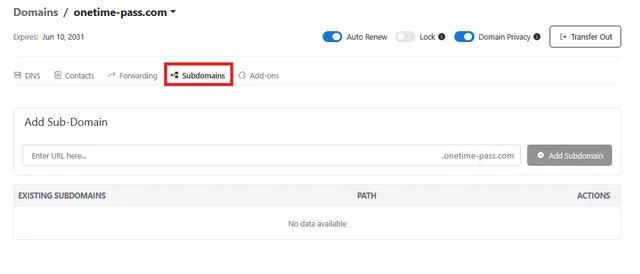
2. Select Add Subdomain to add it.
3. You will see a list of the Subdomains you have added below.
4. You can edit your existing Subdomains by selecting Edit.
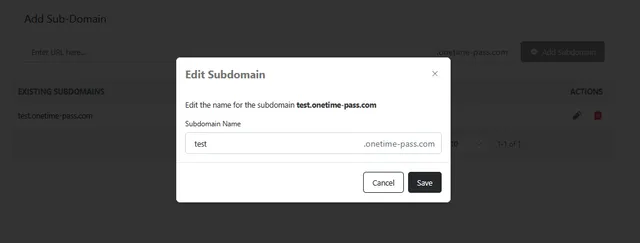
5. You can delete existing Subdomains using the Trashcan  icon
icon