Creating a database user
1 - Open the MySQL Manager application
2 - Click on the "Add User button

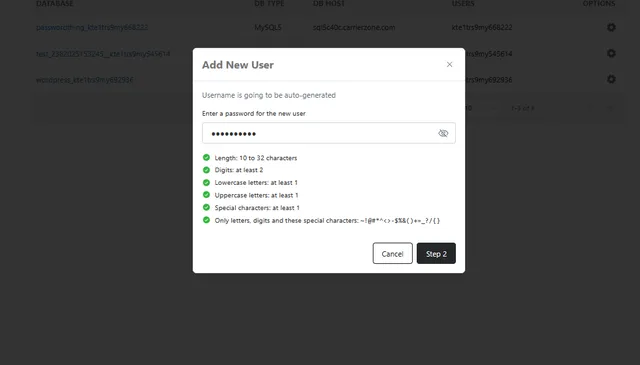
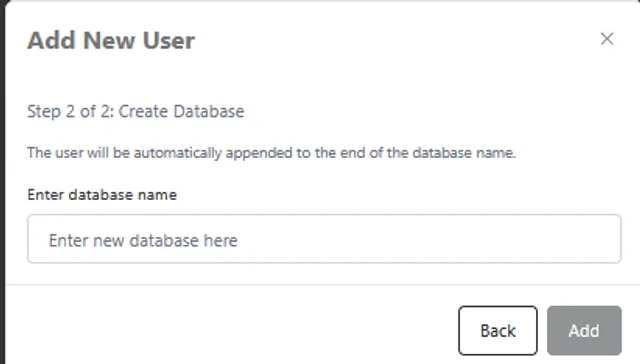
3 - enter the password you would like this user to have click on Step 2 and enter the new database name. Upon saving the new user and DB will be created
Deleting a user / database
Deleting a database can be done from either the users or databases tab, to do so click the small gear icon beside the database and select "Delete Database" this same action can be done from the users tab with the same steps and selecting "Delete user"
upon clicking either option, both the user and the associated database will be deleted.