Email accounts allow you to send and receive Email. They can be accessed by Webmail, POP3, IMAP.
1. Click Mail Accounts.
2. Next, choose Create a new account.
3. Complete the following:
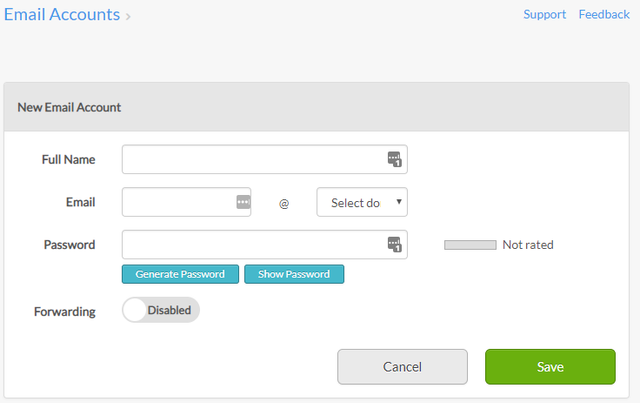
- Full Name – enter the account holder’s full name.
- Email – enter the email account name.
- Select domain – select a domain on which you want to setup your email.
- Password – enter a password.
- Forwarding - when enabled this feature lets you add a forwarding email address.
4. Click Save. Your new account will be listed on the main page.