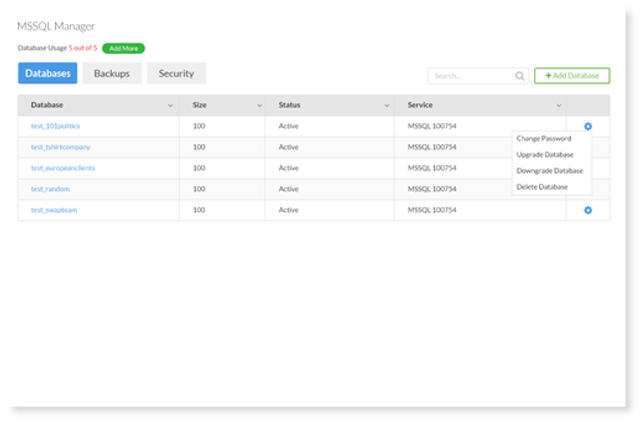
- Select the Settings icon on the far right of the table. Ensure you have chosen the correct icon for the database you would like to update.
- From the menu, click Change Password. A window will appear prompting you to type in your new password.
- Once you have completed this step, select Save.