From your Online Store dashboard,
1. Click Catalog.
2. Next, click Products.
3. Select Edit Product in the drop-down to right of the product.
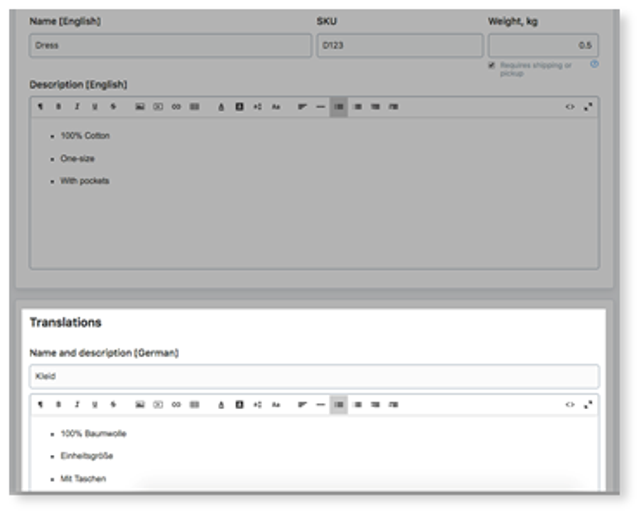
4. Under General, scroll down to the "Translations" section to add.
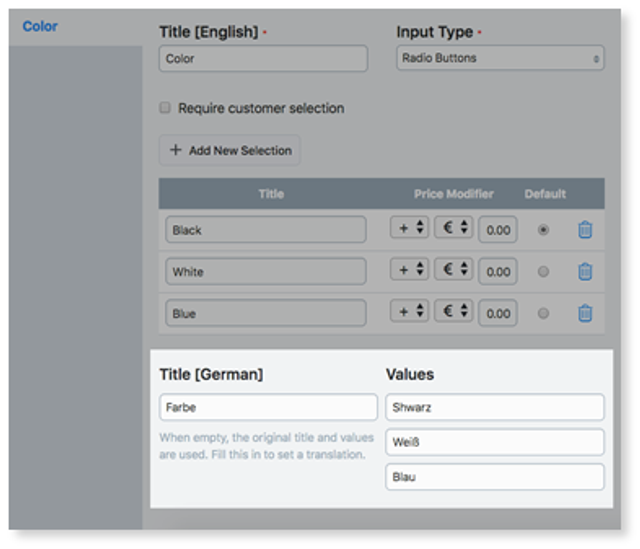
5. For "Product Options", click Options and click +Add New Option.
6. Provide a title and price modifier
7. Click Save and Refresh the page.
Note: if you do not have languages enabled this will not work. To add languages to your store click here