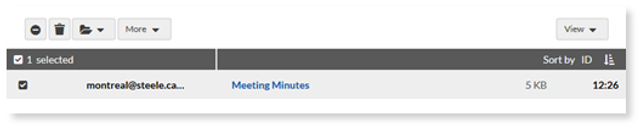
To manage your messages, click on an email to perform the following options:
• Spam : Move to the Spam
• Trash: Delete message(s).
• Tag as Task: If TaskBox tagging is turned on , you will have the option to turn the selected emails into tasks by selecting one of the following tags: To Do , Pending , Priority , Future , or
• Move to Folder : Choose another folder to store the message(s).

• More: Mark as read or unread, add and remove stars, and save a message.
How to move a message:
- Click and drag the message to the desired folder. Once the mouse is released, it will be moved into the selected folder.
How to move multiple messages:
- Navigate to the folder containing your messages.
- Use the checkboxes to select the messages you would like to move. To select all of the messages in the folder, use the checkbox at the top left.
- Click and drag the selected messages to the desired folder or select one from the Folder dropdown.