What gets tracked?
This data will allow you to measure ad performance, run remarketing ads, and target new customers similar to existing ones.
Snapchat Pixel records the following information:
- Page View
- View Content
- Add Cart
- Start Checkout
- Add Billing
- Purchase
- Search
In Snapchat Ads Manager
First, you need a Snapchat Ads Manager account.
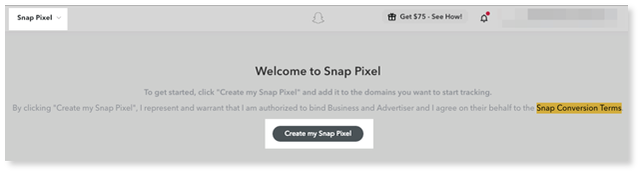
From there, create “My Snap Pixel” by following these steps: top-left corner → Manage → Snap pixel →Create my Snap Pixel →Set up Pixel → Copy Pixel ID.
In your Online Store Settings
1. Go to Online Store Control Panel → Settings → General → Tracking & Analytics.
2. Locate the Snap Pixel section and paste the Pixel ID into the field.
3. Click Save.