Here you can change information pertaining to the specific email list you are editing.
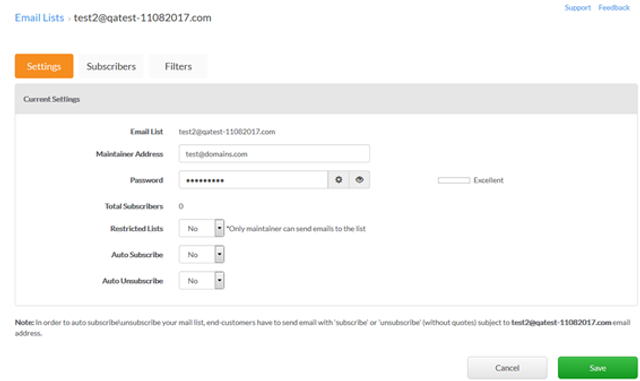
1. In the Settings tab, you can change the email list maintainer address and password. You will also be able to view:
- Subscribers – The total number of email addresses that have subscribed to your email list
- Restricted Lists – Only the maintainer can send emails to the list
- Auto Subscribe – End-customers will have to send email with the word “subscribe” (no quotations) to the main Email List address
- Auto Unsubscribe – The same process as above except using the word “unsubscribe”
2. Select Save when complete.