To delete a customer, select the Your Customers tile.
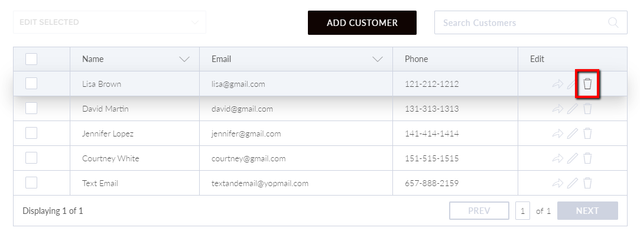
In the edit column, select the Trash icon to delete the customer's information.
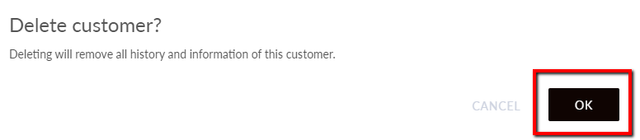
Select OK to confirm.
How can we help?
To delete a customer, select the Your Customers tile.
In the edit column, select the Trash icon to delete the customer's information.
Select OK to confirm.