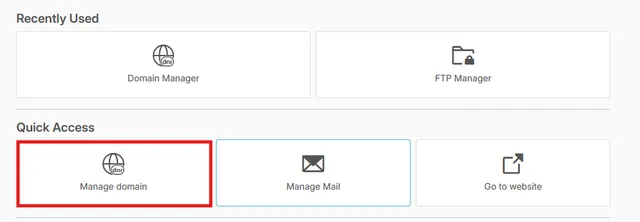
1. Select the Domain Manager application.
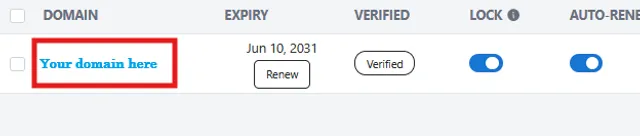
2. Click on the domain name to be updated.
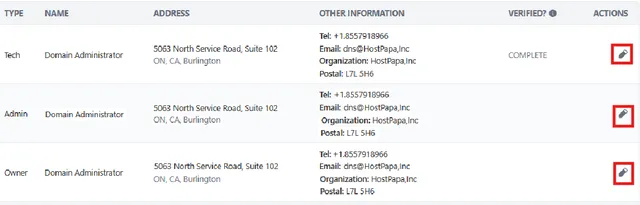
3. Select the Contact tab to update your information. please note any information regarding domain registration will go to the owner contact, while domain verification although often sent to the owner contact may also be delivered to the tech contact as well.
At this stage prior to changing any details please note that any changes to whois contact details will result in a 60 day registrar lock that can not be lifted. you will be able to modify DNS records but will not be able to alter name servers or transfer the domain to another registrar during this 60 day lock.
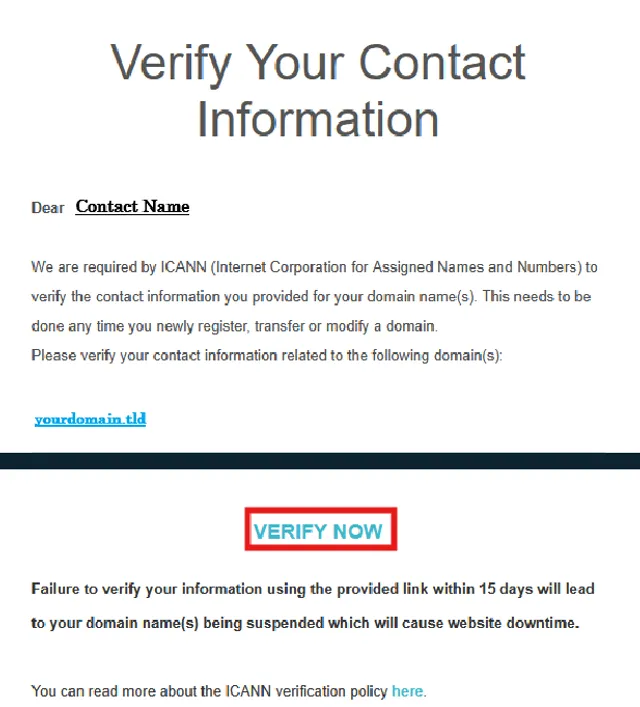
4. Upon updating the Whois contact details of your domain you will then be required to verify the changes.
To verify the Whois details simply click the Verify Now button in the email you received. If you do not receive this email within 10 minutes check the spam folder, and if still not present re-send the verification email by clicking the "In Progress" button shown in your contact tab to re-send the verification email.
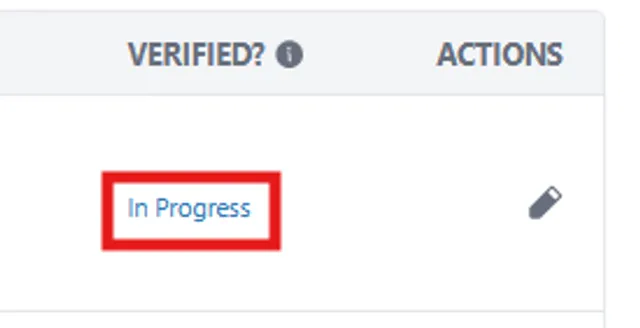
5. If for any reason you are unable to complete this step or are not receiving the verification email and it is not in your spam folder please reach out to our support for further assistance as failure to verify the domain within 15 days will result in the domain being suspended upon reaching the 15th day.
Please see an example of the email you will receive below: