1. Select the Settings  icon in the right column.
2. Next, select View Domain Details .
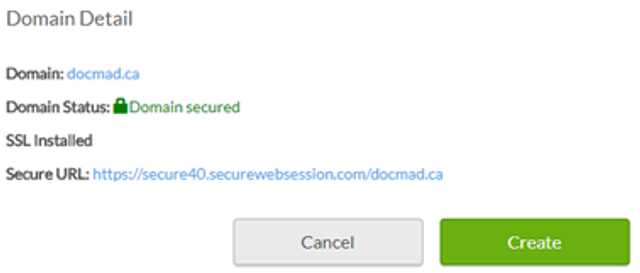
3. You will be notified of whether or not your domain is secured or not secure. You will also be provided details of your SSL status, type and secure URL.
Note : It is important to enter the information correctly during your initial setup. In the event you provide the wrong domain information, you will have to purchase a new SSL certificate. The information you provide cannot be changed once it is confirmed.