1. Click the globe icon from the left sidebar and select Domain Transfer which will transfer you to a different section of the Portal.
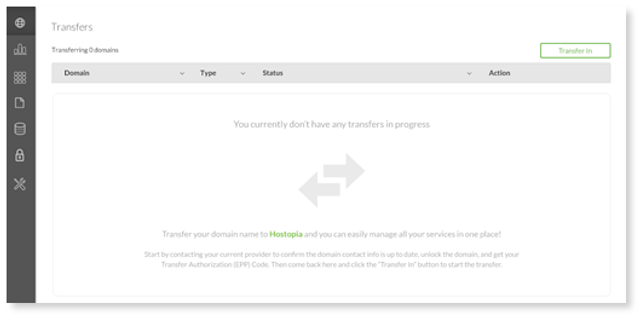
2. Select Transfer In and you will be directed to the SHOP to complete the transfer and add your domain to the Portal.
Below are the outcomes of either a successful/failed transfer:
- Transfer in – Success – moves to general Domains section; no longer in Transfers section
- Transfer in – Failure – remains in Transfers section and can be resubmitted
- Transfer away – success – Domain removed from Domain Manager application
- Transfer away – failure – Moves back to general Domains section; no longer in Transfers section
- Ownership transfers – remains in Transfers section until approved and disappears when completed