An alias can be used in one of two ways, either as an additional name for an existing account under your domain or may also be used as a forwarder that will direct mail to an email address within or external to your domain name.
For an alias to act as an additional username to a domain based email, the alias can only forward to that one domain based mailbox, aliases forwarding to 2 or more mailboxes will only act as a forwarder
Creating an Alias.
Open the Mail Manager application
Click on the "Email aliases" tab
Click on "New Email Alias"

Once in the create screen you will need to name your alias, choose the domain you wish the alias to exist under, and enter the email address domain based or 3rd party, that you wish the alias to forward mail to.
to enter the destination email type the full email address and hit the "Enter" key, if entering multiple addresses they can be entered in the same fashion or as one line separated by commas.
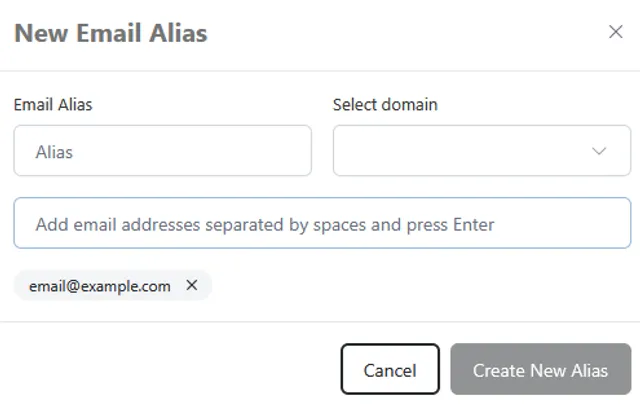
Click Create New Alias, to save the alias, allow up to 5 minutes for the alias to be active.
Modifying an Alias.
To modify an existing alias, click the small gear icon to the right of the alias you wish to change. and select "Manage Alias"

you will be taken to the following screen. where new destination addresses can be added / removed, the domain and name of the alias can be altered.
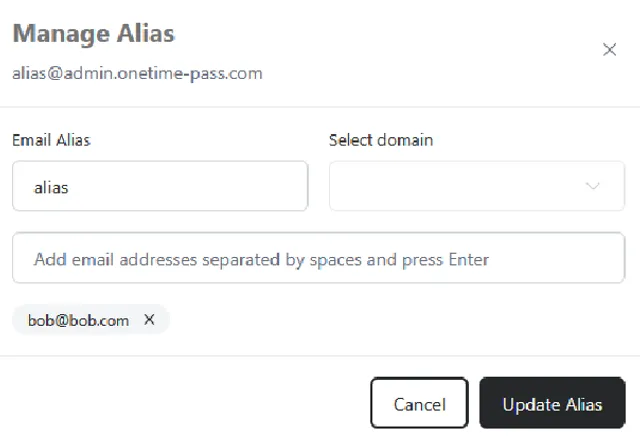
Once you are happy with the changes click on the "Update Alias" button to save the changes.