To send a survey, select the Get 5 Star Reviews tile.
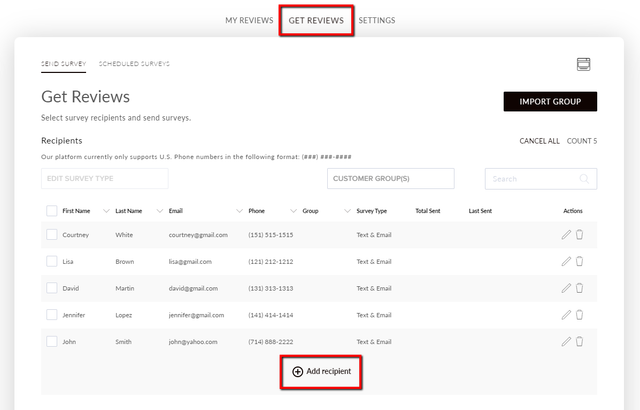
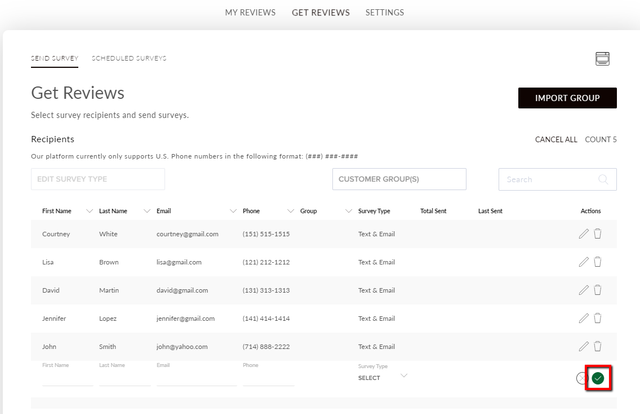
Navigate to the Get Reviews tab and select Add Recipient.
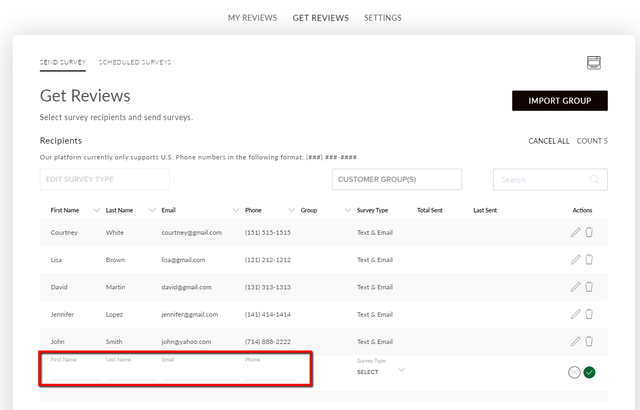
Enter your customer's first name, last name, email, and phone number.
Select the Survey Type drop-down, and select whether you want them to receive a text survey, email survey, or both.
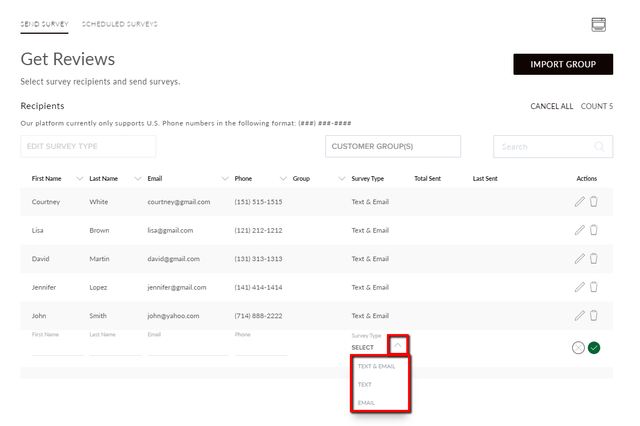
Select the checkmark to save your recipient.
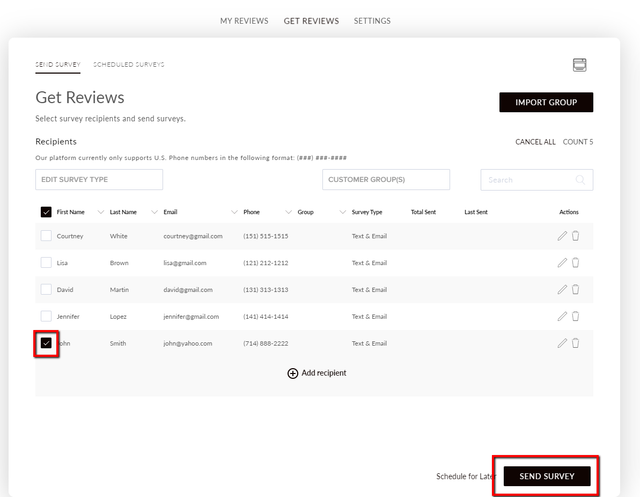
Select the customer you want to send a survey to. Select Send Survey.
You will see the survey being sent.

You will see a confirmation that the survey was sent successfully.

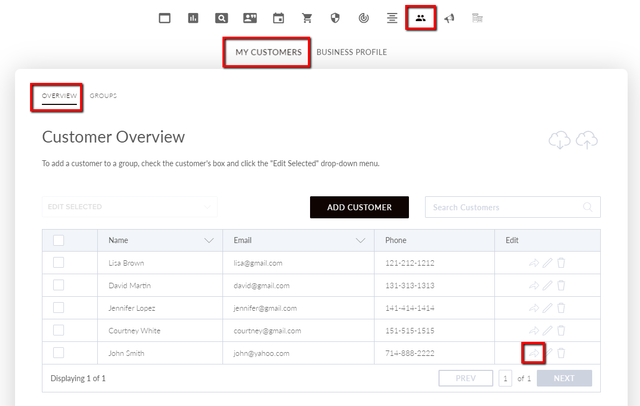
You can also send a survey from the My Customers Overview section. Select the arrow next to the customer you want to send a survey to.